THE SALES FOLLOW-UP DEBATE · RESEARCH CHECKED OCTOBER 2026
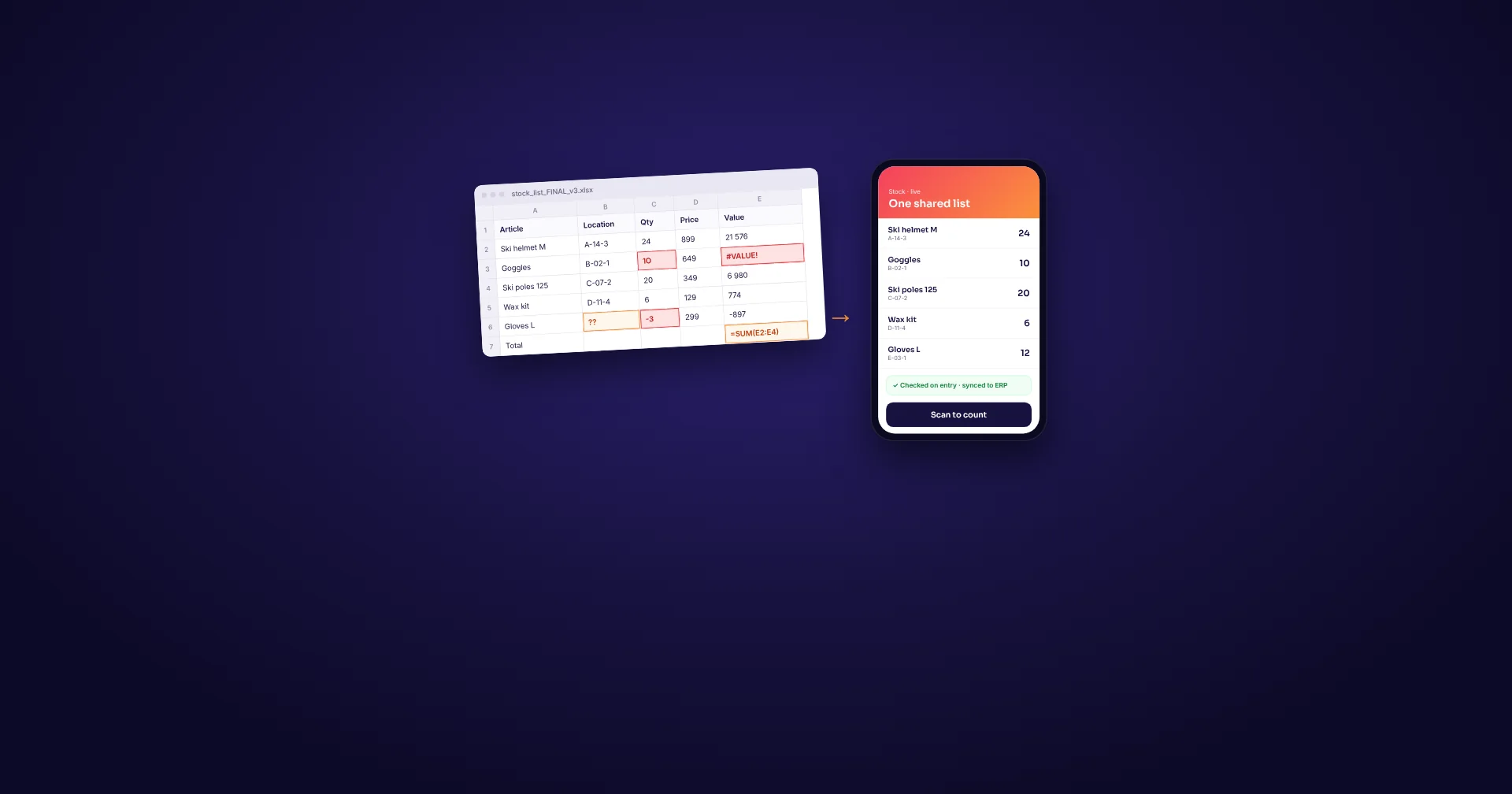
The customer list is beautifully color-coded. The next call still depends on somebody remembering to make it.
Excel is a sensible place to start keeping track of customers. It is familiar, flexible and often already paid for. The trouble begins when the spreadsheet becomes the place where the whole sales team is expected to remember everything: conversations, promises, follow-ups and who owns the next move.
A customer relationship management system, or CRM, earns its place when it makes that daily work easier. Moving the same neglected information into a subscription will not fix the sales process.
Excel deserves a better argument against it
A small customer list managed by one person does not automatically need another application. A spreadsheet can hold contacts, values, stages and next-action dates. Filters and formulas can make it useful for reviewing opportunities, and it remains excellent for calculations and ad hoc analysis.
Nor is Excel trapped in the era of emailing “final-final.xlsx”. Microsoft documents co-authoring and version history for supported Excel versions and cloud storage such as OneDrive or SharePoint Online. A properly shared workbook can be a common working file.
Even CRM suppliers acknowledge that starting point. HubSpot offers an Excel and Google Sheets CRM template with separate areas for organizations, contacts, opportunities and interactions. You can organize sales in a spreadsheet. The decision is how much effort keeping it organized demands.
The work between the cells is where time disappears
A customer asks for a revised proposal. One salesperson records the call in a row; another keeps the useful details in an email. The promised follow-up goes into a calendar. When somebody is away, a colleague has to reconstruct the conversation before calling back.
That is an illustrative handover, not a customer case study. It exposes a practical test: can somebody who did not take the call find the history, understand the promise and see the next action without asking around?
A spreadsheet can be designed to hold that information, but the team must build and maintain the conventions. Who updates the contact? How are several conversations linked to the same company? What happens when an action is overdue? As the process grows, somebody becomes responsible for keeping the workbook usable alongside their sales work.
A suitable CRM brings those relationships and activities into a more consistent workflow. Its value appears when the next person can continue the conversation, and when the person responsible can see what needs doing. Reminders, email capture and automation vary by product and plan; verify them rather than assuming that the word CRM includes everything.
Buy a working follow-up process
| Task | Excel | What to demand from a CRM |
|---|---|---|
| Find a customer | Search and filter a maintained list. | Find the company and its linked contacts without duplicate hunting. |
| Prepare the next call | Read the relevant rows and any connected notes. | See recent conversations, open work and the next action together. |
| Share responsibility | Use agreed columns and update rules in a shared workbook. | Make responsibility and due dates clear; test permissions and absence cover. |
| Follow up | Maintain dates and review them; build any extra notifications separately. | Show due and overdue work, with any required reminders demonstrated. |
| Analyse sales | Flexible formulas, charts and custom analysis. | Provide the reports you need and a usable export; verify plan limits. |
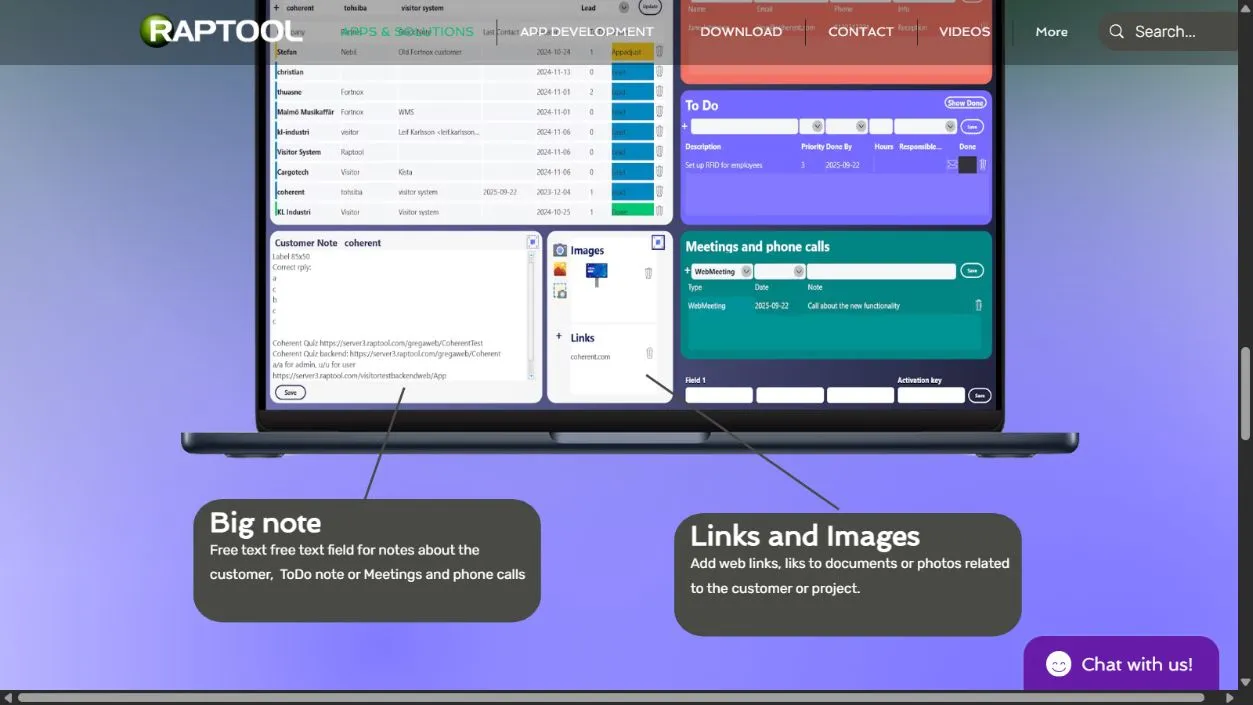
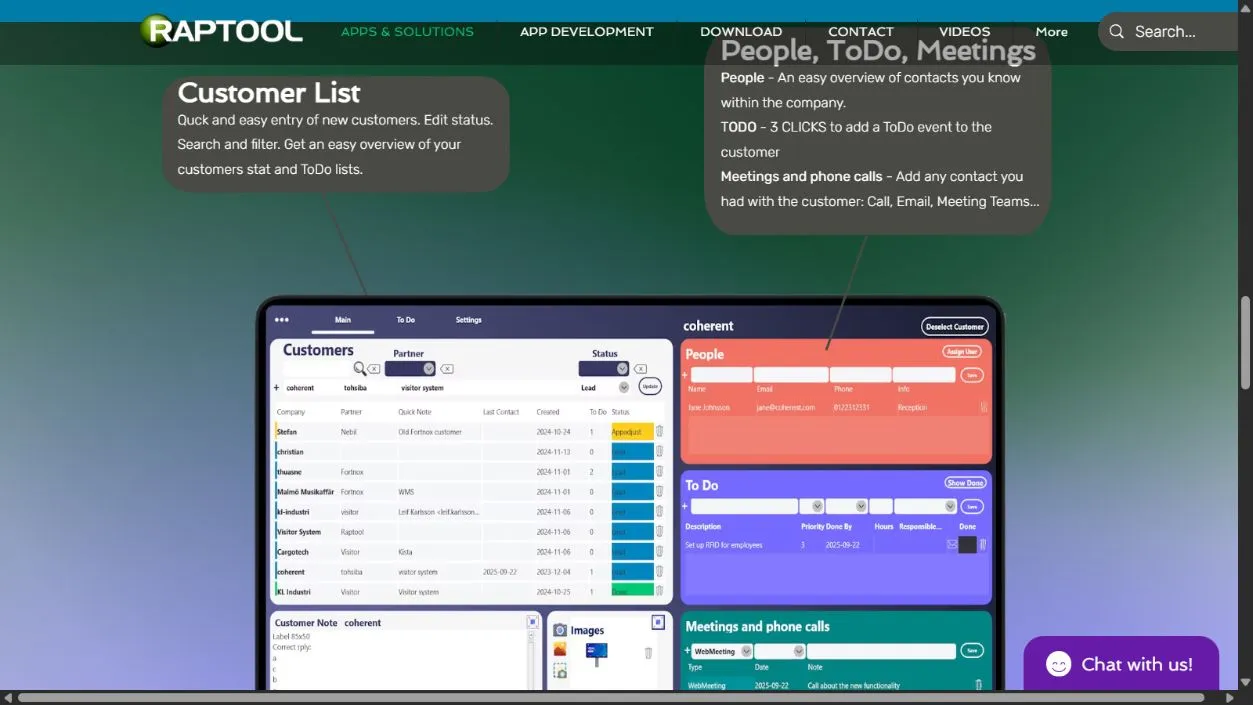
Raptool's current CRM page shows a customer list, status editing, search and filters, contacts, to-dos, logged conversations, notes and links. Those are relevant starting points for a team trying to bring scattered follow-up work together. Test the actual handover, permissions and reporting you need before choosing it.
Keep Excel where it helps. A CRM can hold the working customer record while a spreadsheet handles a particular analysis. Agree which system owns each fact so an export does not quietly become a competing master list.
The spreadsheet may be paid for. The coordination is not.
The license comparison is only part of the cost. Time spent collecting updates, finding notes and rebuilding handovers has to come from somewhere. Measure it before assigning a value to the change.
Five minutes each can become 100 hours a year
Assume five salespeople each remove five minutes of searching and repeated updating on 240 working days: 5 × 5 × 240 ÷ 60 = 100 hours.
At an assumed loaded cost of €30 an hour, that is €3,000 of staff capacity. Reusing those hours for sales does not automatically reduce payroll or produce extra revenue.
For a separate hypothetical cash case, suppose 60 of those hours replace paid administrative support at €30 an hour. That avoids €1,800 annually. Deduct an assumed €900 in recurring CRM and support costs to leave €900 annual net cash savings. With €900 in one-time setup and training, simple payback would be 12 months and the first-year net cash effect zero. These are example assumptions, not a Raptool quote; tax and financing effects are excluded.
Do not add imagined recovered deals to make the calculation work. Track overdue follow-ups and won deals during the pilot, but allow for lead quality, seasonality and sales effort before attributing any revenue change to the software.
Import fewer problems than you export
Before moving, remove duplicates and decide how companies, people and activities relate. Agree an owner and a next action for live work. Keep information that somebody needs to continue a customer relationship; a decade of unexplained notes may only slow the migration.
Test a small representative import and an export back out. Confirm that notes, dates and relationships survive, and agree how access changes when an employee leaves. These are requirements to demonstrate, not features this article assumes every CRM has.
Then let the salespeople do ordinary work in the trial: add a customer, record a conversation, assign a follow-up and hand it to a colleague. Include the person least interested in new software. Measure completion, mistakes and time spent asking for help.
If the shared workbook is accurate, the workload is manageable and follow-ups happen, keep using it. When maintaining the spreadsheet starts competing with customer work, a focused CRM has a job to do. Choose the one that your team can keep current during a busy afternoon.
Bring your current spreadsheet to the discussion
Use real examples to test whether Raptool CRM can reduce the work around your customer list. Ask to see the next action and the handover, as well as the contact screen.
Questions behind the CRM decision
When should a sales team move from Excel to a CRM?
When keeping customer history, responsibility and follow-ups current takes too much effort, or handovers regularly fail. Test whether a CRM removes that work; there is no universal number of contacts that makes a spreadsheet unsuitable.
Can several people work in Excel at the same time?
Yes. Microsoft supports co-authoring for compatible Excel versions and cloud storage such as OneDrive or SharePoint Online. Collaboration does not by itself establish a complete customer follow-up process.
Does moving to a CRM automatically save money?
No. The illustrative example releases 100 staff hours. Only 60 hours are assumed to replace paid support, producing €900 annual net cash savings after assumed recurring costs. The figures are hypothetical, not a Raptool quote.
Sources and scope
Research checked October 2026. Supplier features and findings are linked beside the relevant claims. Workflow advice and the financial examples are our analysis. No logged-in product benchmark or guaranteed sales improvement is claimed. View the full Raptool CRM page capture.