Overview
In short: spreadsheets are perfect for quick analysis, one-off calculations and early ideas. They become a risk when they run daily operations, such as stock, orders, deliveries or visitors. Specialised software gives you checked data, one shared version, mobile use with scanners, access control, a full history of changes and connections to your other systems. If several people edit the same file every day, it is time to switch.
Almost every business runs on spreadsheets at some point. They are flexible, cheap and everyone knows how to use them. That is exactly why they spread into jobs they were never built for. A stock list becomes the warehouse system. An order sheet becomes the order system. A shared file becomes the place where the whole team works. Here is what changes when you move that work into software built for the job.
1. Fewer errors, because data is checked as it goes in
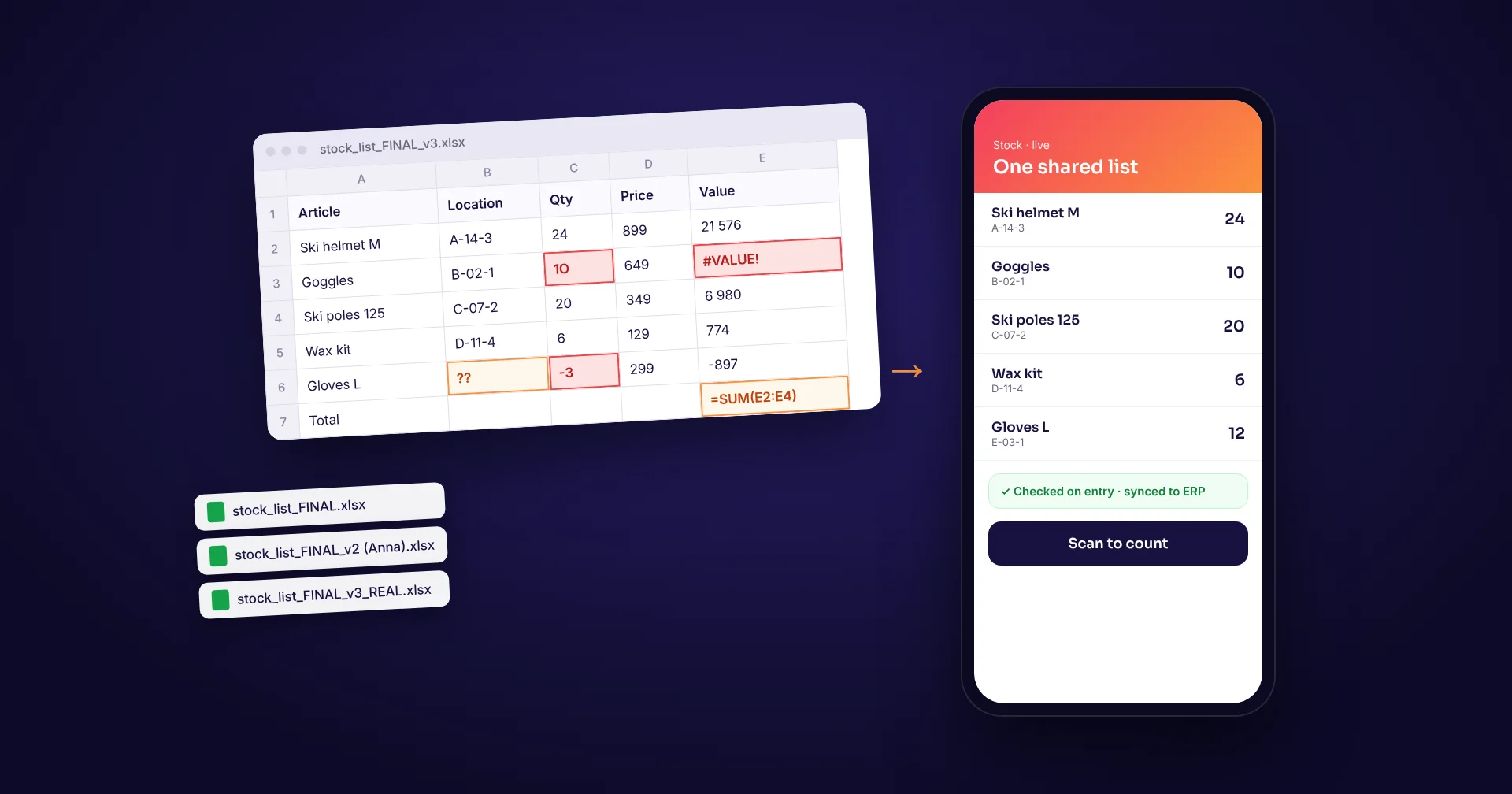
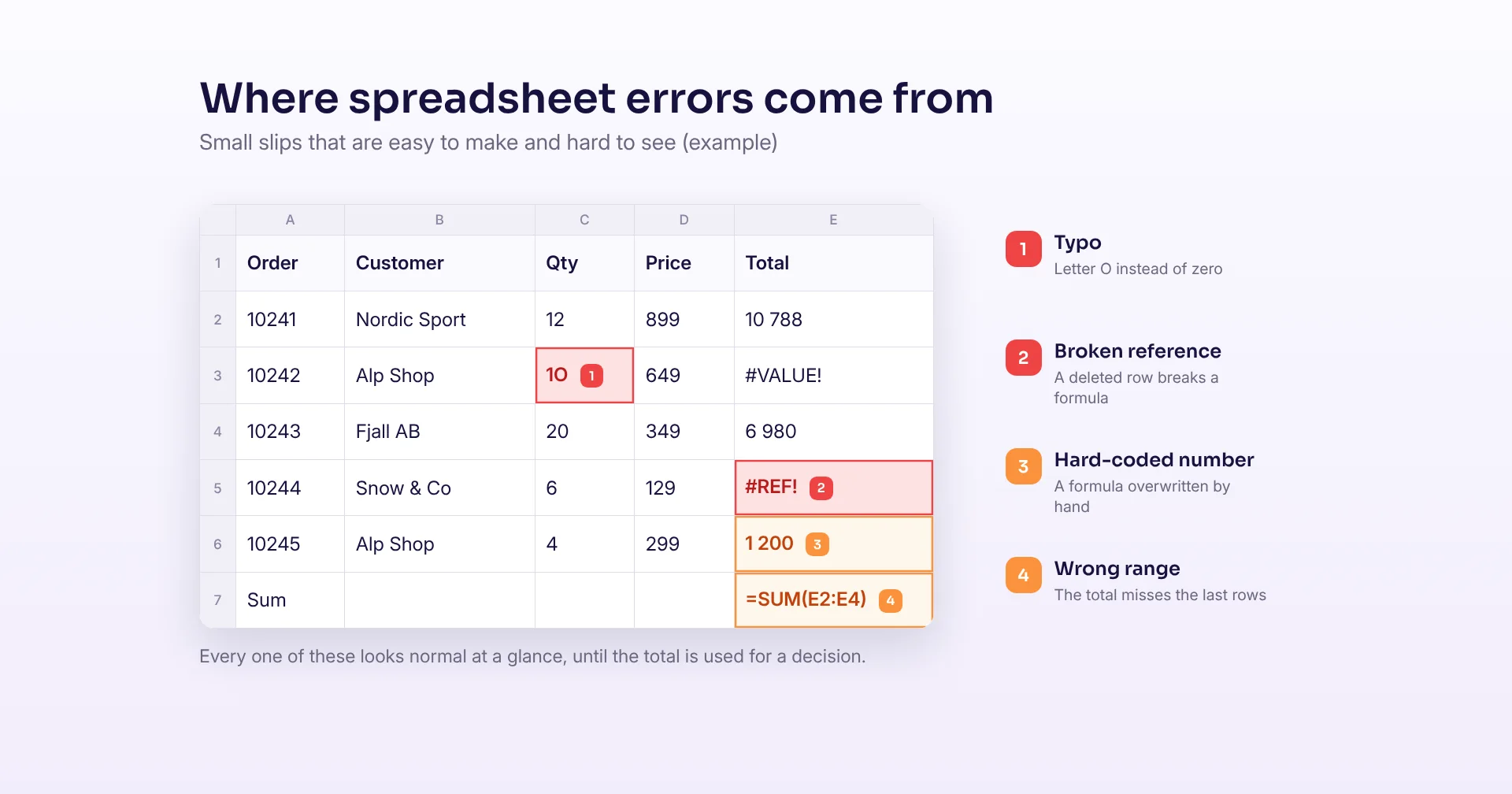
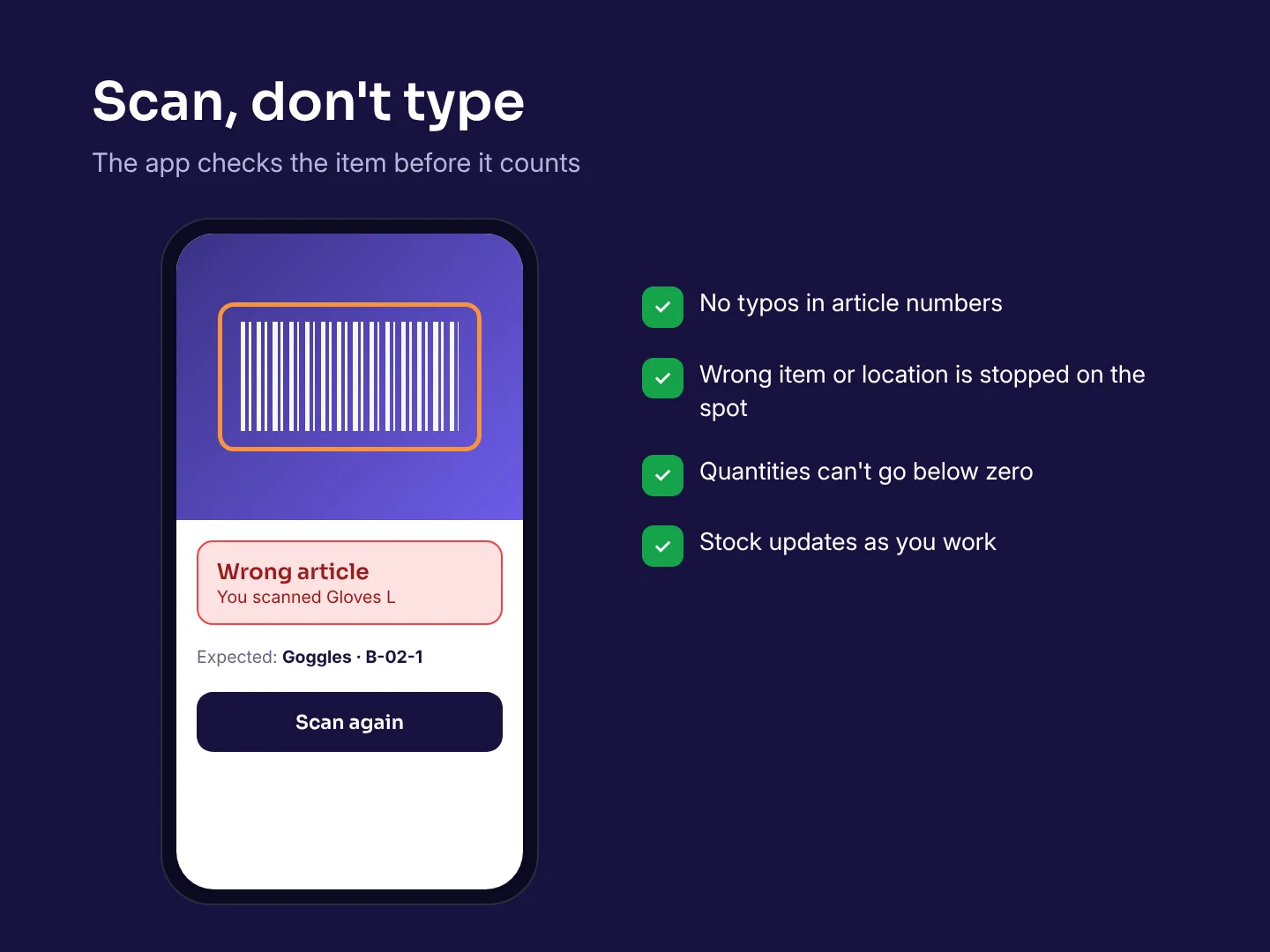
Spreadsheets accept almost anything you type. A letter O instead of a zero, a formula overwritten by hand or a sum that misses the last rows all look normal at a glance. Research by Professor Raymond Panko of the University of Hawaii found errors in at least 86% of the spreadsheets examined in field audits since 1997, and cell error rates of around 1 to 2.5% in large spreadsheets. Specialised software checks input on the spot: quantities must be numbers, locations must exist, and a scanned barcode must match the expected item.
The consequences can be big. In 2020, Public Health England under-reported 15,841 COVID-19 cases because test results were moved in the old .xls format, which has a limit of 65,536 rows. At JPMorgan in 2012, a risk model ran on spreadsheets filled in by copying and pasting, and one formula divided by a sum instead of an average, which made the risk look smaller than it was.
2. One version of the truth
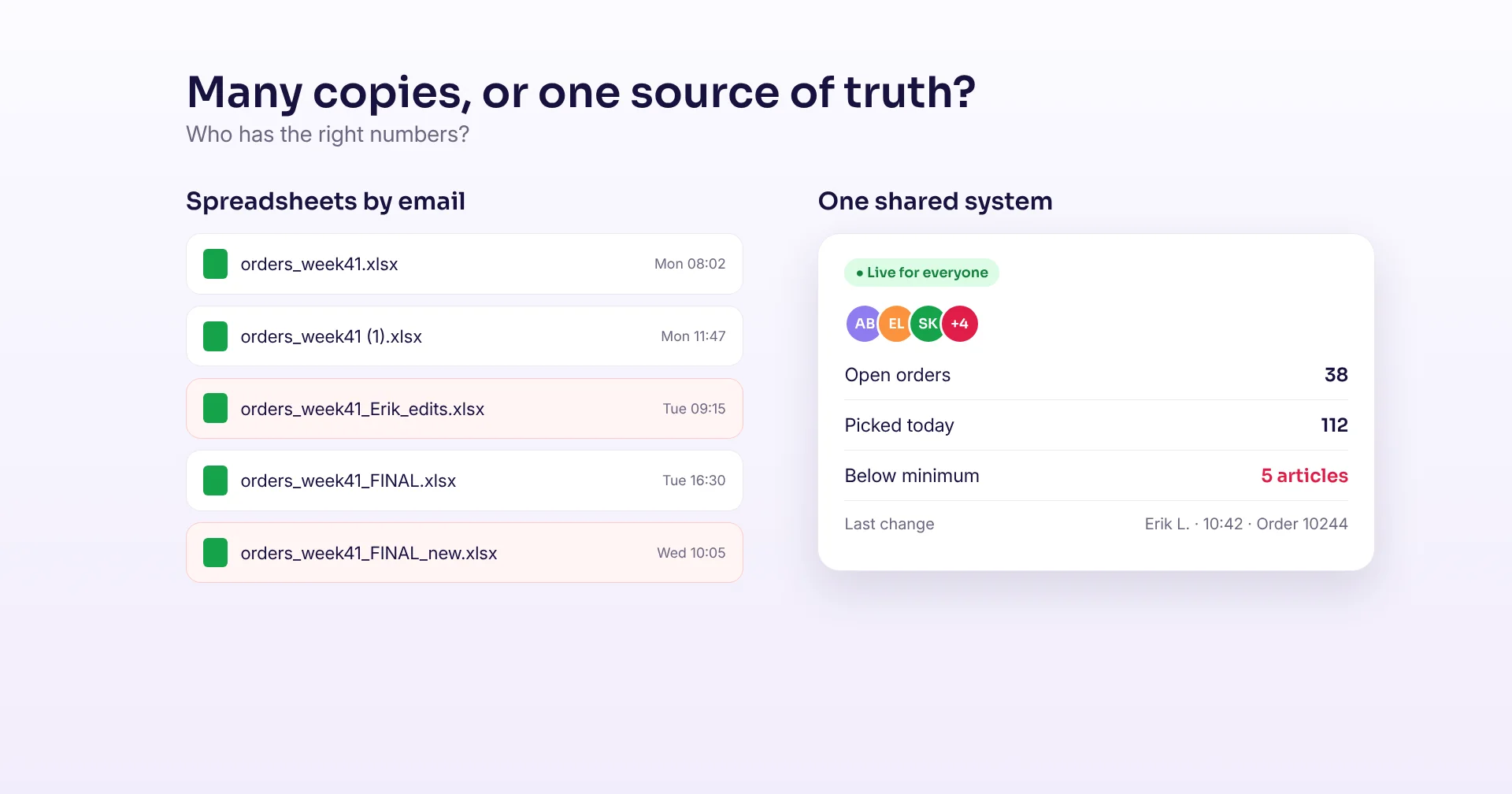
When a spreadsheet is emailed around, copies multiply: "orders_FINAL", "orders_FINAL_v2", "orders_Erik_edits". Nobody knows which one is right. In a shared system there is only one set of data. Everyone sees the same stock, the same orders and the same status, live. Two people can work at the same time without overwriting each other.
3. It works where the work happens
Warehouse and field work does not happen at a desk. A spreadsheet on a laptop means writing on paper first and typing it in later. Specialised apps run on phones, tablets and rugged scanners, read barcodes with the camera or a scanner, and update stock as people work. Good apps also keep working offline and sync when the connection is back.
4. Access control and a full history
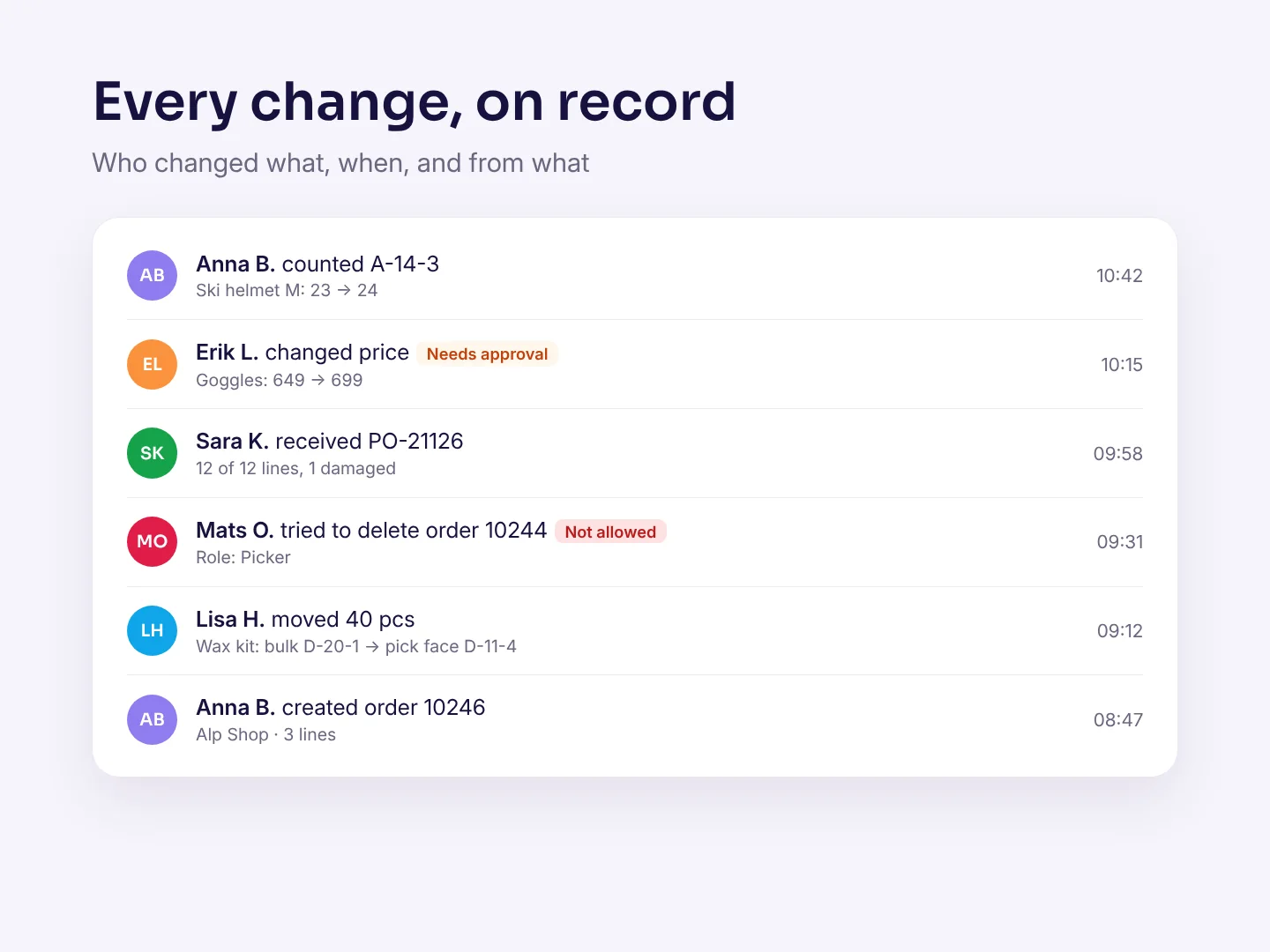
In a spreadsheet, anyone who can open the file can change or delete anything, and it is hard to see who did what. Specialised software gives each person a role. A picker can count and pick, but not change prices or delete orders. Every change is logged with who, when and what the value was before. That makes mistakes easier to trace and fix, and it helps with audits and data protection rules.
5. Automation and connections instead of copy and paste
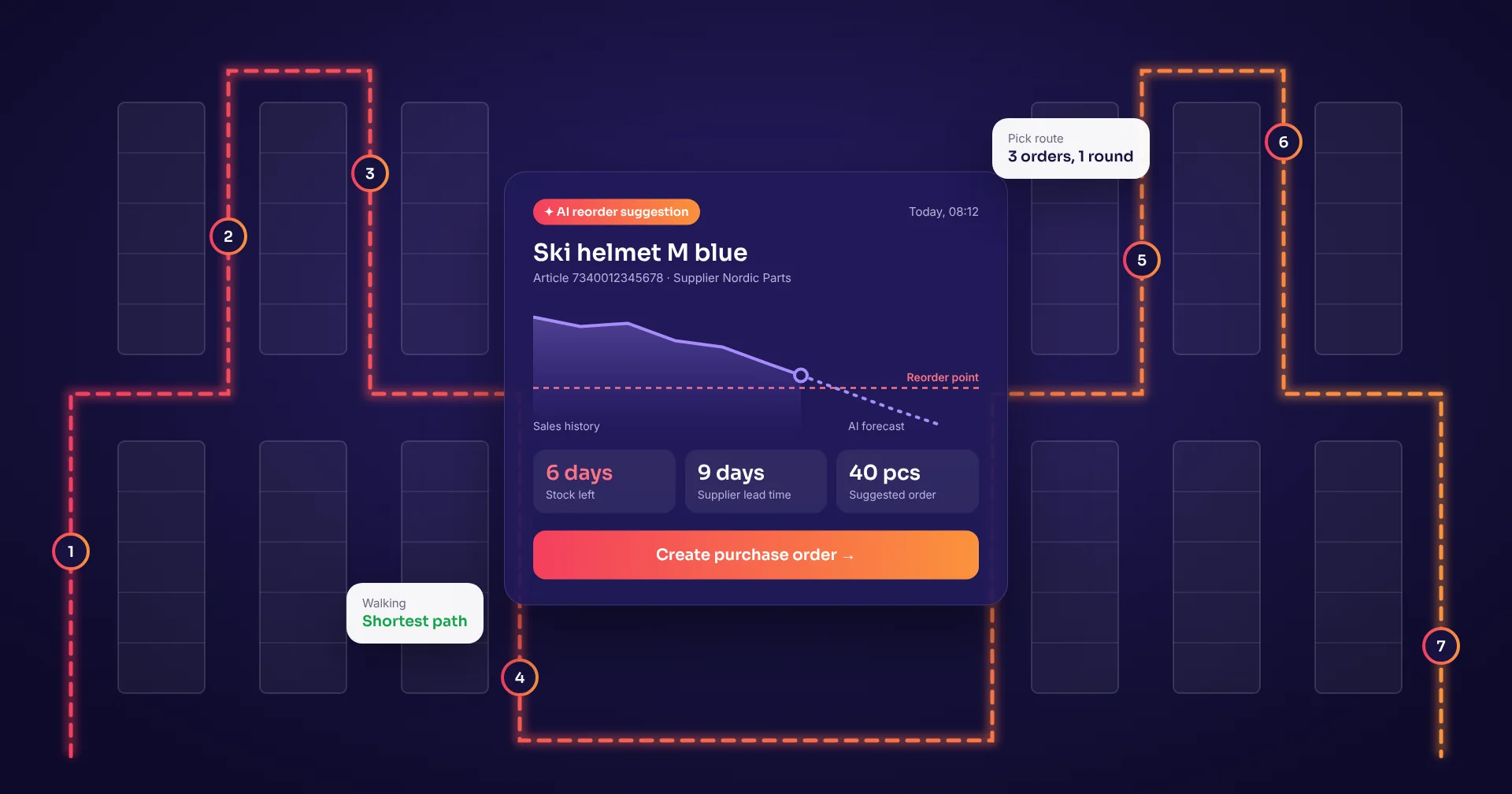
A lot of spreadsheet work is moving data by hand: exporting from one system, pasting into another, fixing the columns. Every copy is a chance for an error. Specialised software connects directly to your ERP, webshop, carriers and accounting, and automates steps such as reorder suggestions, labels, emails and status updates.
6. It grows with you
Spreadsheets slow down and get fragile as they grow, with more rows, more tabs, more links between files and more macros. Specialised software is built for many users, many locations and years of history. Adding a second warehouse or another ten users does not mean rebuilding the file.
7. Less dependence on one person
Many companies have one person who "owns" the big spreadsheet and is the only one who understands the formulas and macros. When that person is ill, on holiday or leaves, the process is at risk. In specialised software the logic lives in the system, with clear screens and steps that new staff can learn quickly.
| Spreadsheet | Specialised software | |
|---|---|---|
| Data quality | Accepts anything typed | Checks input and scans barcodes |
| Versions | Many copies by email | One shared, live system |
| Mobile use | Hard on a phone, no scanner | Phones, tablets and rugged scanners, also offline |
| Access | Anyone can change anything | Roles and permissions per user |
| History | Hard to see who changed what | Every change logged |
| Integrations | Export, copy and paste | Direct links to ERP, webshop and carriers |
| Growth | Slows down and breaks as it grows | Built for many users and sites |
When a spreadsheet is still the right tool
Spreadsheets are not the enemy. They are excellent for one-off analysis, budgets, quick calculations, prototypes and reports. Many teams keep using them next to specialised software, for example to analyse an export. The problem is not the spreadsheet itself. It is using it as the system that runs your daily operations.
Signs it is time to switch
- Several people edit the same file every day
- You keep finding copies with different numbers
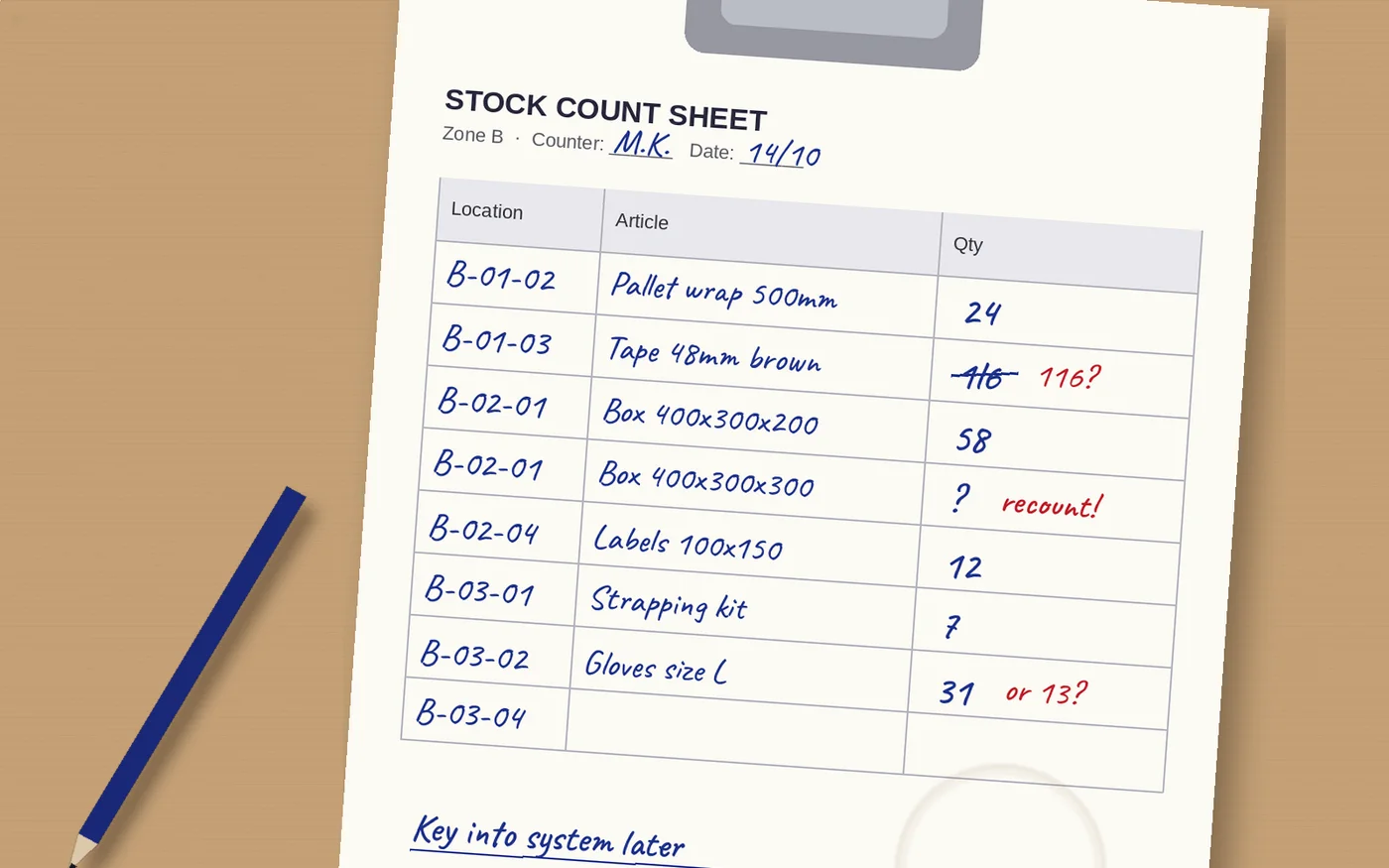
- Data is written on paper first and typed in later
- Errors are found only after they cost money
- One person is the only one who understands the file
- You copy and paste between the file and other systems
- You need to work on a phone or scanner, not a desk
- You cannot see who changed a number, or when
How to make the switch
Start with the one process that hurts most, such as stock counts or incoming orders. Write down what the spreadsheet does today, including the hidden rules in formulas and macros. Clean the data and import it. Run the new system next to the old file for a short time, then switch fully so there is only one source of truth. Keep spreadsheets for analysis and reporting, not for daily work.
How Raptool helps
Raptool offers ready-to-go apps for common processes, such as warehouse management, inventory, order management and visitor registration. If your process is unique, you can build your own app without code in Raptool Designer, or describe it in plain words with the Raptool AI Development Framework. The apps run natively on Android, iOS, Windows and Mac through Raptool Client, use barcode scanners, cameras, RFID and label printers, and work online and offline. The Raptool Integration Server connects them to your ERP, such as SAP, Microsoft Dynamics, Fortnox or Visma.
Frequently asked questions
Why is Excel risky for running business operations?
Because a spreadsheet accepts almost any input, is easy to copy, and does not track who changed what. Research by Raymond Panko found errors in at least 86% of spreadsheets examined in field audits since 1997. When a spreadsheet runs daily work such as stock or orders, those errors turn into wrong deliveries, stock-outs and bad decisions.
What are the benefits of specialised software over spreadsheets?
Checked input and barcode scanning, one shared live version, use on phones and scanners, roles and permissions, a full change history, direct connections to other systems, and room to grow to more users and sites.
When should a business replace a spreadsheet with software?
When several people edit the same file every day, when copies with different numbers appear, when data is typed in from paper, when you copy and paste between systems, or when only one person understands the file.
Can I still use Excel after switching to specialised software?
Yes. Spreadsheets remain useful for analysis, budgets and reports. The difference is that the live, daily data is kept in the specialised system, and spreadsheets are used to analyse it, not to run the process.
Is specialised software only for large companies?
No. Small businesses often benefit most, because they have fewer people to catch mistakes. Ready-made apps and no-code tools make it possible to start with one process at a low cost.
How do I move from a spreadsheet to an app?
Pick one process, document what the spreadsheet does today, clean and import the data, run both side by side for a short time, then switch fully. Keep the spreadsheet only for analysis.
Sources: Raymond R. Panko, “Spreadsheet Errors: What We Know. What We Think We Can Do”; Computerworld, “Oops” (2004); The Register, Public Health England Excel row limit (2020); The Baseline Scenario, “The Importance of Excel”, quoting JPMorgan's task force report (2013). Excel is a trademark of Microsoft Corporation; Raptool is not affiliated with Microsoft.
Tags
Is a spreadsheet running part of your business? Book a demo and we will show you what the same process looks like as an app.
Book a demo