Describe it in plain words
Tell the AI what you need, the way you would tell a colleague. No specs, no code.
Ready-to-go solutions
Raptool AI Development Framework
Tell the AI what you need in plain words. It builds a real native app on the Raptool platform, connected to your data and ready for your devices.
Android · iOS · Windows · Mac · Zebra partner
How it works
Install Raptool Skills in your favourite AI and build within a secure framework. Publish on our servers or yours, and deliver to iOS, Android, Windows and Mac without recompiling.
Tell the AI what you need in plain words. It builds a real native app on the Raptool platform, ready for your devices.
Write what you need, the way you would tell a colleague.
The AI creates the screens, logic and connections for you.
Send it out to Android, iPhone, iPad and laptops in one go.
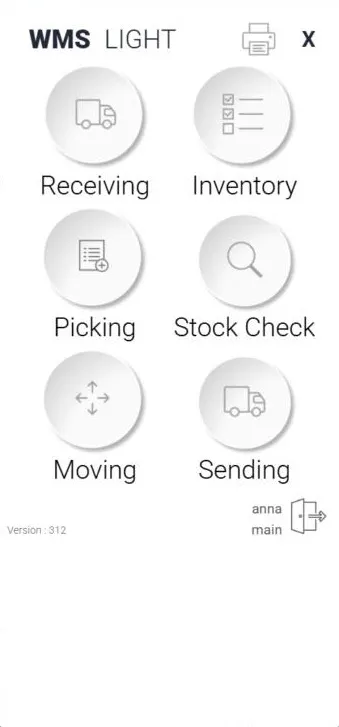
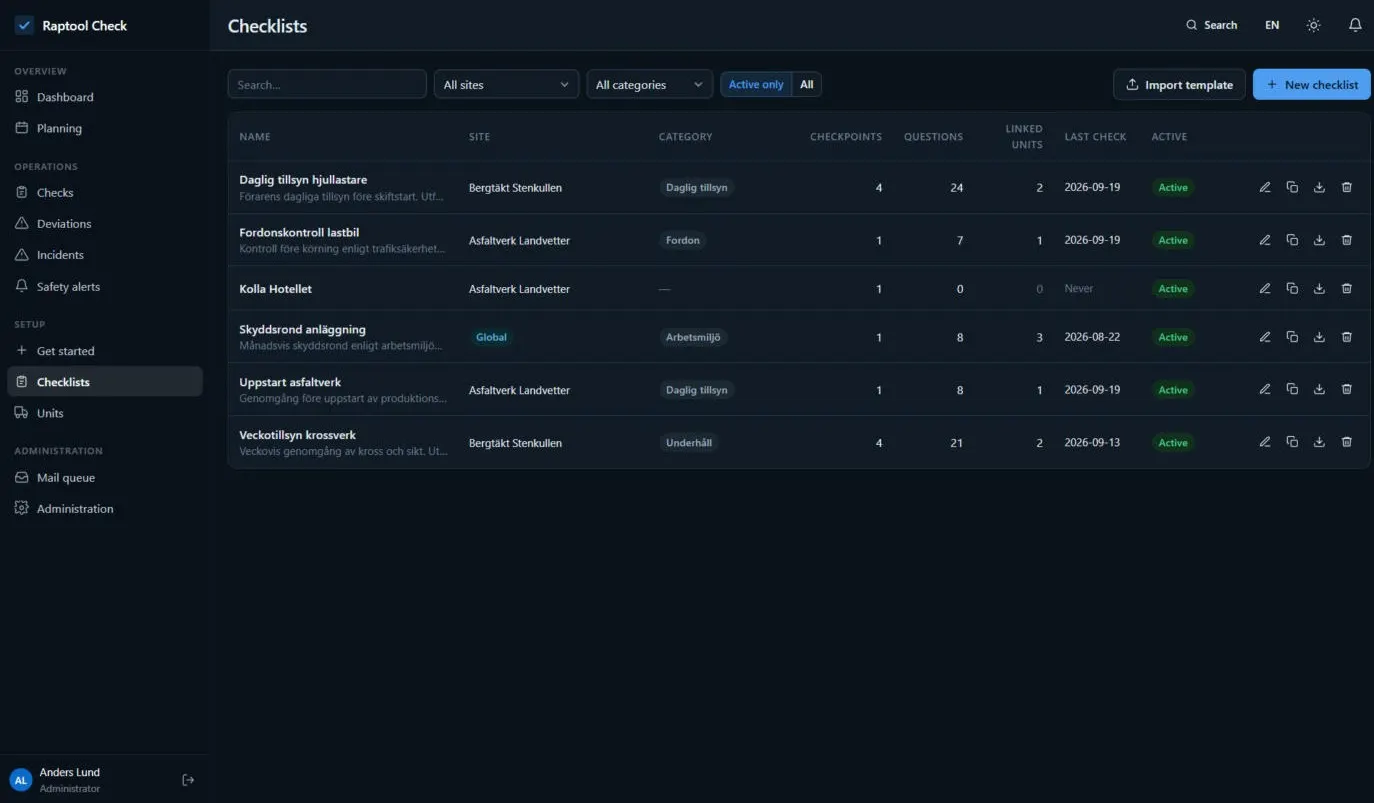
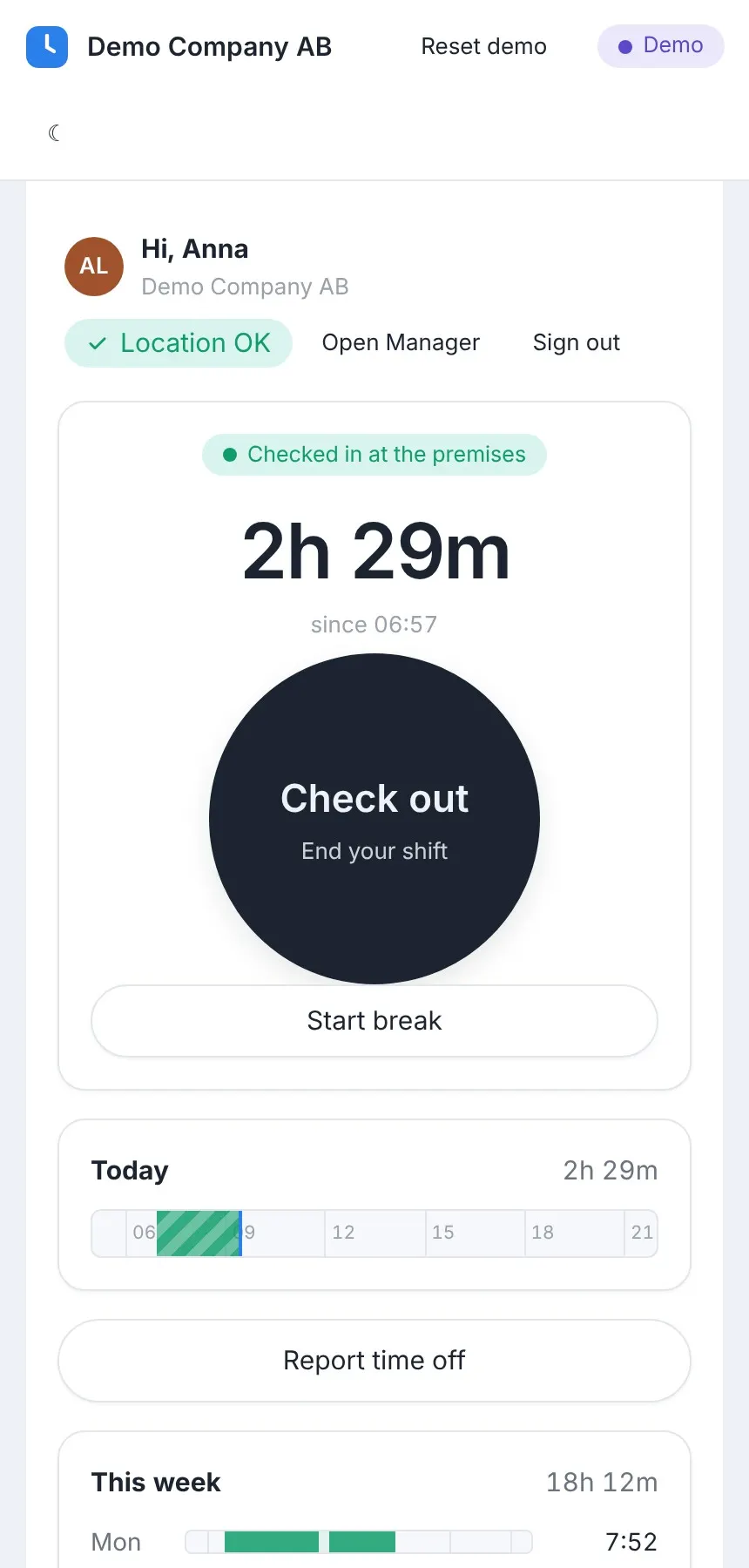
Not web wrappers. Your apps run natively on Android, iOS, Windows and Mac, with full access to scanners, camera and printers.
Connect to your ERP with the Integration Server, host on SQL, or sync over USB. Fortnox, SAP, Dynamics and more.
Open any app in Raptool Designer and adjust it by drag and drop. Nothing is locked away.
More reasons to build with AI
Tell the AI what you need, the way you would tell a colleague. No specs, no code.
Raptool builds the screens, the logic behind them and the connections to your data for you.
The AI builds inside Raptool Skills, a framework made for business apps, so what it makes follows the rules of the platform.
Raptool sets up and hosts the databases, system integrations and AI connections your app needs.
Publish your app on Raptool servers or on your own. You decide where it runs and where the data lives.
Deliver the same app to iOS, Android, Windows and Mac without rebuilding it for each one.
Ideas to start with
Tell us what you need. We set up a trial and show you the AI framework in action.
It lets you describe the app you need in plain words and builds a real native app on the Raptool platform. The app is connected to your data and ready for your devices.
You install Raptool Skills in your favourite AI assistant, such as Claude or ChatGPT, and build within a secure framework. The AI builds inside Raptool Skills, so what it makes follows the rules of the platform.
They are real native apps, not web wrappers. They run natively on Android, iOS, Windows and Mac, with full access to scanners, camera and printers.
You can publish your app on Raptool servers or on your own, so you decide where it runs and where the data lives. Raptool sets up and hosts the databases, system integrations and AI connections your app needs.
Yes. You can connect to your ERP with the Integration Server, host on SQL, or sync over USB. Fortnox, SAP and Dynamics are among the systems named on the page.
Yes. Open any app in Raptool Designer and adjust it by drag and drop. Nothing is locked away.