Bug Reporter
Report a bug in seconds, fix it with AI
Raptool Bug Reporter lets anyone take a screenshot or record a video to create a bug report. Then you import the bugs directly into AI to solve them.
- Bug report from a screenshot
- Bug report from a video
- Import bugs straight into AI
- One inbox for all reports
What it is
Bug reports people actually send
Raptool Bug Reporter makes it easy to say what is wrong. Take a screenshot or record a video, and the bug report is created for you.
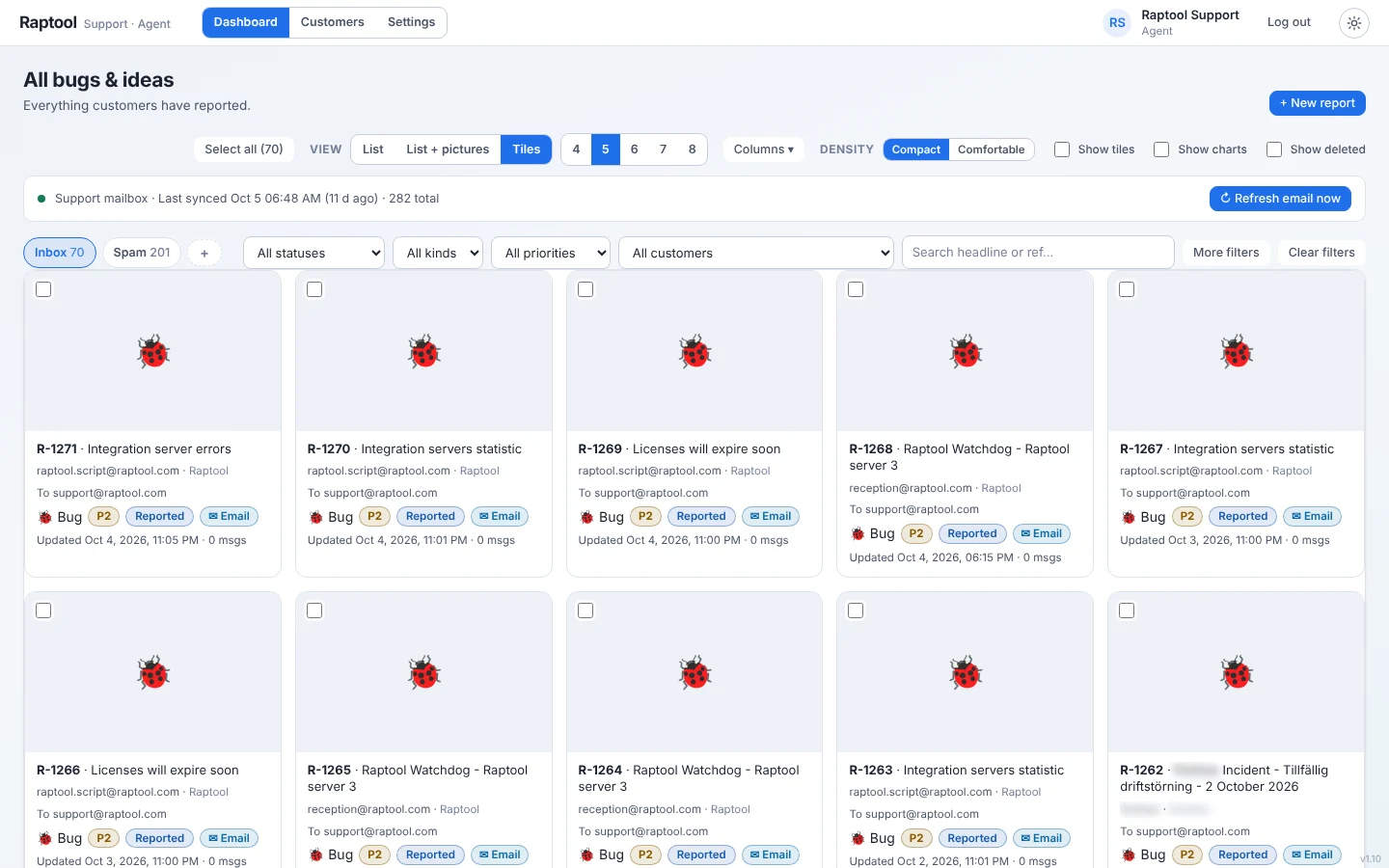
The reports collect in one inbox, ready to be handled. When you want help solving them, import the bugs directly into AI.
- Create a report from a screenshot
- Create a report from a video
- Import bugs directly into AI
What you get
From problem to solution, faster
Less back and forth, more fixing.
Screenshot reports
Take a screenshot to create a bug report in a few clicks.
Video reports
Record a short video when a screenshot is not enough to show the problem.
Import into AI
Import bugs directly into AI to solve them.
One inbox
All incoming bugs are collected in one place for your team.
Portal for reporters
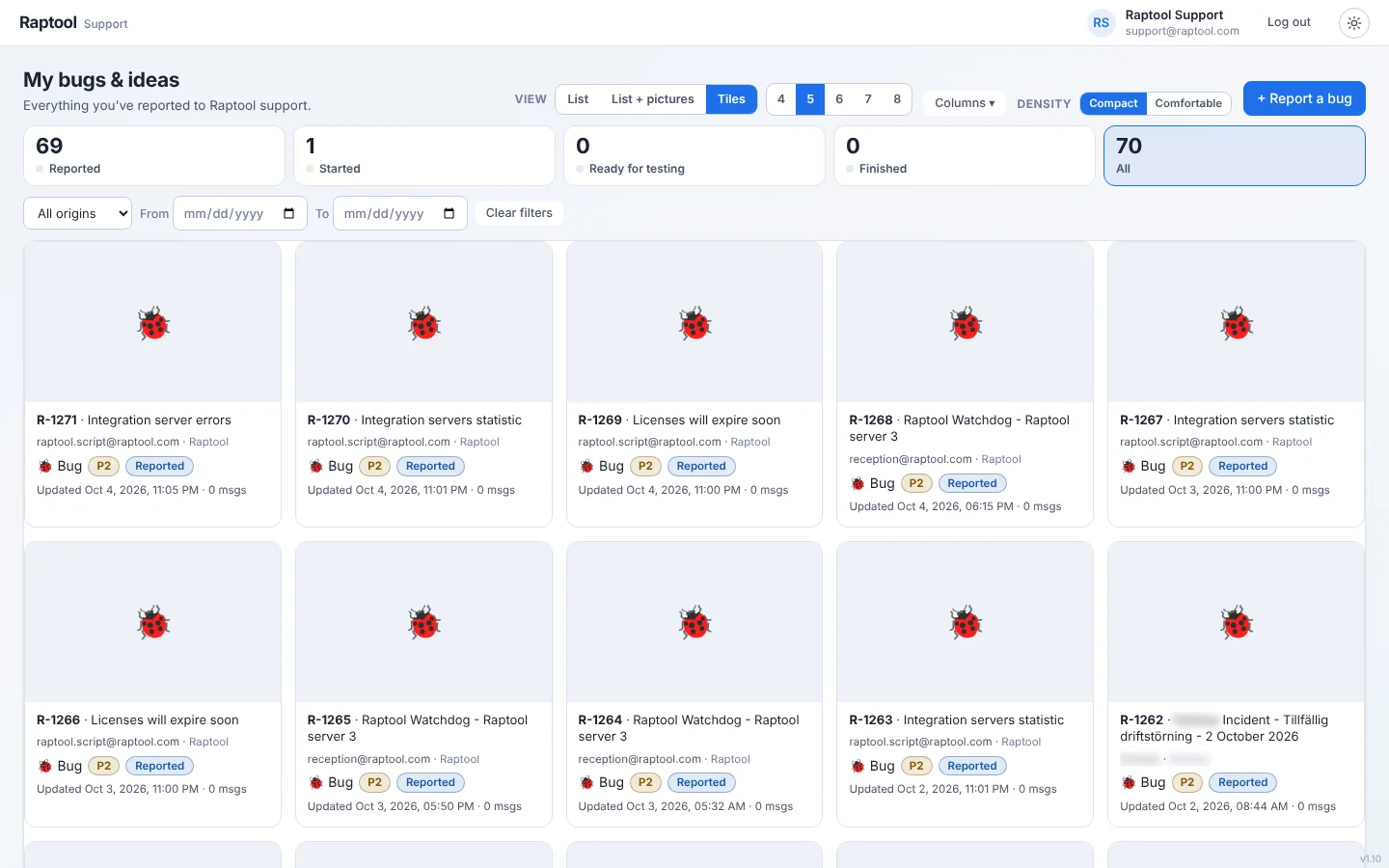
Reporters can follow their own bugs in a portal.
Made for Raptool apps
Use it for the apps you build and run on Raptool.
How it works
Capture. Collect. Solve.
Three steps from problem to fix.
Capture the bug
Take a screenshot or record a video of what went wrong.
Collect the reports
Bug reports arrive in one inbox, where your team can see them.
Solve with AI
Import the bugs directly into AI to solve them.
Who it is for
For everyone who finds or fixes bugs
Reporting should be simple for the person who found the problem.
Users and testers
Show the problem instead of describing it.
Support teams
Keep all reports in one place.
Developers
Get a screenshot or video with every report.
Teams using AI
Hand bugs straight to AI to solve.
FAQ
Bug Reporter questions, answered
What is Raptool Bug Reporter?
It is an add-on for creating bug reports from a screenshot or a video, and for importing bugs directly into AI to solve them.
How do I create a bug report?
Take a screenshot or record a video. The bug report is created from it.
Can AI solve the bugs?
You can import bugs directly into AI to solve them. The reports give AI the screenshot or video and the details it needs.
Where do the reports go?
They collect in one inbox for your team, and reporters can follow their own bugs in a portal.
How do I get started?
Book a demo and we will show you Bug Reporter in a short Teams meeting.
Fix bugs faster
Tell us what you build and we will show you Bug Reporter in a short Teams meeting.