Signal
Know what you have and exactly where it sits, from receiving to picking.
InventoryKnow what you have and exactly where it sits, from receiving to picking.
InventoryAbout the app
Know what you have and exactly where it sits, from receiving to picking.
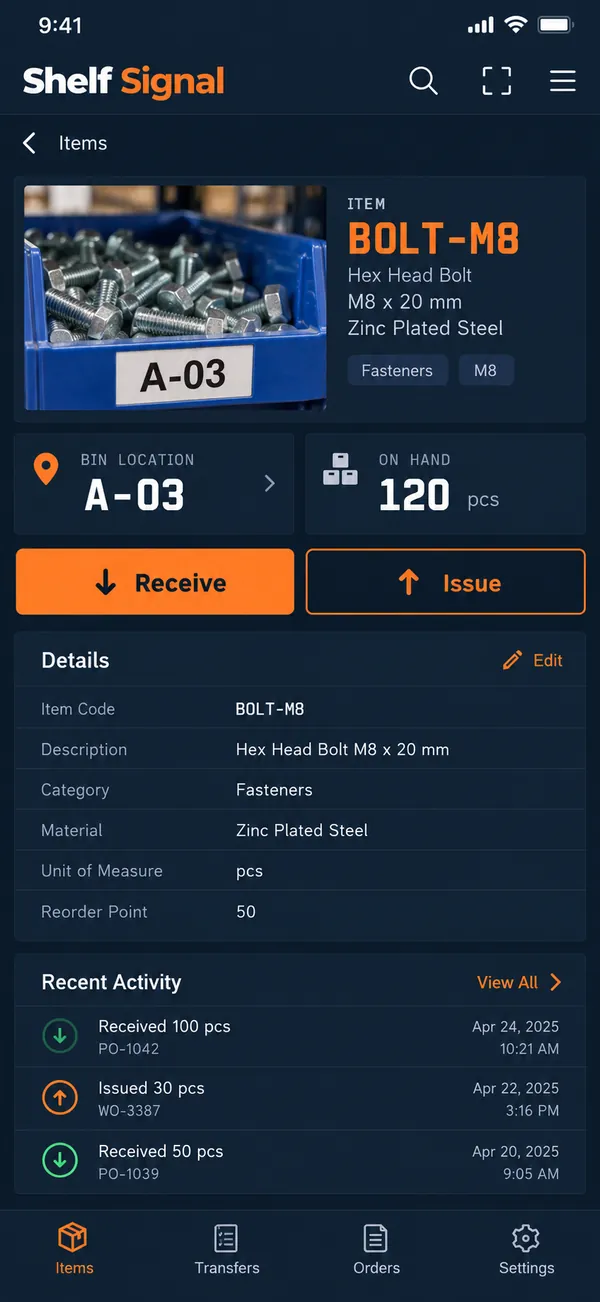
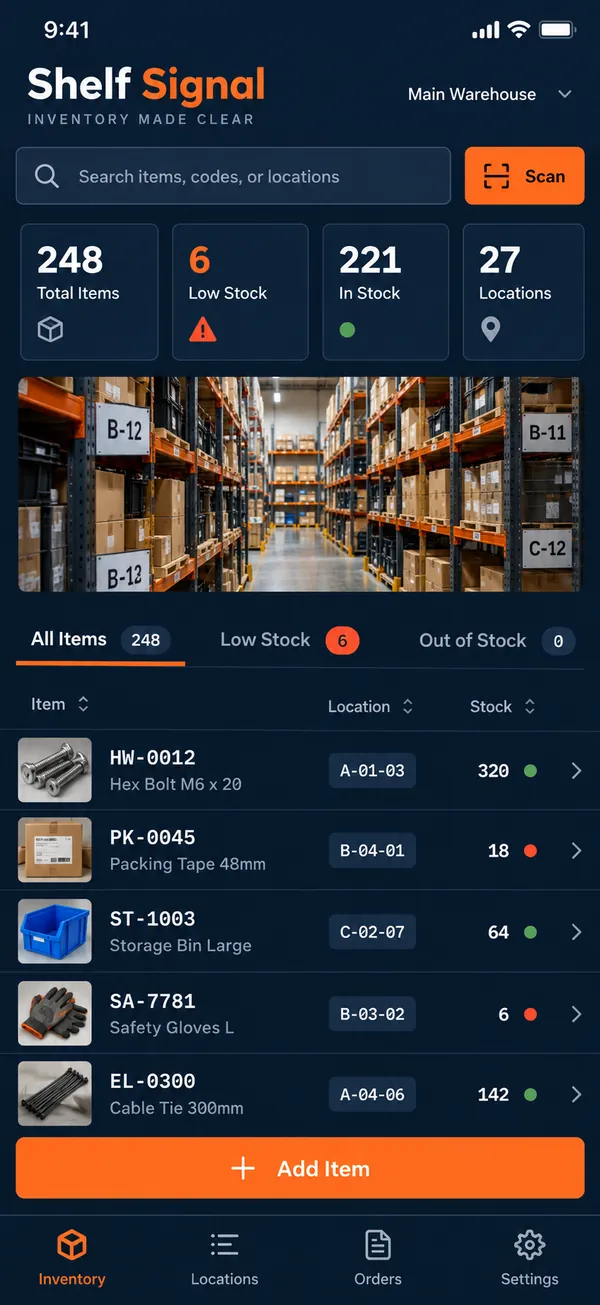
Stock you cannot find is stock you do not have. Shelf Signal gives every item a code and a place, so picking is quick and nobody walks the aisles guessing. Scan, search or browse and you see quantities and locations immediately, ready for the next order.
What it does
- Item catalog: create an item catalog with internal codes.
- Shelf and bin locations: assign every item a shelf and bin.
- Receiving: record quantities received as goods arrive.
- Issuing: record quantities issued as they leave.
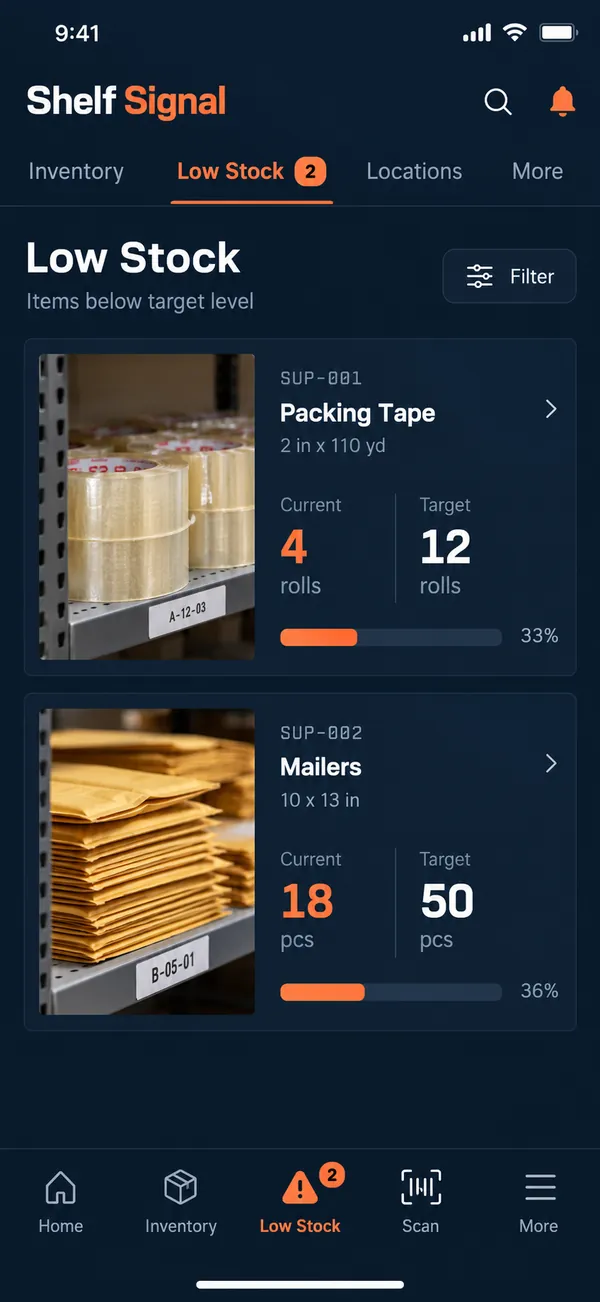
- Reorder alerts: review items below a reorder level you choose.
Why people love it
Small warehouse teams get a clear picture of stock without a heavy system. Shelf Signal keeps counts honest and shelves easy to read. It fits teams that have outgrown spreadsheets but do not need a heavy system, and it is quick to learn.
Build a similar app with Raptool
The AI framework turns a description into a working app, you customize it in the Designer, Raptool Hub hosts it, and the Raptool Client runs it on Android, iOS, Web, Mac and Windows. Have an idea like this? Describe it, and Raptool builds it.
Screens
3 screens