Give security teams a room-by-room patrol record with checkpoint scans, observations, and a clear path for incident follow-up. Security Guard Room QR Patrol.
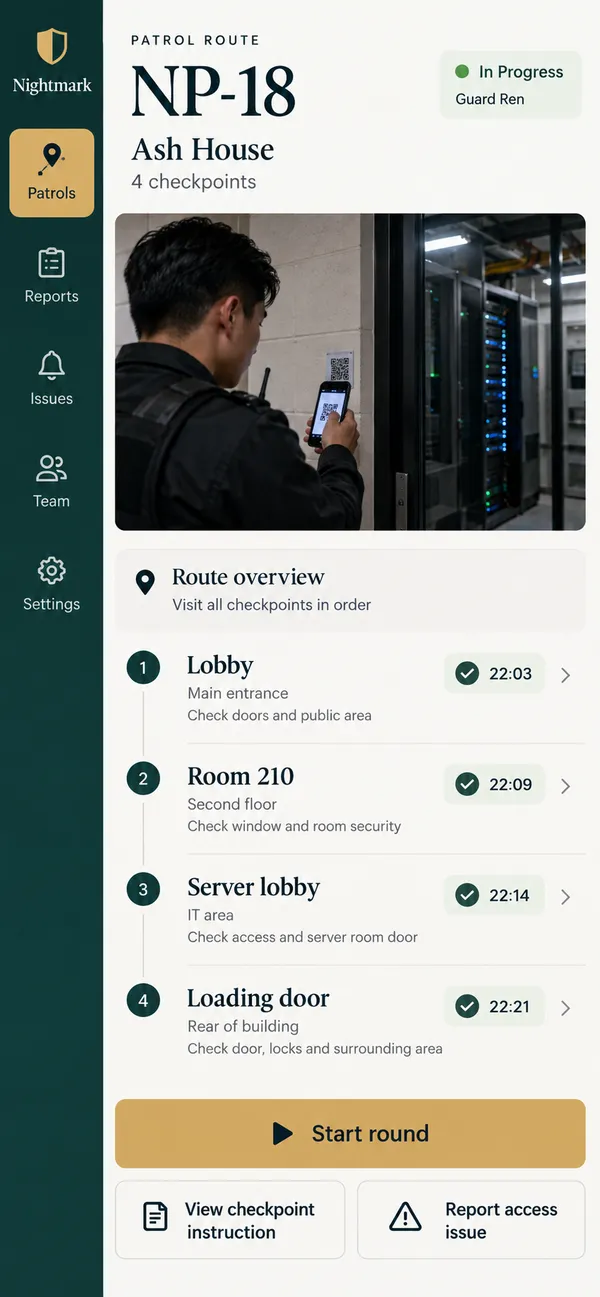
Give security teams a room-by-room patrol record with checkpoint scans, observations, and a clear path for incident follow-up.
Security Guard Room QR PatrolAbout the app
Give security teams a room-by-room patrol record with checkpoint scans, observations, and a clear path for incident follow-up.
A patrol record should explain where the guard went and what needs attention, not just show that a shift ended. Nightmark connects room QR checkpoints with observations and incident reports, helping security teams document the route as it happens and give the supervisor a useful account of the round.
What it does
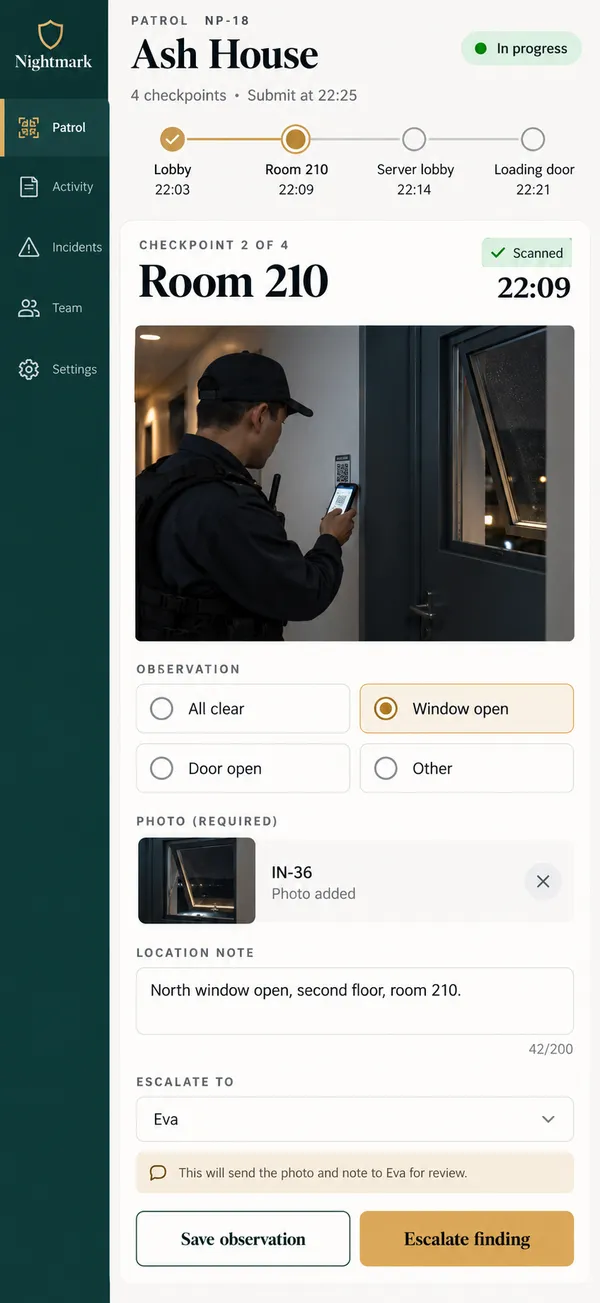
- QR checkpoints: Open patrol checkpoints through room QR scans, linking the guard's recorded visit with an identifiable location on the assigned building route.
- Room observations: Capture door and equipment observations at each checkpoint, preserving details needed to explain findings after the guard has moved onward through the building.
- Incident evidence: Attach photographs to checkpoint incidents, giving supervisors precise locations and context when reviewing the guard's report and deciding the next response.
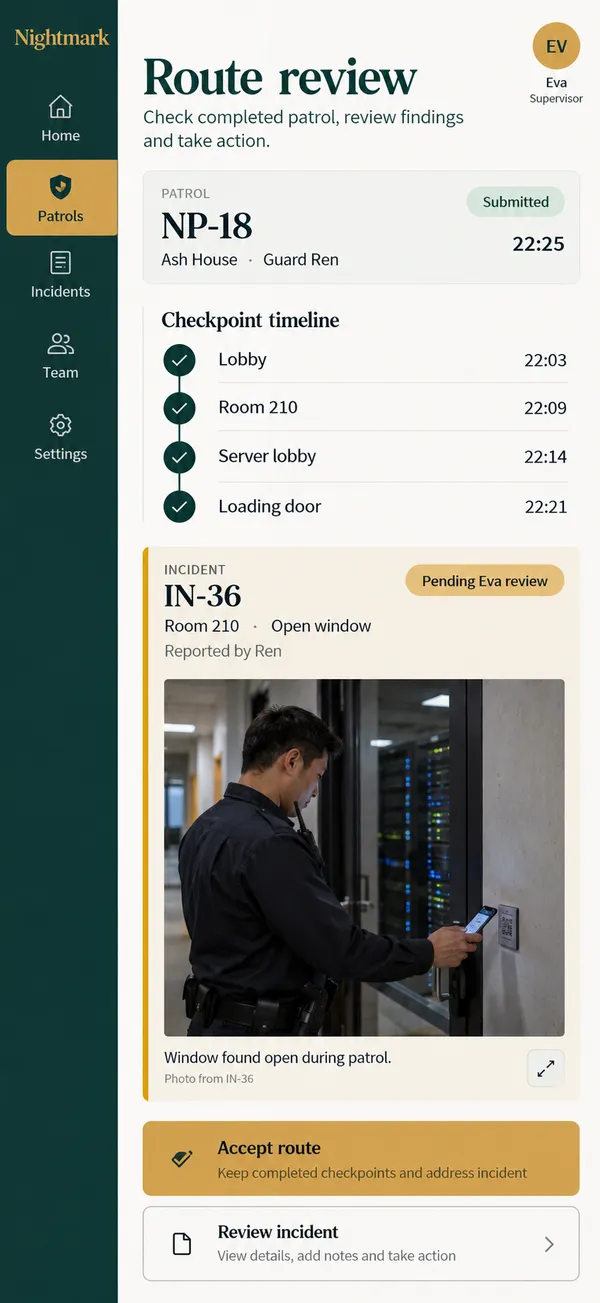
- Open escalations: Keep escalated findings separate from routine patrol completion, allowing unresolved incidents to retain owners after the remaining checkpoints have been visited.
- Route review: Submit timestamped route records for supervisor review, making missed stops and open incidents visible without reconstructing the patrol from memory afterwards.
Why people love it
Nightmark gives the guard a straightforward way to tell the story of the patrol. Supervisors can inspect the actual checkpoint sequence and follow up on specific findings, while the next shift receives location details and evidence that remain useful after the round is finished.
Build a similar app with Raptool
The AI framework turns a description into a working app, you customize it in the Designer, Raptool Hub hosts it, and the Raptool Client runs it on Android, iOS, Web, Mac and Windows. Have an idea like this? Describe it, and Raptool builds it.
Screens
3 screens