Wave
Keep incoming goods moving from the loading dock to a checked receipt.
WarehouseKeep incoming goods moving from the loading dock to a checked receipt.
WarehouseAbout the app
Keep incoming goods moving from the loading dock to a checked receipt.
A delivery arrives with a list of items and a dock full of work. Dock Wave gives receiving teams a clear place to check quantities, record exceptions and prepare goods for the next stage. Keep the paperwork attached to the delivery and make the handover easier to follow.
What it does
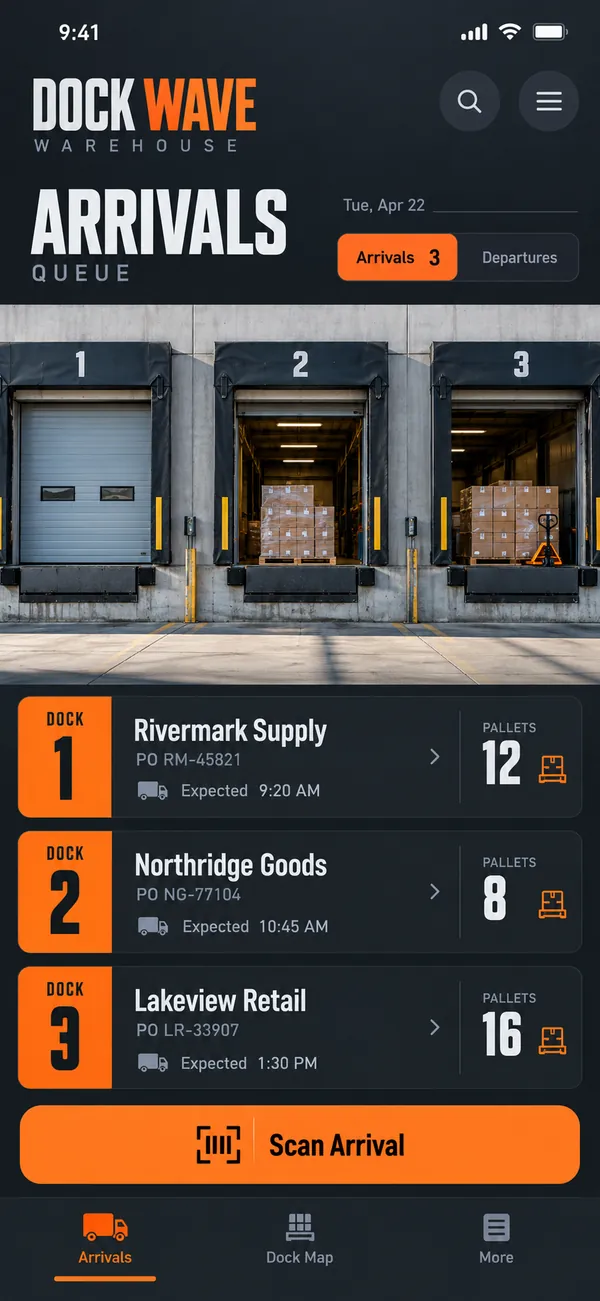
- See the arrival queue: list expected deliveries by supplier, reference and planned dock time so the team can prepare.
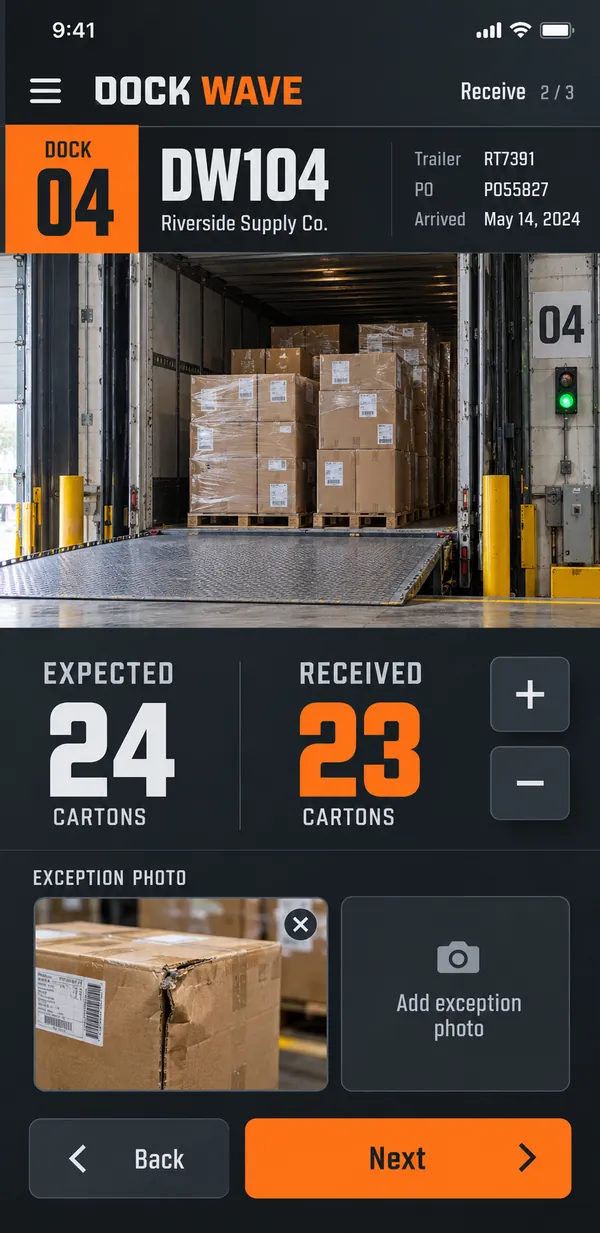
- Check what arrived: compare delivered items with the receiving list and enter the quantities physically received.
- Record exceptions early: photograph damaged packaging or note missing items while the delivery is still being checked.
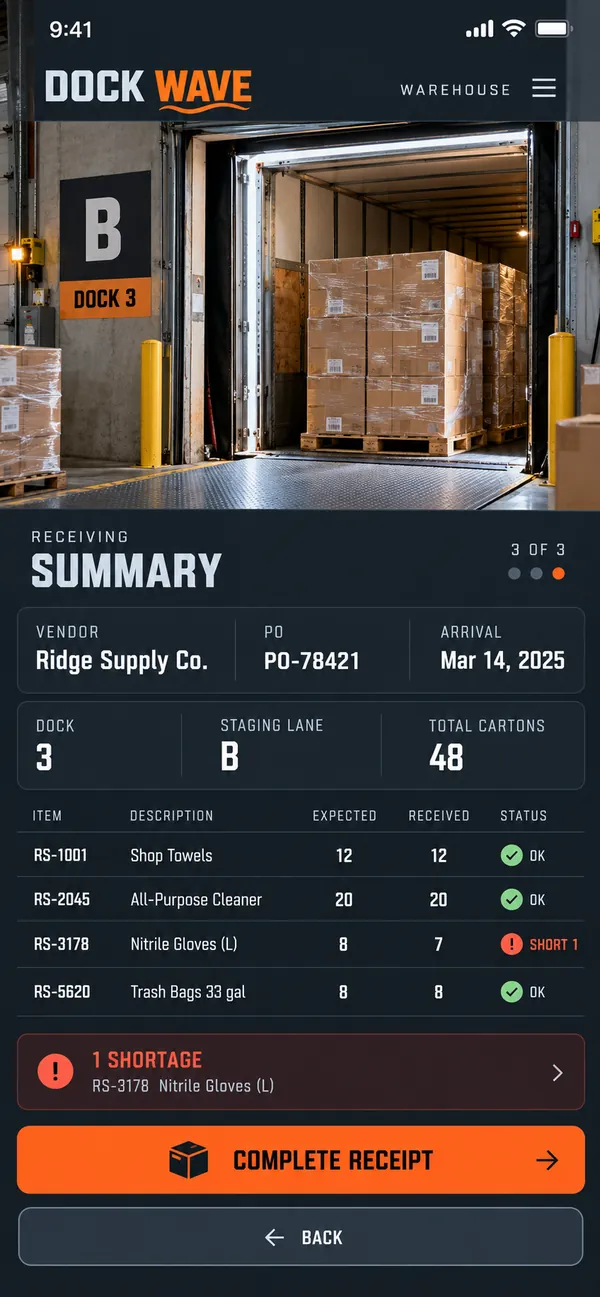
- Prepare putaway: add a temporary staging location and a destination note for the colleague moving the goods.
- Complete a clear receipt: review the count and exceptions before marking the delivery checked and ready for handover.
Why people love it
Dock Wave suits busy warehouses that need a practical receiving record. It makes the details captured at the dock useful to the rest of the operation. Give every arrival a clear starting point, an understandable exception trail and a prepared next step.
Build a similar app with Raptool
The AI framework turns a description into a working app, you customize it in the Designer, Raptool Hub hosts it, and the Raptool Client runs it on Android, iOS, Web, Mac and Windows. Have an idea like this? Describe it, and Raptool builds it.
Screens
3 screens