Run a full stocktake as a team, zone by zone, and approve the result with confidence. Stock count.
Run a full stocktake as a team, zone by zone, and approve the result with confidence.
Stock countAbout the app
Run a full stocktake as a team, zone by zone, and approve the result with confidence.
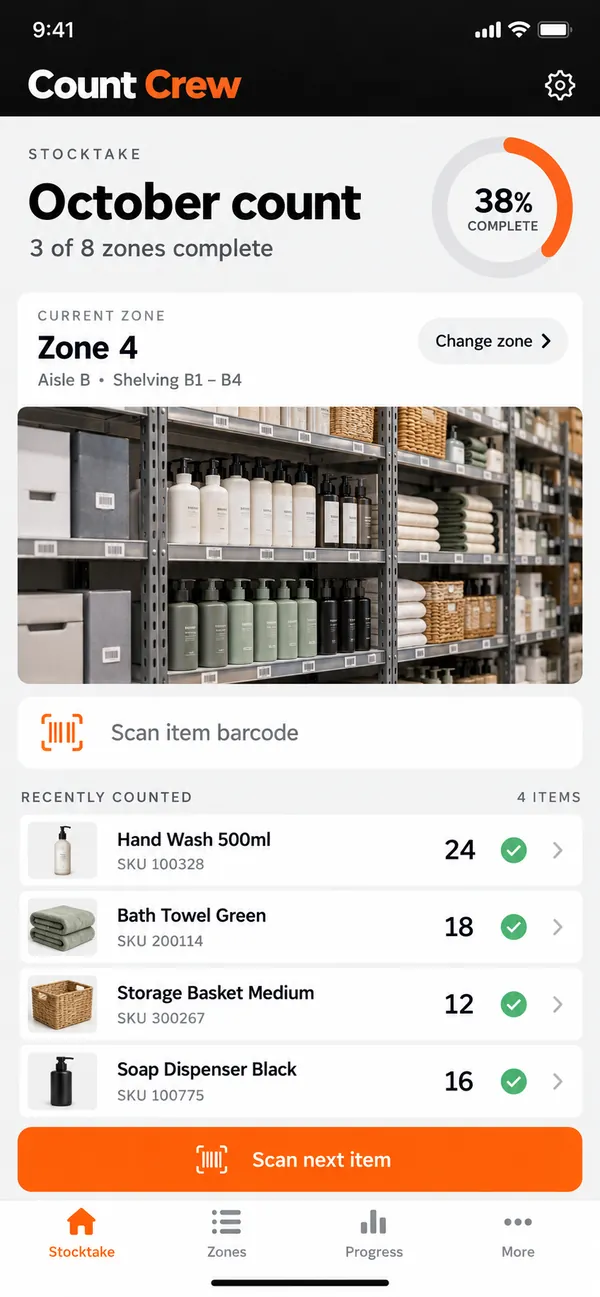
Counts from different aisles are hard to combine, and errors hide in the totals. Count Crew splits the stocktake into zones and puts a name on every one. Counters work in parallel on their own zones, while the lead follows progress live.
What it does
- Zones: create a stocktake with defined zones.
- Counter assignment: assign zones to named counters.
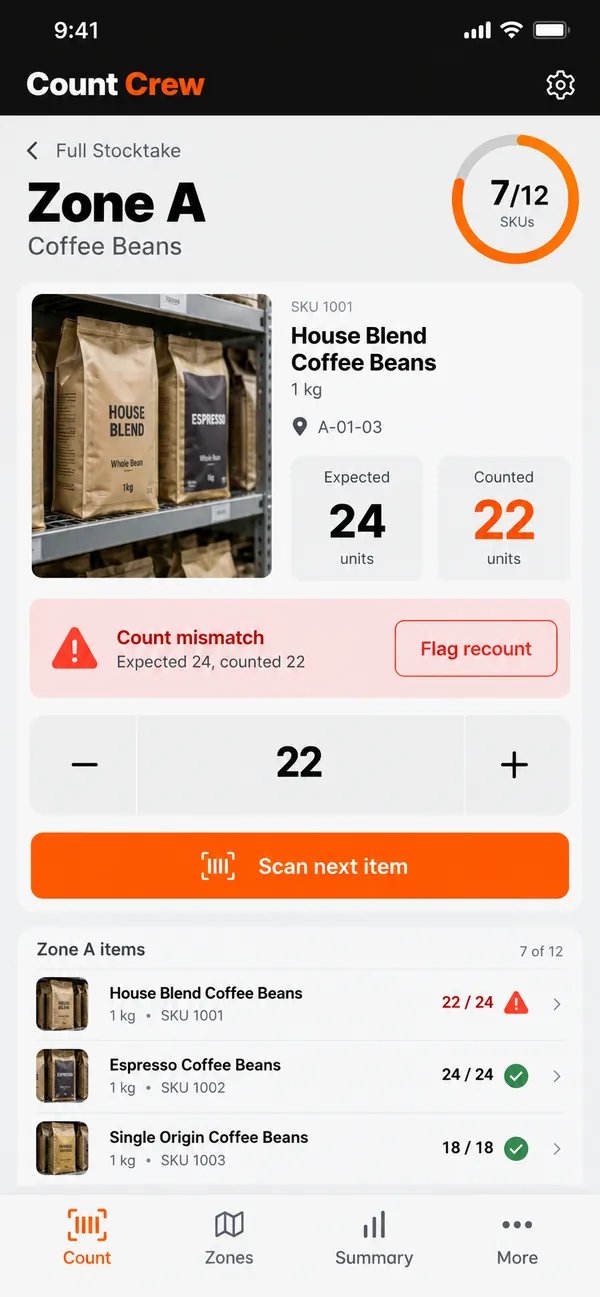
- Quantity entry: enter physical quantities for each item.
- Recount flags: flag a line for recount.
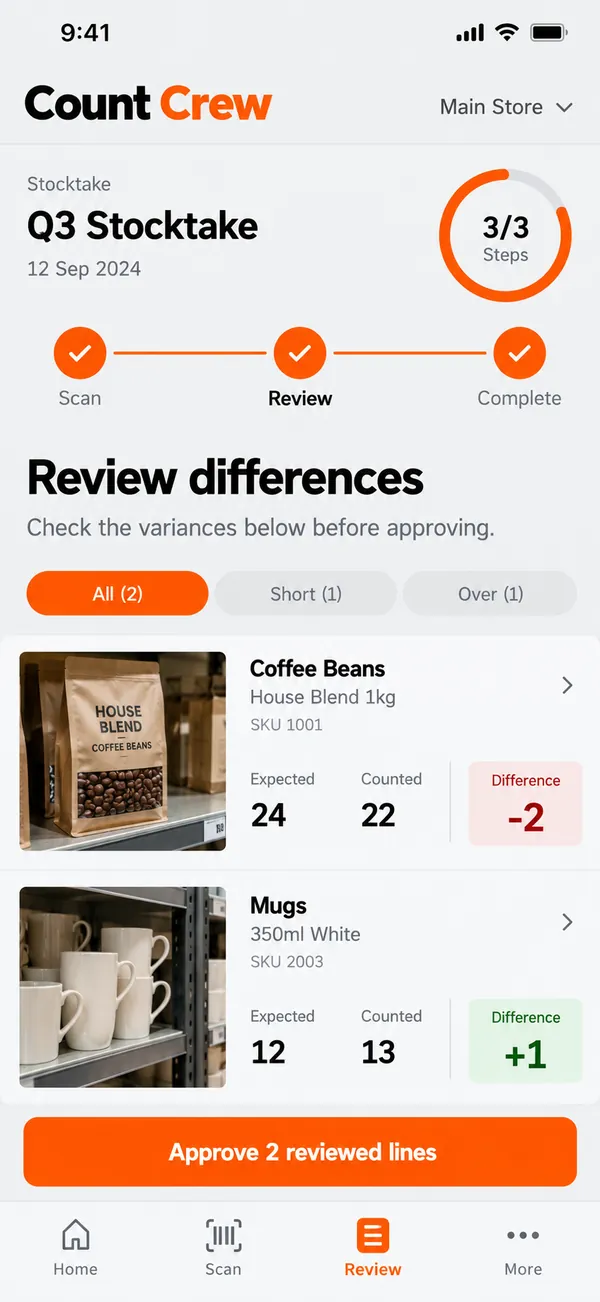
- Review and approve: review differences before approving the count.
Why people love it
Everyone knows their part and nothing is counted twice. Count Crew turns the dreaded stocktake into a calm, organized team effort. Retailers finish stocktakes faster, and the numbers are ready to trust once approved. The finished count is documented and ready for whoever needs the figures.
Build a similar app with Raptool
The AI framework turns a description into a working app, you customize it in the Designer, Raptool Hub hosts it, and the Raptool Client runs it on Android, iOS, Web, Mac and Windows. Have an idea like this? Describe it, and Raptool builds it.
Screens
3 screens