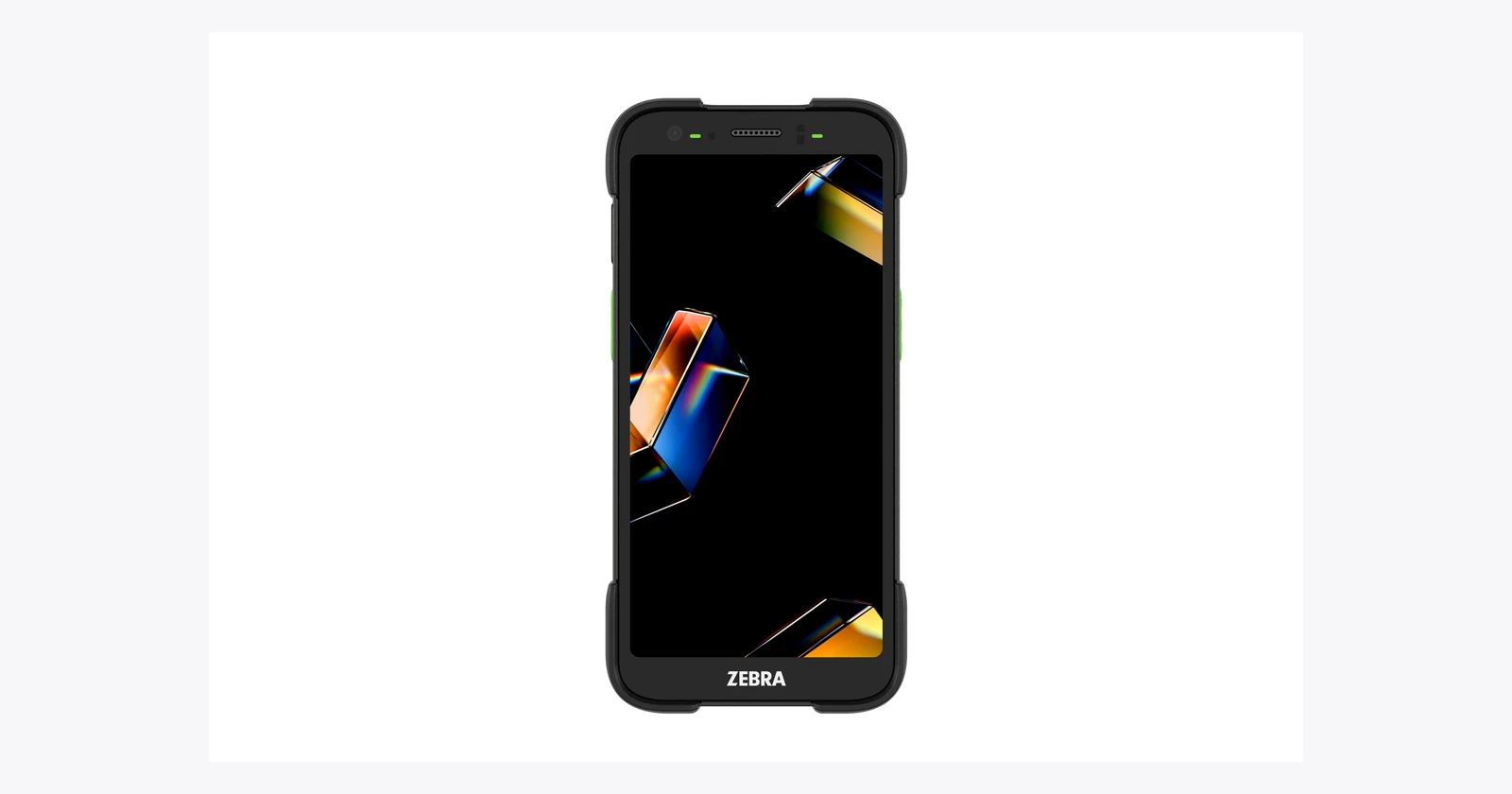
A worker scans a parcel, opens the camera, takes a photograph, then checks that both belong to the same delivery. Repeat that small sequence hundreds of times and a hardware upgrade becomes a question about wasted movement. Zebra’s 2026 releases are worth watching because several of them bring those separate actions together.
The headline is the AC670 colour imaging scan engine in the new TC501 and TC701 mobile computers. Around it sit wearable RFID, new fleet software, industrial vision and a recently launched self-service kiosk. The useful question is which part of your operation each release can shorten. This roundup covers selected releases verified on 15 October 2026, rather than every Zebra announcement worldwide. If you are new to running business apps on these devices, start with our overview of apps for Zebra and Honeywell handheld scanners.
The hidden workload between two successful scans
A successful barcode read tells you that a code was decoded. It does not tell you that the correct order was selected, that the parcel quantity was right, that a photograph was attached, or that the warehouse system accepted the transaction. Those gaps are where an apparently quick process can become slow.
Imagine receiving goods with two separate applications. The first records the item identifier. The second holds photographs of damage. Someone later matches those photographs to the delivery. Improving the scanner might shorten the first action while leaving the administrative work untouched. Combining capture and transaction handling could address more of the job, but only if the app makes the relationship reliable.
That is the lens for this guide. The new releases are interesting because they broaden what can happen at the point of work. The surrounding range offers different ways to hold the device, enter quantities, read tags and display instructions. A sensible shortlist starts with what the worker needs to finish, then chooses equipment that supports it.
Write the process down before looking at a price list: identify the goods, verify the location, enter the quantity, capture an exception, commit the transaction, and confirm success. Record which steps require looking away, changing applications or asking someone else. Those observations give a demonstration a purpose. If receiving, picking and stock counts already run in a mobile warehouse management system, map each step against the screens your staff use today.
What Zebra has released in 2026
| Release | What changed | Business question |
|---|---|---|
| TC501 and TC701 · January | New handheld generation with on-device AI capabilities and a colour imaging scanner option. | Can one device complete the scan, image and application workflow? |
| WS501-R · April showcase | Wearable computing combines barcode capture and RFID. | Can workers identify items while keeping their hands available? |
| Nucleus, Workcloud BI and IO · June | Fleet oversight, operational dashboards and workflow integration. | Does captured information reach someone who can act on it? |
| CV70 CXP · June debut | Industrial camera for demanding inspection applications. | Should inspection happen automatically on the production line? |
| KC401 · 17 September | Compact Android self-service kiosk with a 10-inch display. | Can customers answer routine questions without finding a member of staff? |
These are announcement or showcase dates. Regional stock, exact configurations, software entitlements and delivery dates need checking separately.
The AC670: a barcode scan and a colour image in one workflow
Zebra calls the AC670 its Advanced Range Color 1D/2D Scan Engine. The TC501 specification lists it alongside the SR500 and SR560 scanner options. Buying a TC501 therefore does not, by itself, mean buying an AC670 configuration. The scan engine needs to appear on the actual order.
Its most useful distinction is colour image capture through the scanner. Zebra advertises barcode and colour-photo capture at distances up to 100 feet (30 metres). Treat that as a supplier maximum: label size, print quality, lighting, angle and the detail needed in the photograph all matter. It is a reason to arrange a trial with your own labels, not a promise that every small barcode will work across a warehouse.
DataWedge’s Scan and Snap workflow makes the combination concrete: it can return barcode data and a colour image during one trigger session. That could support a receiving process that associates an item identifier with a photograph of its condition. The business application still has to store the image against the correct transaction and handle a failed read.
The documented requirements include AC670-equipped QC6690 devices, Android 15 or later, Scanning Framework 43.63.44.0 or later, and DataWedge 15.0.90 or later. Those details belong in a pilot checklist, particularly if a demonstration device runs different software from the fleet you will receive. Scan and Snap requirements.
Where the AI actually fits
Calling everything an “AI camera scanner” hides several different functions. The AC670 is capture hardware. Zebra’s Enterprise AI Camera application addresses photo quality: its published description includes prompts for a dirty lens or blurred image, optional face blurring and timestamp watermarks. These are separate capabilities from decoding a barcode.
There is also a developer layer. Zebra’s AI Data Capture SDK supplies models and APIs for vision applications, including text, barcode and product-related processing. Its release notes show why the exact software version matters: version 4.1 removes support for certain older platforms and ET401, while other documented AI barcode-decoding functionality is labelled beta. An AI-capable processor alone does not establish support for a particular model or feature. AI Data Capture SDK release notes.
The distinction matters commercially. A device that captures a useful image is only part of a system that recognises a product, checks an order and tells a worker what to do next. Ask the supplier to demonstrate the completed task, including the awkward cases and the software charges.
Camera, scan engine, OCR and RFID solve different problems
| Capture method | Useful starting point | What still needs testing |
|---|---|---|
| Camera-based barcode reading | Occasional identification alongside normal phone-style work. | App launch, aiming, lighting, feedback and total task time. |
| Dedicated barcode engine | Repeated, targeted reads with a physical trigger. | The chosen label at the actual working distance and angle. |
| AC670 colour imaging | Barcode capture with a related colour-image workflow. | The ordered engine, software versions, image quality and transaction association. |
| OCR | Turning printed text into fields the application can use. | Character errors, field format, confidence handling and human correction. |
| UHF RFID | Identifying suitably tagged items without aiming at each printed barcode. | Read zone, tag placement, nearby stock and reconciliation rules. |
This table is a selection framework, not a performance ranking. An occasional visitor check-in and a full shift of order picking can justify different equipment even when both involve a barcode. Count the reads, but also count how expensive a missed or incorrect transaction would be.
OCR deserves particular care. Reading the printed characters is one stage; deciding that they are the purchase-order number is another. Put format checks and a correction route into the application. A convincing demonstration on a clean label does not establish that crumpled, low-contrast paperwork will produce dependable business data.
RFID changes the identification process more substantially. Multiple tags may be in range together, including items the operator did not intend to count. The application needs a definition of the expected stock, a way to exclude nearby goods and a reconciliation process. A fast inventory read is useful when the resulting inventory is trustworthy. For the basics of counting methods, see stock counts on paper versus barcode scanning.
Where combined scanning and photography could help
Receiving damaged goods
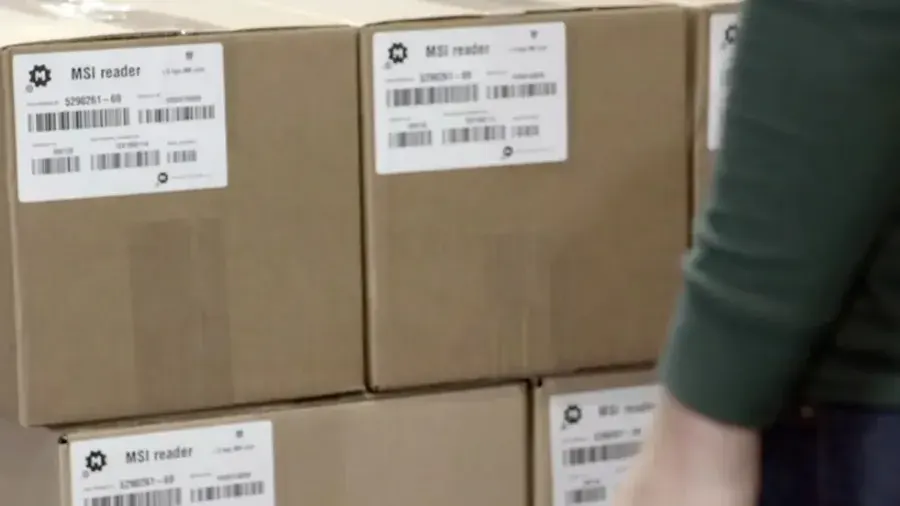
A receiving app in a warehouse management system could request the delivery identifier, capture a barcode and image, ask for the damaged quantity, and hold the receipt for review. The photograph helps a colleague understand the exception without asking the receiver to describe everything later. This is a proposed workflow, not a claim that a particular Zebra or Raptool configuration supplies it out of the box.
Test whether the image is useful for the intended decision. A photograph showing which carton arrived may be sufficient for one process; documenting a small tear or an illegible batch number may require a closer view. The headline scanning distance cannot settle that question. Ask the person who handles the claim to assess the images.
Proof of delivery
A delivery record needs the right parcel and the right destination. Combining identifier and image capture can reduce separate actions, but the application must still establish the stop, record the time and handle a parcel that is absent or damaged. Decide what happens when the device has no connection and how the driver sees that the record has eventually reached the server.
Photographs can also include people, addresses and other information that is unnecessary for the delivery record. Decide what should be photographed, which image treatments are appropriate, who may view the result and how long it should be retained. Zebra’s described face-blurring capability does not replace those decisions.
Returns and product condition
At a returns desk, the useful outcome is an accepted return with a clear reason and disposition. A barcode-plus-photo process could help document the condition, while the application checks the purchase and directs the item to resale, repair or disposal. Measure the time until that decision is recorded, rather than stopping the timer at the scanner beep.
Keep an alternative path. Some returns have missing labels; some packages cannot be photographed clearly. Staff need a controlled way to identify an item manually and explain why the normal process was bypassed. Otherwise the fastest route may become entering a convenient but incorrect code.
Long range sounds impressive. Prove the distance you need.
A warehouse should define its own working distances before choosing an engine. A picker identifying a shelf at arm’s length, a forklift driver reading a pallet label, and a worker checking a high rack face different tasks. The smallest code, the most reflective wrapping and the least favourable angle should all be represented in the trial.
Zebra’s MC3400 family illustrates the choice: its current page lists SE4710, SE4770, SE55 and SE58 options for different scanning needs, with supplier maximum-distance claims for the longer-range engines. Those are alternatives to evaluate within a configured product family. They do not mean every MC3400 has the longest-range engine.
Distance also changes targeting. In a dense rack, reading a code is less useful than reading the intended code. Put adjacent labels into the test and watch where the operator aims. Record incorrect selections, repositioning and repeated attempts. A slightly slower confirmed transaction may be preferable to a fast read that sends the worker to the wrong location.
Do not make an operator reach, lean or step into an unsafe position merely to recreate a range claim. Establish the normal working position first. If the proposed device only succeeds when that position changes, include the movement in the assessment and revisit the label placement.
TC501, TC701 and WS501-R: choose for the work
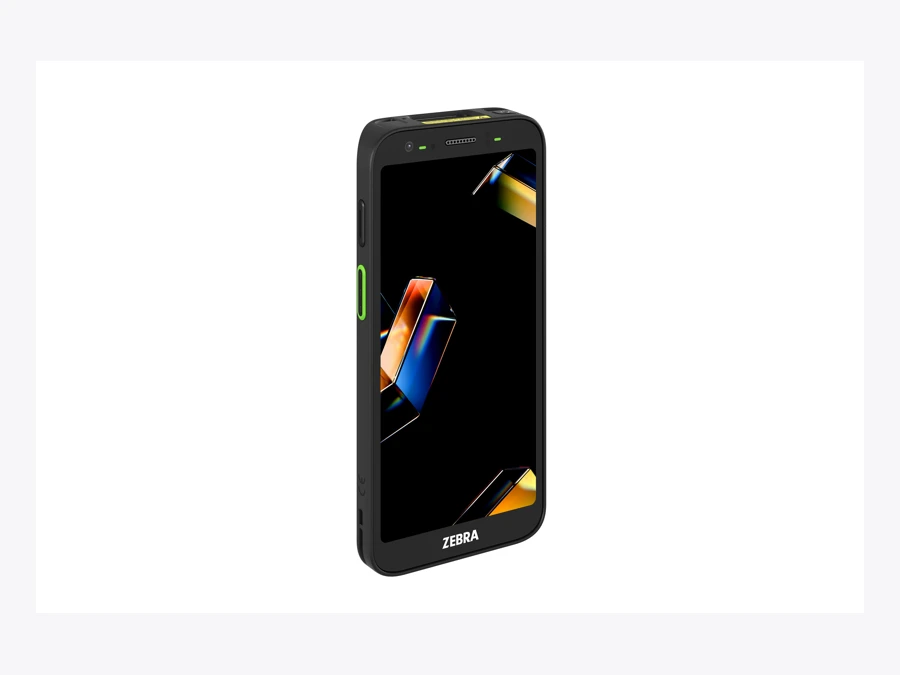
Zebra introduced the TC501 and TC701 at NRF in January 2026, describing a generation built around Qualcomm Dragonwing Q-6690 processors, AMOLED displays, Wi-Fi 7 and 5G configurations. The TC501 brings that platform to everyday enterprise handheld work; the TC701 targets more demanding environments. Compare the exact durability specification, scanner and radio configuration before ordering.
A brighter screen and faster processor help only where they address a problem. Try the display in the loading yard, the trigger with gloves, and the application while moving between access points. A smooth showroom demonstration tells you little about a shift with poor coverage and damaged labels.
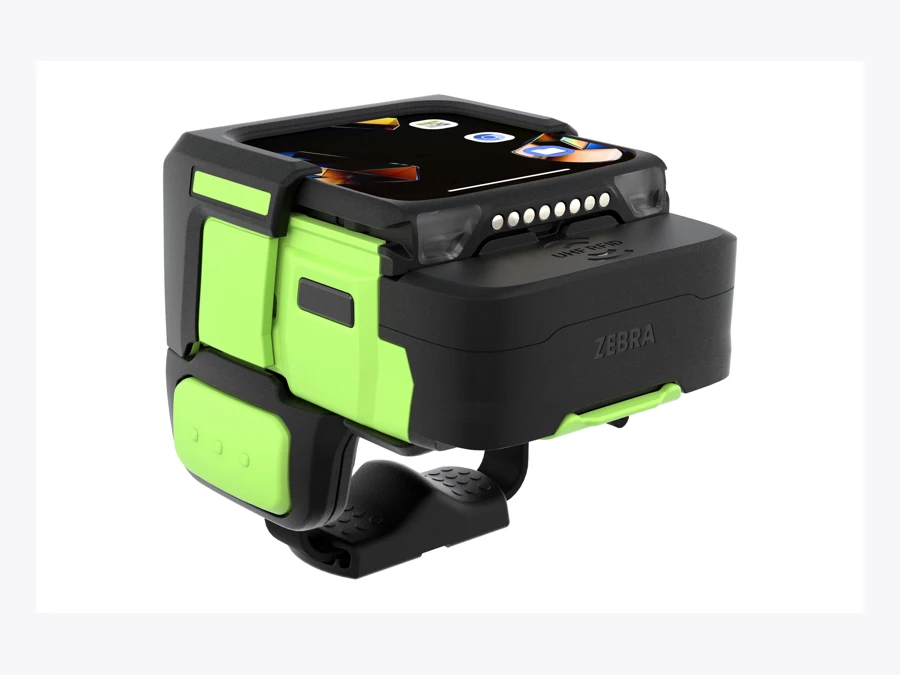
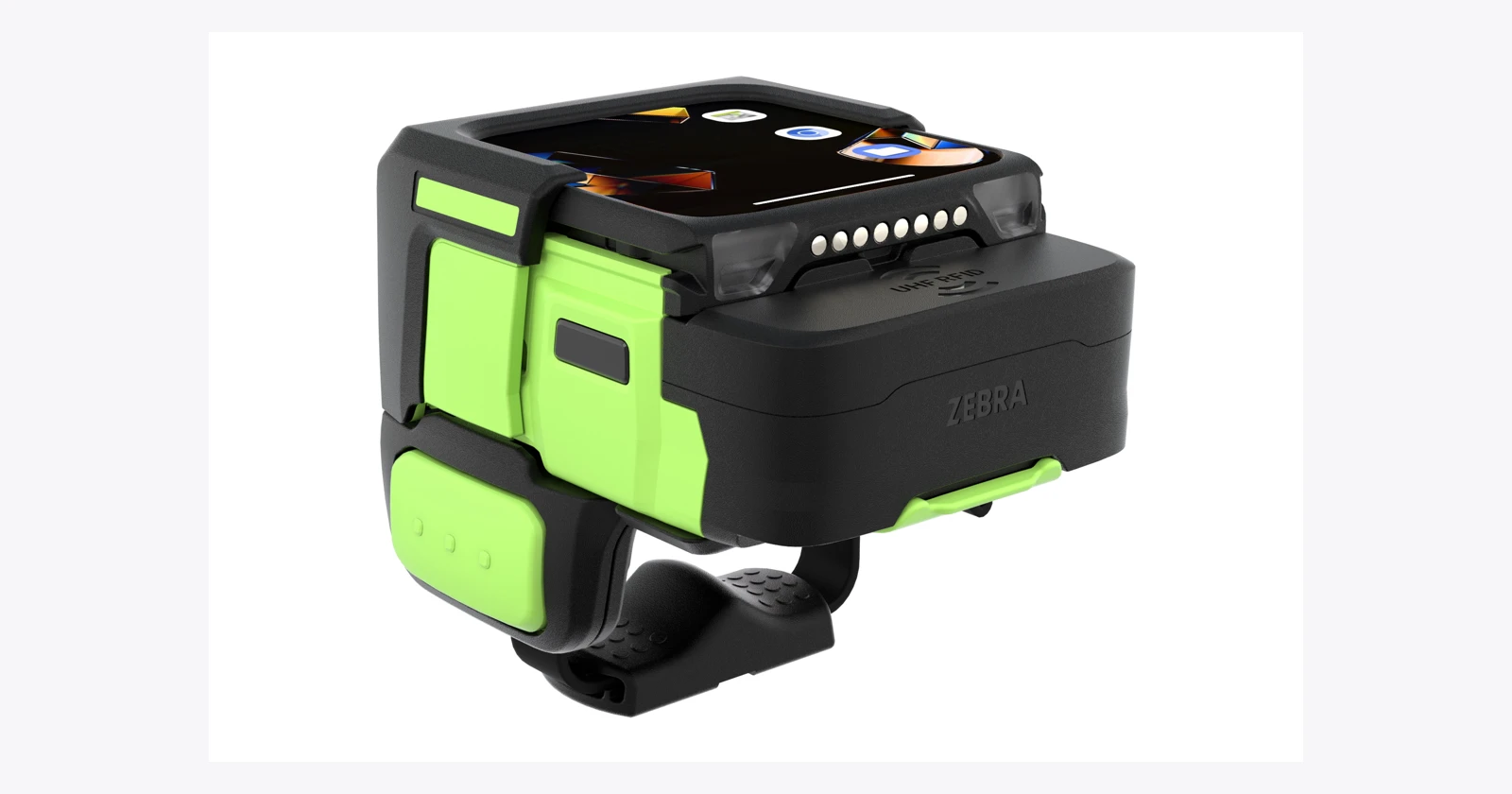
The WS501-R, highlighted at MODEX in April, offers another answer: put barcode and RFID capture into a wearable computer. Zebra also describes partner-provided voice-directed picking workflows. For work involving frequent lifting or handling, reducing the need to put down and pick up a handheld deserves a trial. Test comfort, accidental reads, tag behaviour and exception handling across a full shift.
Why a keypad computer can still be the better choice
The TC501 and TC701 draw attention because they are new. A warehouse with repeated quantity entry should also consider the shape of the work. Physical keys, a trigger grip and a familiar terminal layout can matter more than a larger touchscreen when the operator repeatedly enters numbers while handling goods.
The MC3400 and MC3450 are established context for that decision, rather than new launches in this 2026 roundup. Zebra offers the family in gun and straight-shooter forms with keypad choices. The MC3400 provides Wi-Fi 6E; the MC3450 adds cellular connectivity. Check the selected radio, keypad and engine together.
Give operators the same receiving or picking task on both forms. Include quantity corrections, a partial receipt, an exception note and a login change. Ask which controls they can reach without changing their grip. Count entry errors as well as completed transactions.
A larger touch interface may simplify training or show more order information. Physical keys may suit repeated numeric entry. Neither result can be inferred from the number of features in a brochure. A short, observed trial with the people doing the job gives the purchasing team a more useful answer.
For managers and mobile staff, a pocketable device has a different job
Someone who spends the day communicating, checking stock and helping customers may need a different balance from a dedicated picker. Zebra’s EM45 series is relevant here: its published positioning combines a phone-style form with enterprise communications and data capture. The EM45 RFID variant adds integrated RFID for reading tagged stock; the ordinary EM45 should not be assumed to have that reader.
This is another established product family included for context. It helps prevent a new-device shortlist from becoming a single recommendation for every employee. A store manager using retail apps for store staff might value a device that stays in a pocket between tasks, while a receiving operator might prefer a grip that is comfortable for repeated trigger use.
Separate camera-based scanning from dedicated-engine scanning in the trial. The EM45 family’s published material describes camera capture; that should not be presented as equivalent to an AC670 configuration. Test the actual scanning application and the normal lighting, then observe the complete interaction.
Sharing devices between roles also has a cost. A common pool may reduce spare inventory, but an awkward device can slow every user. Compare that operational cost with the effort of managing two or three clearly defined equipment standards. Standardisation works best when it follows a small number of genuine job types.
Wearables: save the handling, then check the whole shift
The WS501-R makes sense to investigate where repeated handling interrupts the work. A wearable can keep the display and capture functions close at hand while the operator moves goods. Zebra’s WS5x family page describes the wearable category and its model choices; the exact WS501-R configuration should be checked against its own specification.
The trial should run beyond the first few comfortable minutes. Check the fit with work clothing, wrist movement, left- and right-handed use, cleaning between users and how the device behaves while carrying a carton. A wearable that helps picking but complicates exception entry may need an application redesign rather than a different radio.
RFID and barcode operations also need distinct feedback, whether the wearable is used for picking or for RFID tracking next to barcodes. The operator should know whether one intended item was identified, several tags were detected, or the application is still waiting for a result. The screen should make the next action clear without requiring a long explanation in training.
Plan the handover between shifts. Where does the device charge? How does the next person sign in? Who notices a damaged mount? Those small responsibilities determine whether hands-free equipment is ready when work starts. Include mounts, charging positions and spares in the purchase proposal.
The other releases tackle different queues
The KC401 is the newest dated hardware launch in this selection. Announced on 17 September, the 10-inch kiosk has IP65 sealing and an optional scanner. It is intended for routine self-service across stores, hospitality, healthcare and manufacturing. A price-check station can save staff interruptions, provided its stock information is current and someone owns the failed lookup. The hardware also needs self-service kiosk software that shows the right content on the screen.
Manufacturers should also distinguish handheld capture from fixed inspection. Zebra debuted the CV70 CXP machine vision camera at Automate on 22 June for high-speed, high-resolution applications such as small-parts, battery and semiconductor inspection. It belongs in an engineered vision system with the required optics, lighting, processing and inspection logic; it is not the AC670 handheld scanner.
June’s software releases address the administration behind these devices. Zebra Nucleus brings DNA tools into a common fleet platform; Workcloud BI provides role-based operational dashboards, and Workcloud IO connects business systems and workflows. Their relevance depends on your existing management tools and integration needs. Request a supported-device list, deployment plan and licence breakdown.
Wi-Fi 7 and 5G will not repair an unfinished deployment
A newer radio is a capability to plan around. It does not establish coverage in a loading yard, a freezer or a warehouse aisle full of metal. Check the access points, roaming behaviour, local radio rules and the business application’s tolerance for a connection change. Cellular service needs the appropriate device configuration, network and subscription.
Test what the worker sees when a transaction is delayed. A spinning indicator without a clear status can cause repeated submissions. The application should make it possible to distinguish an action waiting to send from one already accepted. Recovery should preserve the original transaction identity so that reconnecting does not create duplicate receipts or deliveries.
Battery planning needs the same attention. Published runtime and charging claims depend on their test conditions. Your mix of scanning, screen brightness, voice, image capture and network use may differ. Run a representative shift, record remaining capacity and agree what happens if a battery or charger fails.
Photographs introduce a practical data-volume question. Decide the image resolution needed for the business purpose, the upload behaviour and the storage period. A workflow that saves four seconds locally but leaves staff waiting for an oversized upload needs adjustment before it is a saving.
The application is where the hardware becomes a business process
The receiving system needs a delivery identifier, item, quantity, location and status. The camera contributes an image; the scanner contributes a decoded identifier. Someone still has to map those inputs to the correct fields, validate them and record the result in the business system.
For a proposed Raptool implementation, agree the capture route before promising the result. The screens can be built without code in Raptool Designer or described in plain words to the Raptool AI Development Framework, but a simple barcode-input workflow and an image-and-barcode workflow may still require different integration work. The current article establishes no blanket Raptool support for AC670, Zebra AI models, RFID or every optional peripheral.
The Raptool Integration Server connects apps to ERPs via web service, SQL, JSON or file exchange, including Fortnox, SAP and Visma. Use that as a starting point for a specific design discussion. Identify which system owns stock, which owns the delivery record, how errors return to the device, and how an administrator traces a failed transaction.
A useful acceptance test follows one record all the way through. Capture the item, attach the image, interrupt the connection, restore it, and find the final record in the target system. Then repeat with a duplicate trigger, an invalid quantity and an unreadable label. The point is to establish what happens when the normal sequence breaks.
Fleet software matters after the launch presentation
The original software announcements are encouraging, but a fleet proposal needs a division of responsibilities. Define who configures devices, manages app versions, approves updates, monitors batteries, handles repair replacements and supports users on the late shift. A common dashboard is useful when somebody acts on what it shows.
Compare Zebra Nucleus with the management arrangement already in place. Ask which tools it brings together, which device models and software versions are supported, and which capabilities require additional licences. Avoid purchasing overlapping subscriptions because two presentations use different names for similar administration work.
Keep a known configuration for each job type. When a repaired or spare device arrives, staff should be able to restore the intended application, input settings and access controls consistently. A pilot that works only on one specialist’s demonstration unit has not yet established a repeatable rollout.
Updates deserve a small validation group. An operating-system or capture-software change can affect the workflow even when the application itself is unchanged. Recheck the capture path, peripherals, login and offline recovery before moving the wider fleet. Version numbers are operational information, not merely details for the support team.
Make the upgrade earn its place
Start with one repeated task. Measure its full duration, including rescans, image retakes and corrections. Repeat with the proposed hardware and software under the same conditions, and check that quality has stayed at least as good.
Illustrative capacity calculation
If a validated scan-and-photo workflow saves 4 seconds on 1,000 transactions per day over 250 working days, that releases approximately 278 labour-hours a year. At an assumed €30 per hour, that is about €8,333 of labour capacity, before hardware, licences, integration, training and support. These are hypothetical inputs, not a Zebra benchmark or cash-saving forecast.
Capacity becomes a cash saving only when paid expenditure actually falls. If the time goes into faster service or clearing a backlog, measure that outcome instead. For a Raptool project, verify how the selected device delivers barcode data and images to the proposed app; this article does not establish AC670 or AI SDK integration.
A pilot that answers the purchasing question
Pick one job with enough repetition to measure. Establish the baseline using the current equipment and process. Record time to complete a valid transaction, first-attempt success, corrections, image retakes, help requests and end-of-shift battery status. Use ordinary staff and representative goods.
Set acceptance criteria before testing the replacement. For example, the team might require a shorter complete transaction without more identification errors, photographs that claims staff can use, and reliable recovery from a lost connection. Those are proposed criteria to adapt, not measured outcomes from this article.
Include a busy period. Devices are shared, people hurry, labels become damaged and the network carries more traffic. Watch whether the interface still makes status clear. Record the reasons for failed attempts; an average time alone can hide a small set of expensive exceptions.
Ask a second administrator to prepare a spare device from the documented configuration. That tests whether the deployment can be supported when the original implementer is unavailable. Include training and support effort in the pilot report rather than treating them as free.
Finish with a decision. Buy the configuration that met the criteria, change the workflow and repeat the trial, or retain the current setup. A failed pilot can still prevent an expensive purchase. The useful result is a defensible equipment decision.
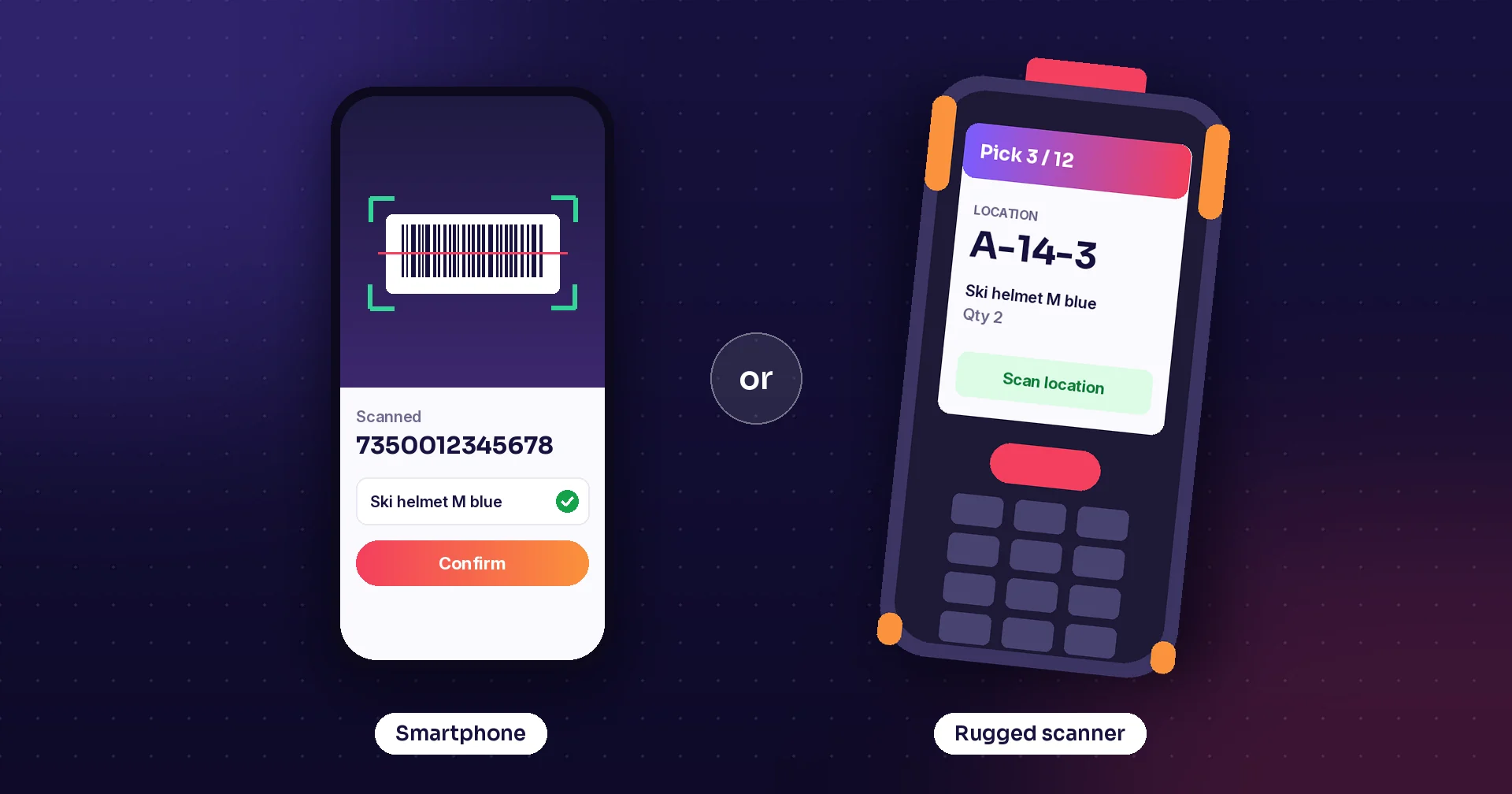
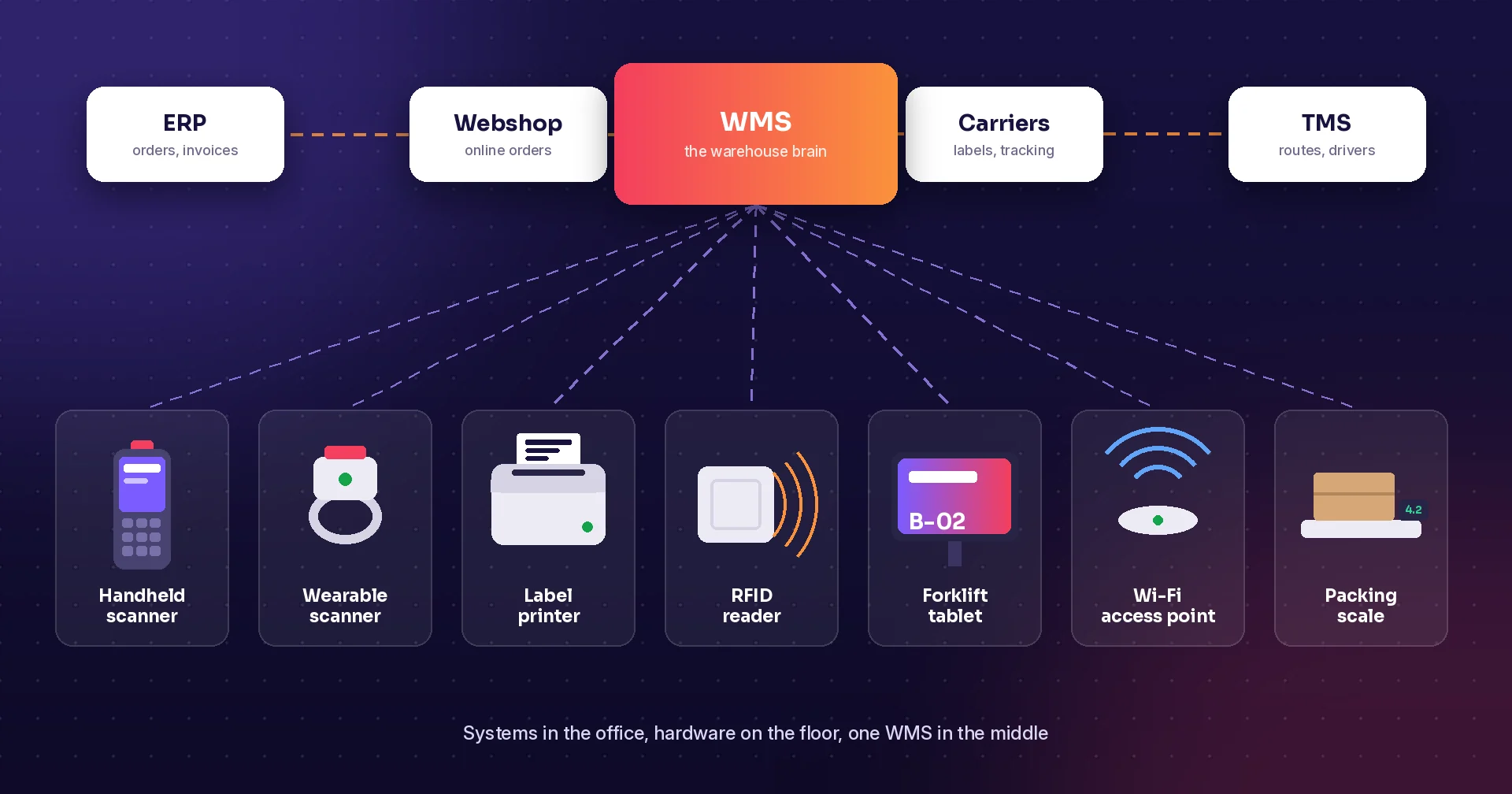
If the pilot also has to settle whether some roles can use ordinary phones, our guide to choosing between a rugged scanner and a smartphone covers that trade-off, and the warehouse systems and hardware checklist lists the other equipment and systems to plan for.
Build the financial case without turning hours into imaginary cash
The earlier four-second example values released capacity. To turn that into a purchase decision, first identify the full incremental cost: equipment and accessories, spare devices, configuration, integration, training, support and recurring software. Compare equivalent deployment periods and include only benefits that do not overlap.
Illustrative paid-cost scenario
Suppose a small rollout requires €12,000 of initial investment and €2,400 of annual recurring costs. If it demonstrably avoids 200 paid overtime hours per year at €35 per hour, gross annual avoided expenditure is €7,000. After recurring costs, net annual savings are €4,600. Simple payback is approximately 31 months; the first year remains €7,400 negative after the initial investment. These are hypothetical assumptions, not Zebra pricing or a customer result.
That scenario is valid only if the overtime expenditure actually falls while service and quality remain acceptable. Do not add the full €8,333 capacity figure to the overtime saving if they represent the same released time. If the benefit is faster service with unchanged payroll, report that service improvement and the capacity separately.
Review sensitivity. A quieter site may not process enough transactions to justify the same investment. An image workflow may have value in resolving disputes, but that value should come from the site’s records and a measured change in resolution costs. Keep unmeasured benefits in the discussion without presenting them as guaranteed revenue.
Zebra’s latest releases give buyers more capture and automation options. The strongest purchase proposal will show which repeated work disappears, which errors remain under control, and who will keep the system working after installation.
Model reference: technical details and configuration checks
Zebra TC501 · technical details
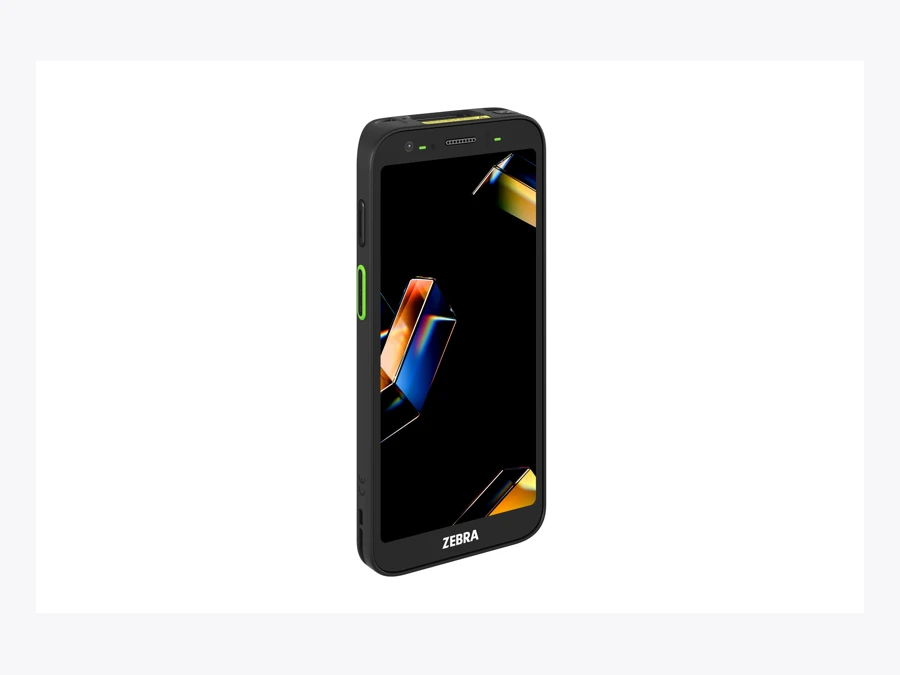
TC501 technical details
| Type | Touch handheld |
|---|---|
| Platform | Android |
| Typical evaluation | Scan-and-image workflows |
| Configuration check | Confirm AC670 on the ordered configuration. |
| Capture choices | SR500, SR560 or AC670; configuration dependent |
Useful starting point: Scan-and-image workflows.
Trade-off to evaluate: Confirm AC670 on the ordered configuration.
Official Zebra specification · Catalogue checked 14 October 2026; family pages refreshed 15 October. Images do not establish installed options. Confirm current support, part number and regional orderability.
Zebra TC701 · technical details
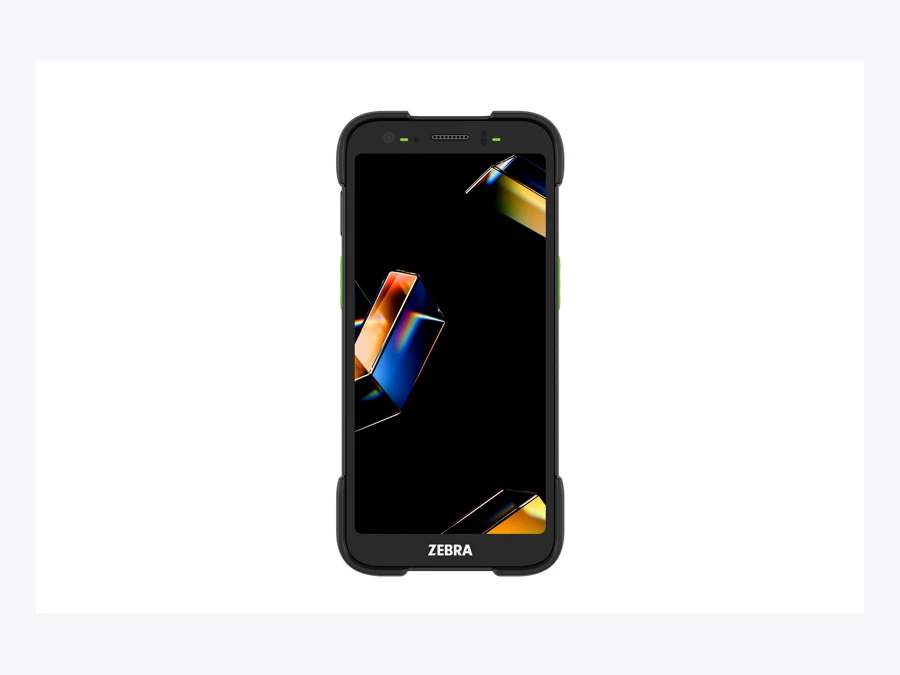
TC701 technical details
| Type | Ultra-rugged handheld |
|---|---|
| Platform | Android |
| Typical evaluation | Demanding handheld work |
| Configuration check | Compare durability and exact scanner configuration. |
| Capture choices | SR500, SR560 or AC670; configuration dependent |
Useful starting point: Demanding handheld work.
Trade-off to evaluate: Compare durability and exact scanner configuration.
Official Zebra specification · Catalogue checked 14 October 2026; family pages refreshed 15 October. Images do not establish installed options. Confirm current support, part number and regional orderability.
Zebra WS501-R · technical details
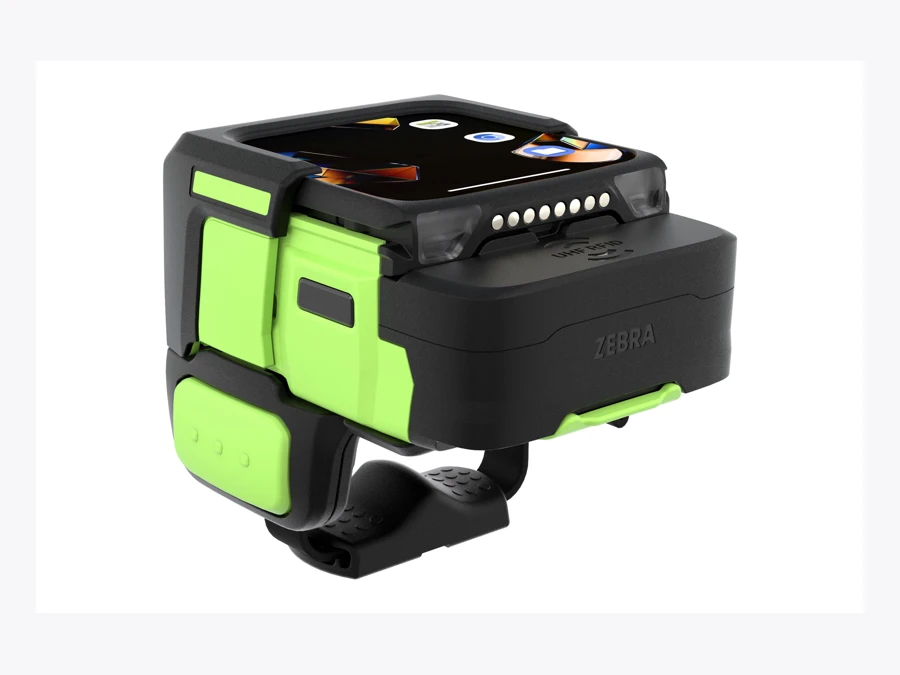
WS501-R technical details
| Type | Wearable RFID |
|---|---|
| Platform | Android |
| Typical evaluation | Hands-busy identification |
| Configuration check | Test comfort and the intended RFID read zone. |
| Capture | Barcode and UHF RFID |
Useful starting point: Hands-busy identification.
Trade-off to evaluate: Test comfort and the intended RFID read zone.
Official Zebra specification · Catalogue checked 14 October 2026; family pages refreshed 15 October. Images do not establish installed options. Confirm current support, part number and regional orderability.
Zebra MC3400 · technical details
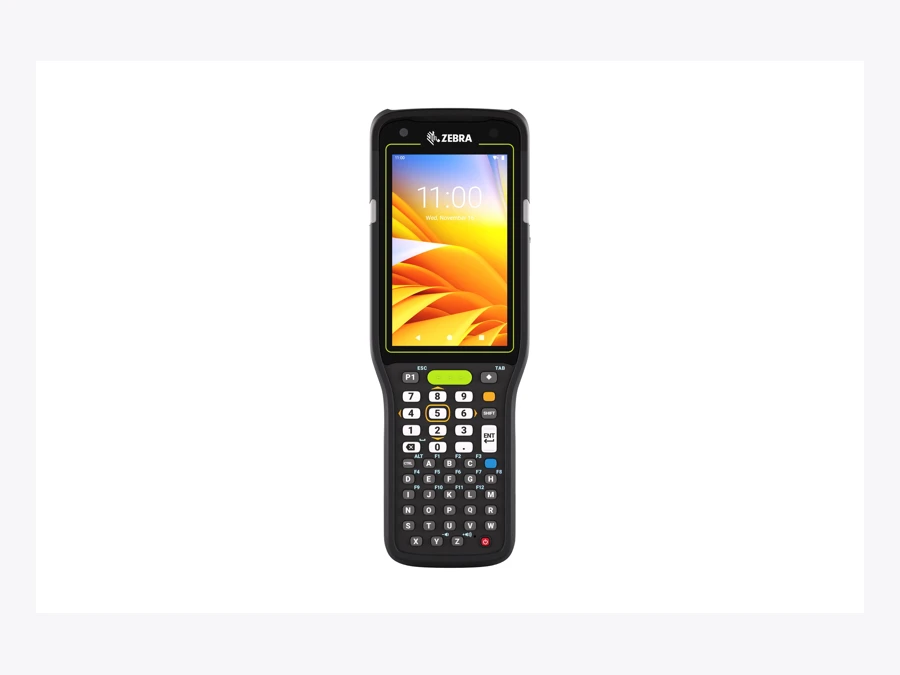
MC3400 technical details
| Type | Keypad / Wi-Fi |
|---|---|
| Platform | Android |
| Typical evaluation | Repeated quantity entry |
| Configuration check | Choose the grip, keypad and scan engine together. |
| Capture choices | SE4710, SE4770, SE55 or SE58; configuration dependent |
Useful starting point: Repeated quantity entry.
Trade-off to evaluate: Choose the grip, keypad and scan engine together.
Official Zebra specification · Catalogue checked 14 October 2026; family pages refreshed 15 October. Images do not establish installed options. Confirm current support, part number and regional orderability.
Zebra MC3450 · technical details
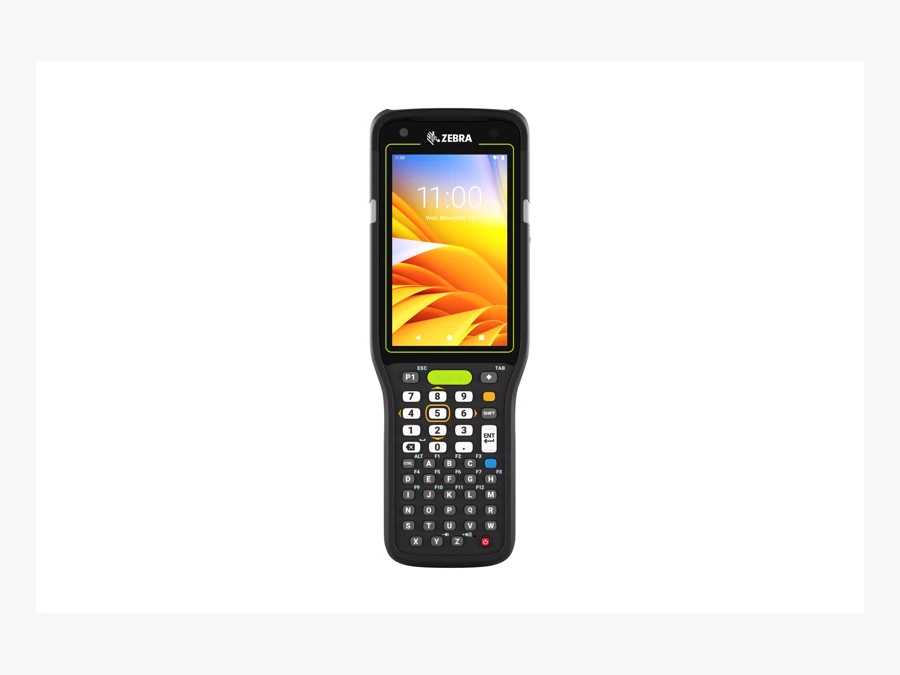
MC3450 technical details
| Type | Keypad / cellular |
|---|---|
| Platform | Android |
| Typical evaluation | Warehouse and yard workflows |
| Configuration check | Validate coverage, SIM service and configured engine. |
| Capture choices | SE4710, SE4770, SE55 or SE58; configuration dependent |
Useful starting point: Warehouse and yard workflows.
Trade-off to evaluate: Validate coverage, SIM service and configured engine.
Official Zebra specification · Catalogue checked 14 October 2026; family pages refreshed 15 October. Images do not establish installed options. Confirm current support, part number and regional orderability.
Zebra EM45 RFID · technical details

EM45 RFID technical details
| Type | Mobile / integrated RFID |
|---|---|
| Platform | Android |
| Typical evaluation | Managers and mobile staff |
| Configuration check | Camera-based capture differs from a dedicated scan engine. |
| Capture | Camera-based barcode capture and integrated RFID |
Useful starting point: Managers and mobile staff.
Trade-off to evaluate: Camera-based capture differs from a dedicated scan engine.
Official Zebra specification · Catalogue checked 14 October 2026; family pages refreshed 15 October. Images do not establish installed options. Confirm current support, part number and regional orderability.
Questions before you upgrade
What is Zebra’s AC670?
The AC670 is an advanced-range colour 1D/2D imaging scan engine. Supported configurations can combine barcode data and a colour image through Scan and Snap. It is distinct from the Enterprise AI Camera app and AI Data Capture SDK.
Does every TC501 or TC701 include the AC670?
No. Verify the scanner on the exact ordered configuration, together with the required OS, scanning framework and DataWedge versions.
Will the new devices automatically work with our business app?
No automatic compatibility is established here. Test barcode input, image delivery, business-system integration and error handling with the intended app before rollout.
Which Raptool apps run on the Zebra TC501?
The TC501 is an Android device, and Raptool apps run in the Raptool Client, a native app for Android, iOS, Windows and Mac that gives apps access to the scanner, the camera, RFID readers and printers, online or offline. That includes Raptool WMS for receiving, picking, packing and stock counts, and Raptool Retail apps for store staff. Raptool is a Zebra Technologies partner; see handheld scanner apps for the supported device makers. This article does not establish tested support for the TC501 or its AC670 and AI features, so test your workflow on the configured device before rollout.
Sources and scope
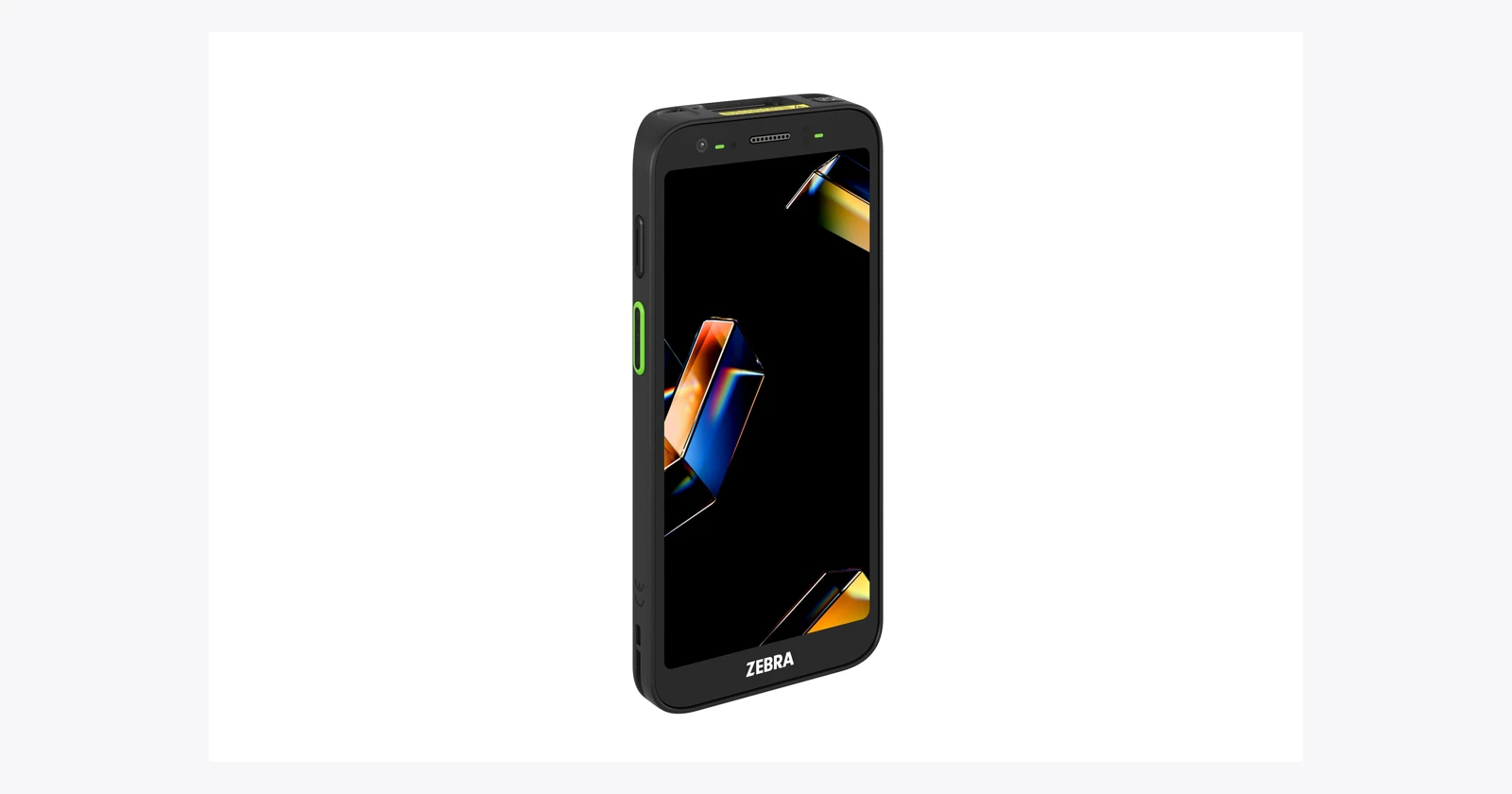
Checked 15 October 2026 against Zebra announcements, specifications and developer documentation. Supplier capabilities are attributed; no independent device benchmark was performed. Product photos are official Zebra photographs that illustrate the models, not guaranteed ordered configurations.
- Zebra press release: TC501 and TC701 (January 2026)
- Zebra press release: MODEX 2026 showcase incl. WS501-R (April 2026)
- Zebra press release: Nucleus, Workcloud BI and IO (June 2026)
- Zebra press release: CV70 CXP at Automate 2026 (June 2026)
- Zebra press release: KC401 kiosk (September 2026)
- Zebra TC501 specification (AC670, SR500, SR560, Enterprise AI Camera)
- Zebra TC701 specification
- Zebra WS501-R specification
- Zebra WS5x wearable family
- Zebra MC3400/MC3450 specification
- Zebra MC3400 family and scan engine options
- Zebra EM45 series
- Zebra EM45 RFID specification
- Zebra TechDocs: DataWedge Scan and Snap requirements
- Zebra TechDocs: AI Data Capture SDK release notes
Tags
Planning a Zebra pilot? Contact us about the workflow, or create a free Raptool account and try the apps on your own devices.
Contact us