Overview
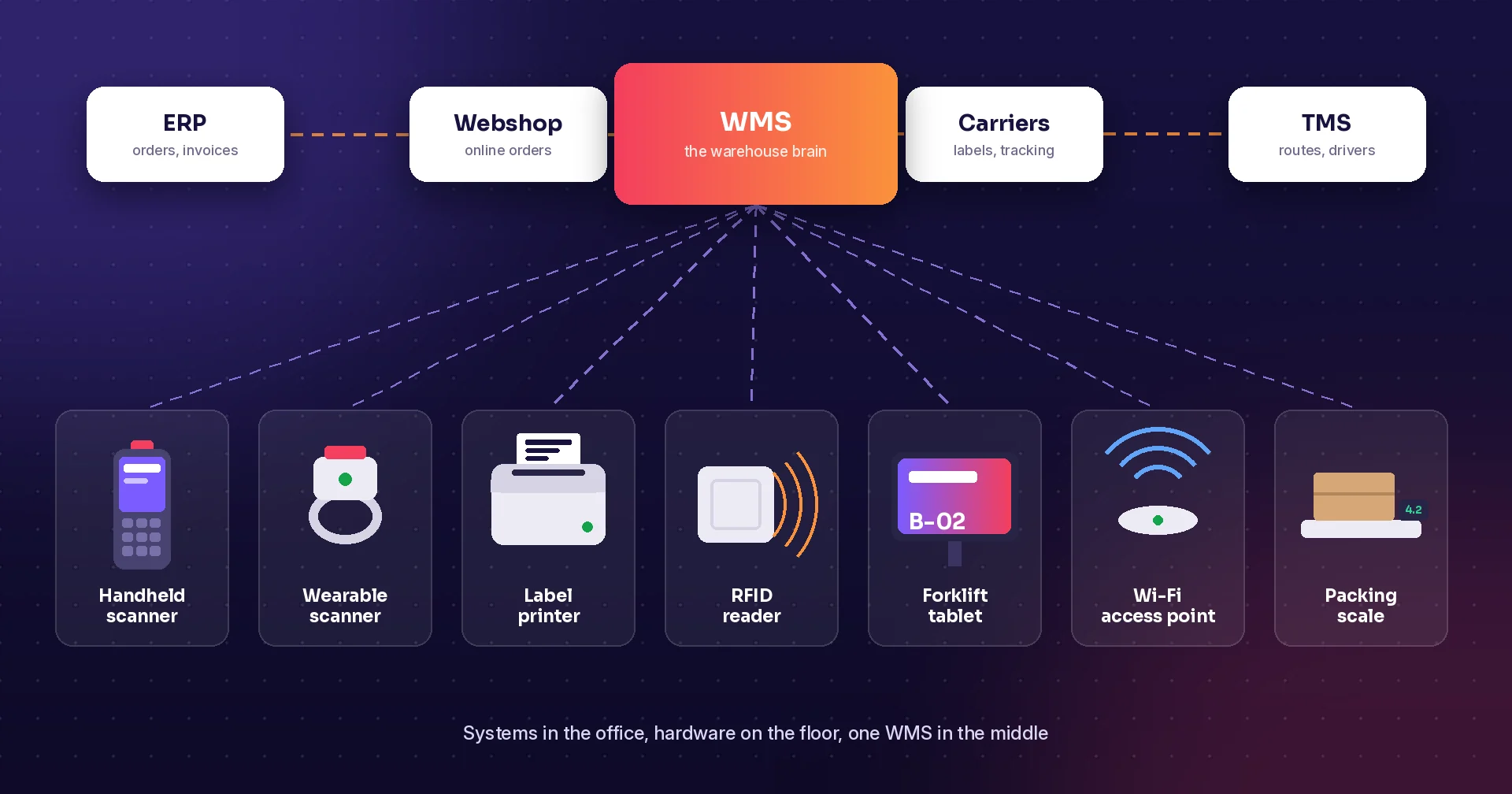
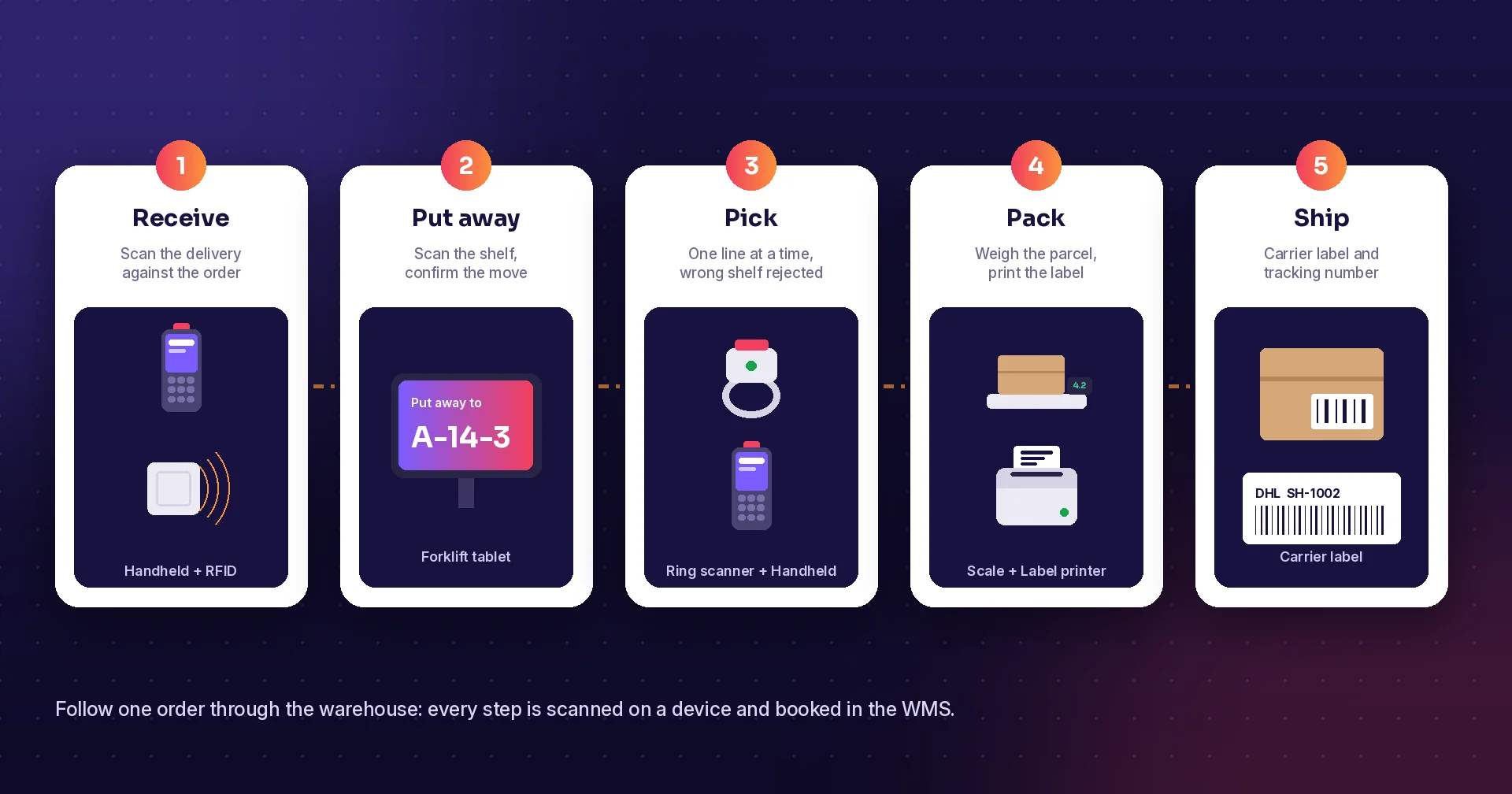
Setting up a warehouse, or moving one off paper, raises the same question every time: what do we actually need? The answer has two halves. Systems in the office decide what should happen. Hardware on the floor makes it happen and reports back. This checklist goes through both, explains what each part does and when you need it, and ends with a starter kit for a small warehouse. A mobile warehouse management system ties the two halves together.
Why the right setup matters
Most warehouse cost is people moving around. A well-known review of warehouse research by de Koster and colleagues estimates that order picking alone can make up as much as 55 percent of warehouse operating cost. Every step that is guided by a screen and confirmed by a scan saves walking, searching and fixing mistakes. That is what systems and hardware are for: to make each step faster and right the first time.
Part 1: Systems
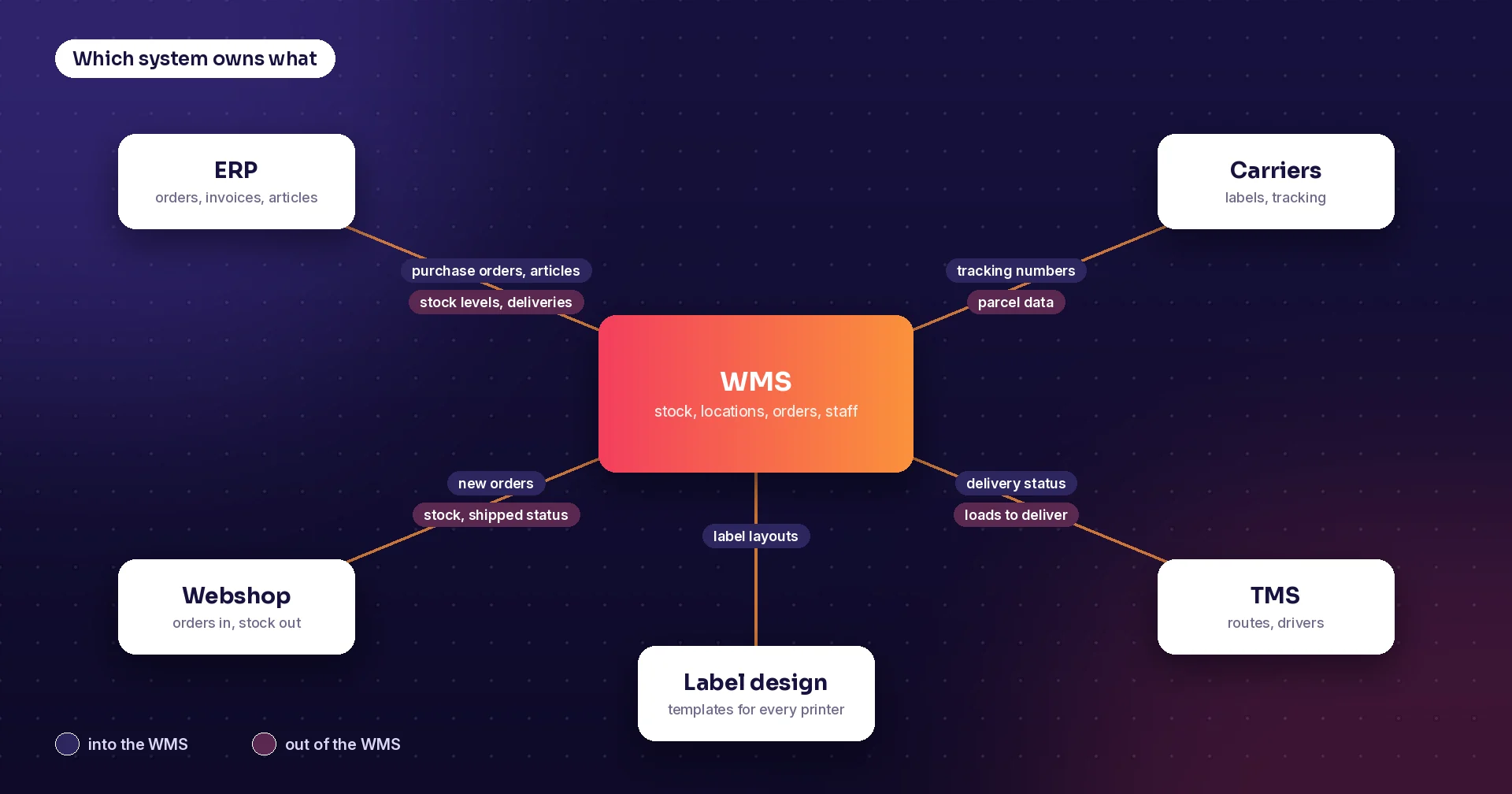
ERP: the business system
The ERP holds customers, suppliers, articles, prices, invoices and the accounts. It decides what is sold and bought. Examples are Fortnox, Visma, Microsoft Dynamics 365 Business Central, SAP and NetSuite. Most businesses already have one. The ERP knows how many of an item you own, but usually not exactly where each one is.
WMS: the warehouse system
The warehouse management system runs the floor. It knows which shelf holds what, and it turns orders into tasks: receive this delivery, put it away there, pick these lines in this order, count that zone. It also checks every scan. If you run a warehouse of any size, the WMS is the centre of everything else on this list.
Order channels: webshop and marketplaces
Orders often arrive from a webshop or a marketplace, such as Shopify, WooCommerce, Magento or Amazon, as well as from the ERP. The WMS should pull these orders in automatically and send stock levels and shipped status back, so customers never buy something you do not have.
Shipping software and carriers
When an order is packed, someone has to book the carrier, print the label and save the tracking number. Shipping software, or a direct link to carriers such as PostNord, DHL, Bring, Schenker or UPS, does this in one step from the packing station instead of retyping addresses into a carrier website.
TMS: transport management
If you deliver with your own vehicles, a transport management system plans routes, gives drivers their stops on a phone and shows live delivery status. If carriers handle all deliveries, you may not need one.
Labels and integration
Two quieter systems tie it all together. A label design tool keeps shelf, product, pallet and parcel labels consistent and prints them on any printer. And an integration layer, through ready connectors, APIs or EDI, keeps the ERP, WMS, webshop and carriers in sync without anyone exporting spreadsheets.
| What it owns | Do you need it? | |
|---|---|---|
| ERP | Articles, customers, suppliers, prices, invoices | Yes, almost always already in place |
| WMS | Locations, stock per shelf, warehouse tasks | Yes, once you have more than a few shelves |
| Webshop or marketplace | Online orders and product pages | If you sell online |
| Shipping software | Carrier booking, labels, tracking | If you send parcels or pallets |
| TMS | Routes, drivers, delivery status | If you deliver with your own vehicles |
| Label design | Label layouts for every printer | Yes, often built into the WMS |
| Integration | Data moving between the systems | Yes, unless everything is one system |
Part 2: Hardware
Handheld scanners and mobile computers
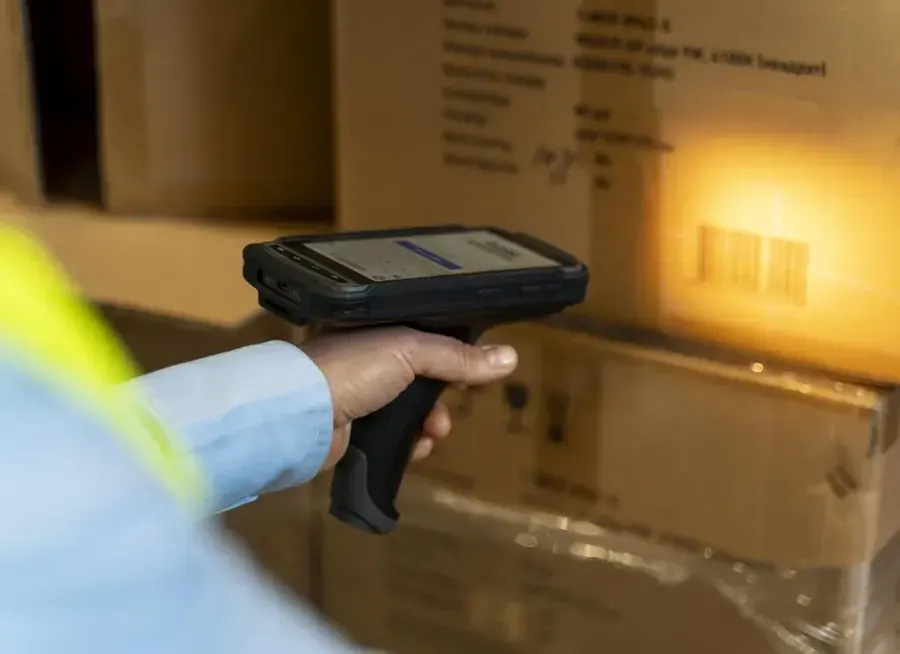
The most important device on the floor. A rugged handheld with a built-in barcode scanner shows each task and confirms it with a scan. For low volumes, a normal phone with its camera can work. For all-day scanning, a purpose-built device from makers such as Zebra, Honeywell, Datalogic or Newland lasts longer, scans faster and survives being dropped.
Wearable and ring scanners
A ring scanner on the finger, linked to a small computer on the wrist, leaves both hands free to lift and carry. Voice picking headsets go one step further: the system reads out the next location and the picker confirms by voice. Both pay off where people pick many lines per hour.
Vehicle-mounted computers
Forklift drivers need a screen they can read without leaving the seat. A rugged tablet or vehicle-mounted computer, often with a long-range scanner, shows put-away and replenishment tasks and confirms them when the pallet is in place.
Label printers
You will print shelf labels, product labels, pallet labels and parcel labels. A desktop thermal printer is enough for a small packing station. Busy docks need an industrial printer that runs all day, and mobile printers on a belt let staff print a label right where the goods are.
RFID readers
RFID reads many tags at once without line of sight. Handheld readers speed up stock counts, and fixed readers at dock doors can check a whole pallet as it passes. RFID is a strong add-on where you handle large numbers of tagged items, but most warehouses start with barcodes.
Wi-Fi network
Every handheld, tablet and printer needs a stable connection. Warehouses are hard for Wi-Fi: metal racking, full pallets and long aisles block the signal. Plan access points for the aisles, not just the office, and test coverage with the actual scanner at the far end of every aisle. A system that keeps working offline is a good safety net.
Labels and barcodes
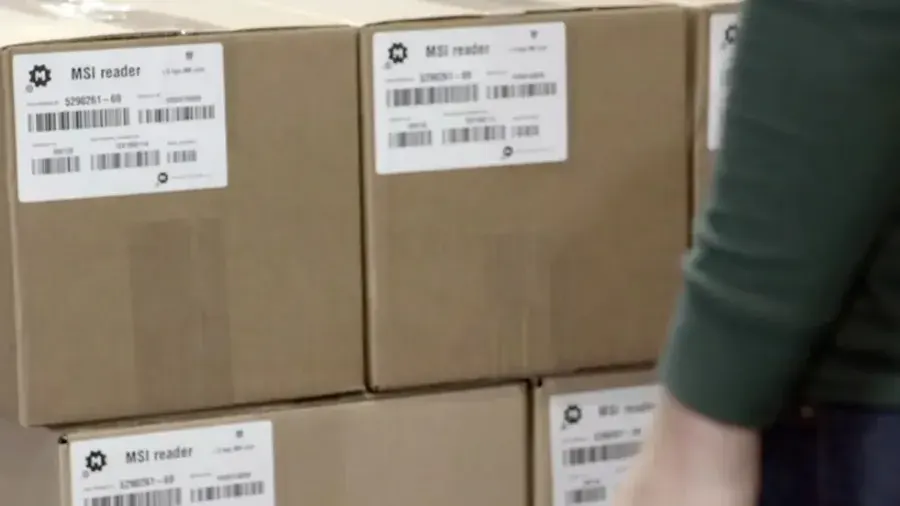
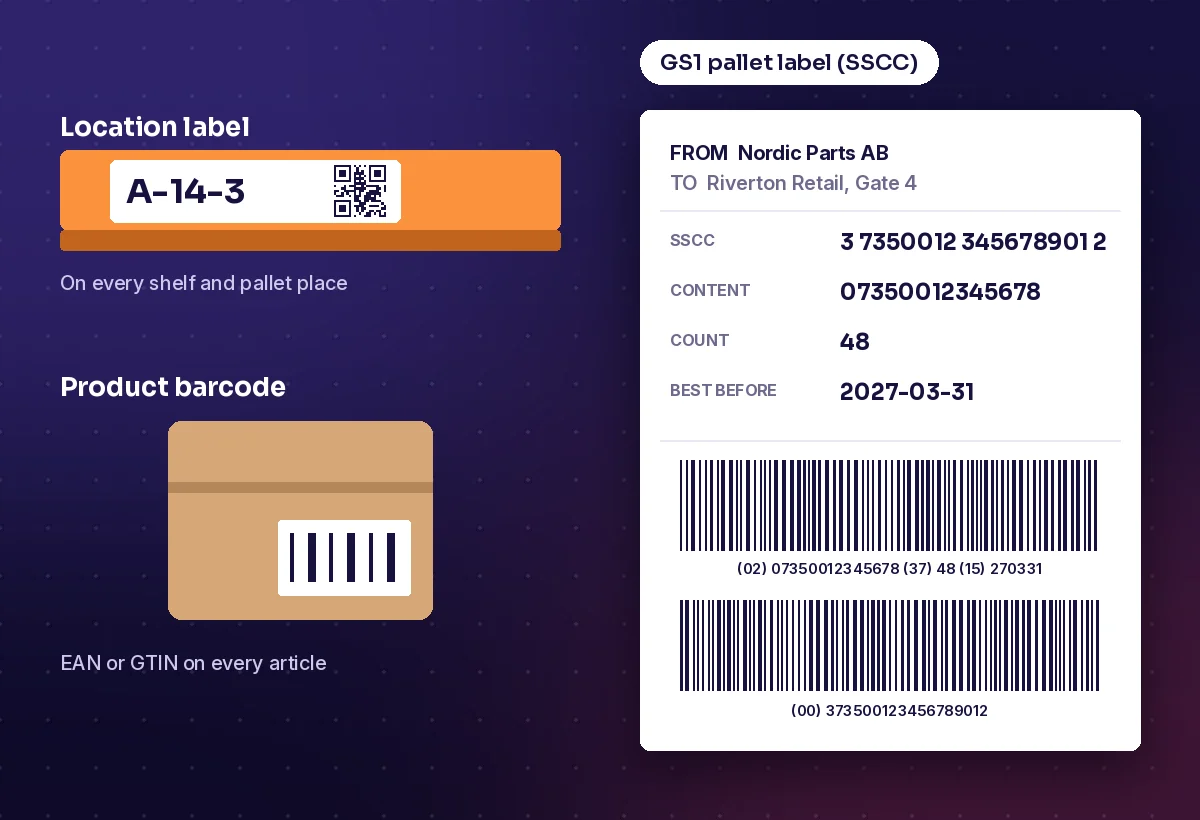
Hardware is only useful if there is something to scan. Put a location label on every shelf and pallet place, make sure every article has a barcode such as an EAN or GTIN, and label outgoing pallets. Many retailers ask for a GS1 logistics label with an SSCC: an 18-digit number that identifies each pallet and links to the delivery details in your system.
Packing station and the rest
A good packing station has a scanner, a scale, a label printer and a screen, so the packer can check the order, weigh the parcel and print the carrier label in one place. Add charging stations and spare batteries for every device, and a few screens at the dock and in the office for supervisors.
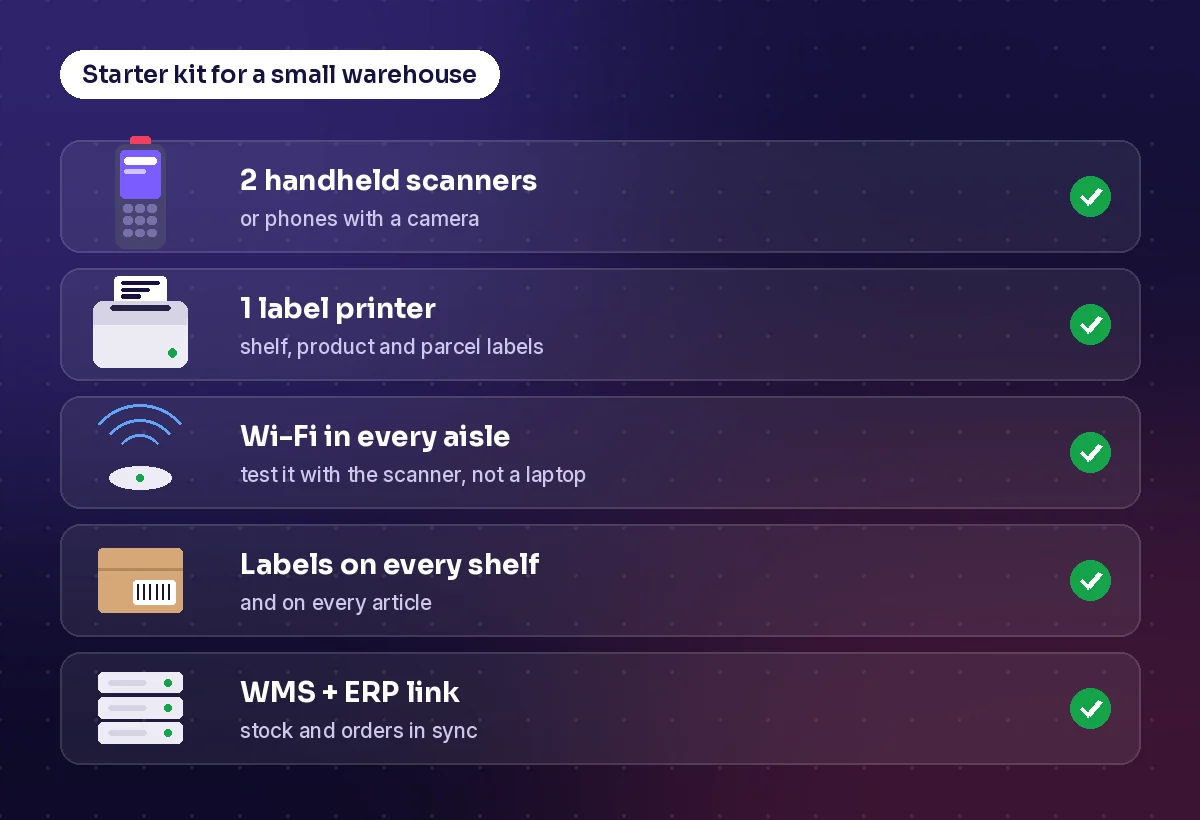
A starter kit for a small warehouse
- A WMS linked to your ERP and webshop
- Two handheld scanners, or phones with a camera to begin with
- One label printer for shelf, product and parcel labels
- Wi-Fi tested in every aisle with the scanner itself
- Labels on every shelf and a barcode on every article
- A link to your carriers for parcel labels and tracking
Start there, measure, then add wearables, vehicle-mounted computers or RFID where the numbers show they will pay off.
How Raptool helps
Raptool WMS runs receiving, put-away, picking, packing, stock counts and shipping from one web app and any phone or rugged scanner. The Raptool Client runs natively on Android, iOS, Windows and Mac, so you can mix phones, tablets and rugged scanners on the same floor. Raptool recommends Zebra handhelds for the warehouse floor and also works with Datalogic scanners and Honeywell wearables for hands-free voice picking, and RFID reads tags from up to 15 metres. 105 ready connectors link the WMS to systems such as Fortnox, Visma.net, Business Central, SAP S/4HANA, NetSuite, Shopify, WooCommerce, Magento and Amazon. Carrier labels for PostNord, DHL, Bring, Schenker and UPS are created through nShift or Shipmondo, the Label Designer prints labels anywhere, and Raptool TMS takes over when the goods leave the dock.
Key takeaways
- Systems decide what should happen; hardware makes it happen and reports back
- The WMS sits in the middle, between the ERP, order channels and carriers
- Handheld scanners, label printers and Wi-Fi are the must-haves on the floor
- Labels on every shelf and article come before any scanner can help
- Start with a small kit, measure, and add wearables or RFID where they pay off
Frequently asked questions
What systems does a warehouse need?
Most warehouses need an ERP for articles, customers and invoices, a WMS for locations and warehouse tasks, links to order channels such as a webshop, and shipping software or carrier integrations for labels and tracking. A TMS is added if you deliver with your own vehicles.
What is the difference between an ERP and a WMS?
The ERP runs the business: what you buy and sell, prices, invoices and accounts. The WMS runs the warehouse floor: where every item is, and which tasks staff should do next. The two exchange orders and stock levels.
Can I use phones instead of rugged scanners?
Yes, for low volumes. A phone camera can scan barcodes well enough to start. For scanning all day, rugged devices with built-in scanners are faster, last longer and survive drops, so most busy warehouses move to them.
Do I need RFID in my warehouse?
Not to begin with. Barcodes cover most needs. RFID pays off where you count or receive large numbers of tagged items, because it reads many tags at once without line of sight.
What labels does a warehouse need?
Location labels on every shelf and pallet place, a barcode such as an EAN or GTIN on every article, and pallet and parcel labels for outgoing goods. Many retailers require a GS1 logistics label with an SSCC on every pallet.
Sources: de Koster, Le-Duc and Roodbergen, “Design and control of warehouse order picking: a literature review” (2007); GS1 UK, logistics labels and SSCCs.
Tags
Want to see which systems and devices fit your warehouse? Book a demo and we will walk through a setup with you.
Book a demo