Overview
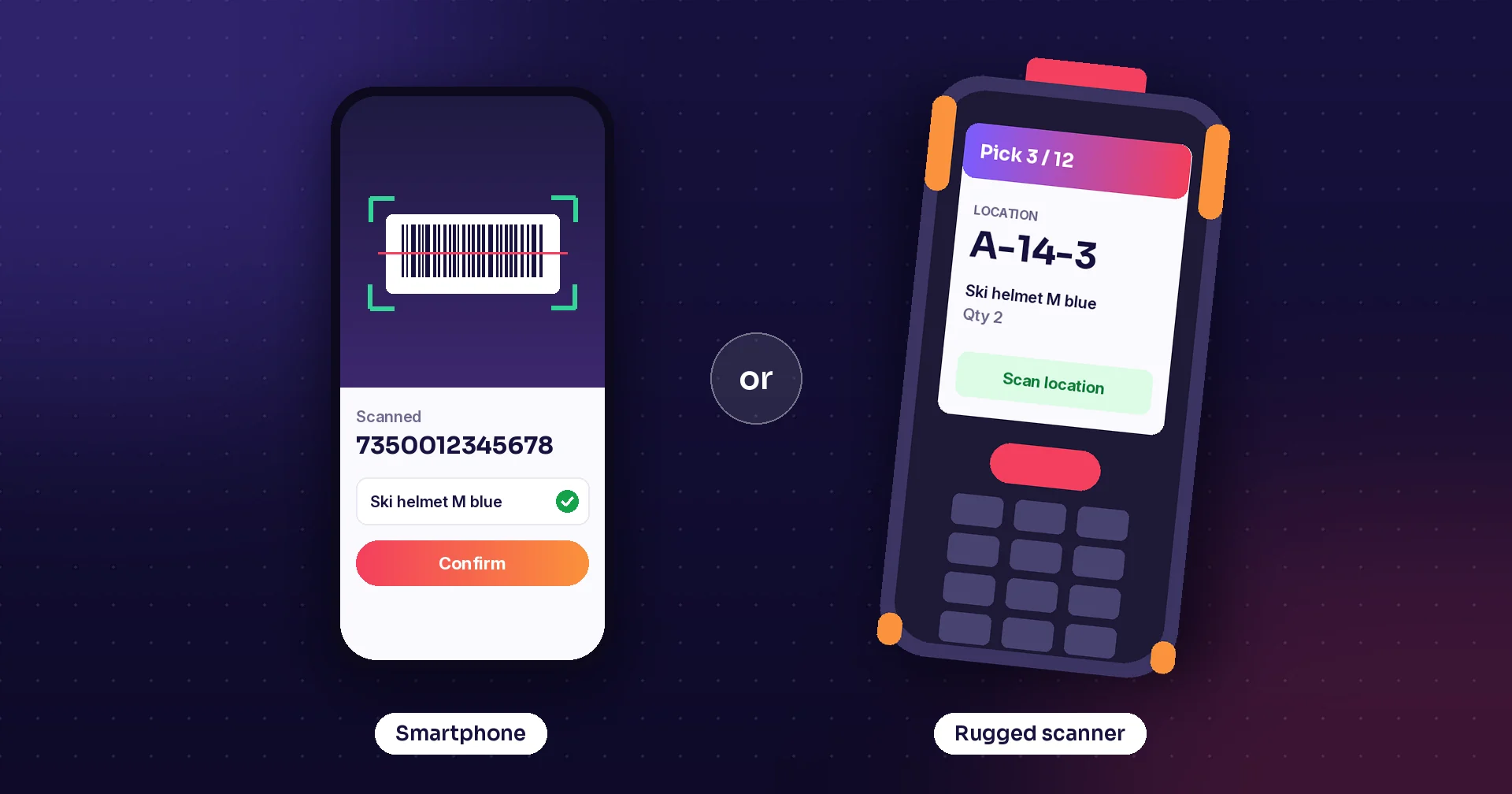
Once you decide to scan instead of writing things down, the next question comes fast: which device? Everyone already has a smartphone, and a rugged scanner costs several times more. Both can run the same mobile warehouse management app and scan the same barcodes. The difference shows up after a few months of real work: in dropped devices, flat batteries, slow scans and replacements. This post compares the options, explains what rugged really means, and helps you choose the right mix for your warehouse, store or field team.
What a smartphone does well
A modern smartphone camera can read most barcodes and QR codes. Staff already know how to use it, it is cheap to buy, and it fits in a pocket. For a small stockroom, a few deliveries a day, a manager checking stock or a driver confirming a delivery, a phone is often all you need. It is also the easiest way to start: install the app, scan a few shelves and see how it feels before buying special hardware.
Where smartphones struggle
Problems appear when scanning becomes the job. Camera scanning needs the code centred and in focus, so it slows down on long pick lists, damaged labels or codes high up on a shelf. Phones are not built to be dropped on concrete many times a week, the battery rarely lasts a long shift with constant scanning, and touch screens are hard to use with gloves or in a cold store. Consumer models are also replaced quickly, so the phone you standardise on today may be hard to buy as a spare next year.
What makes a device rugged
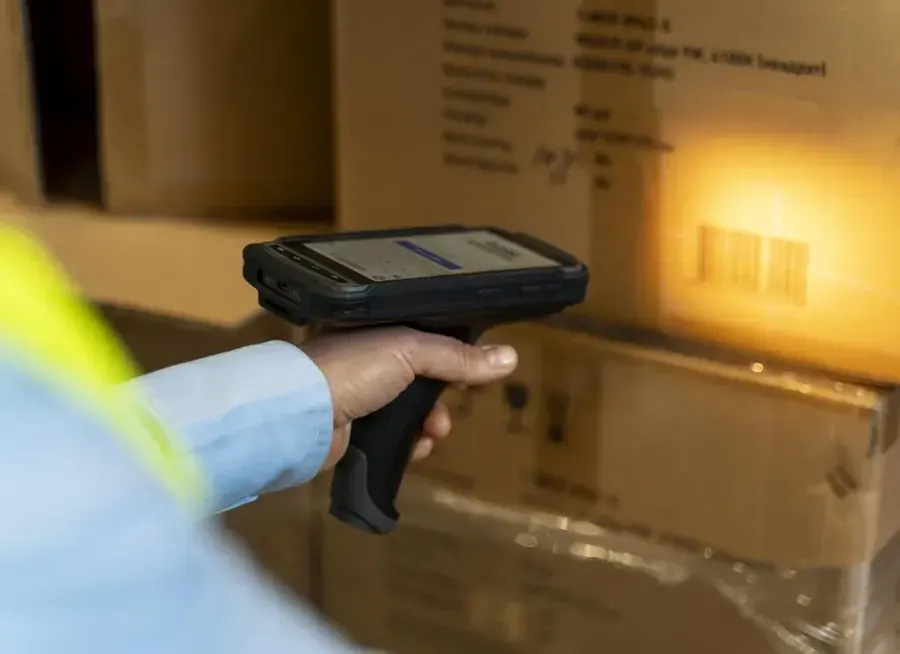
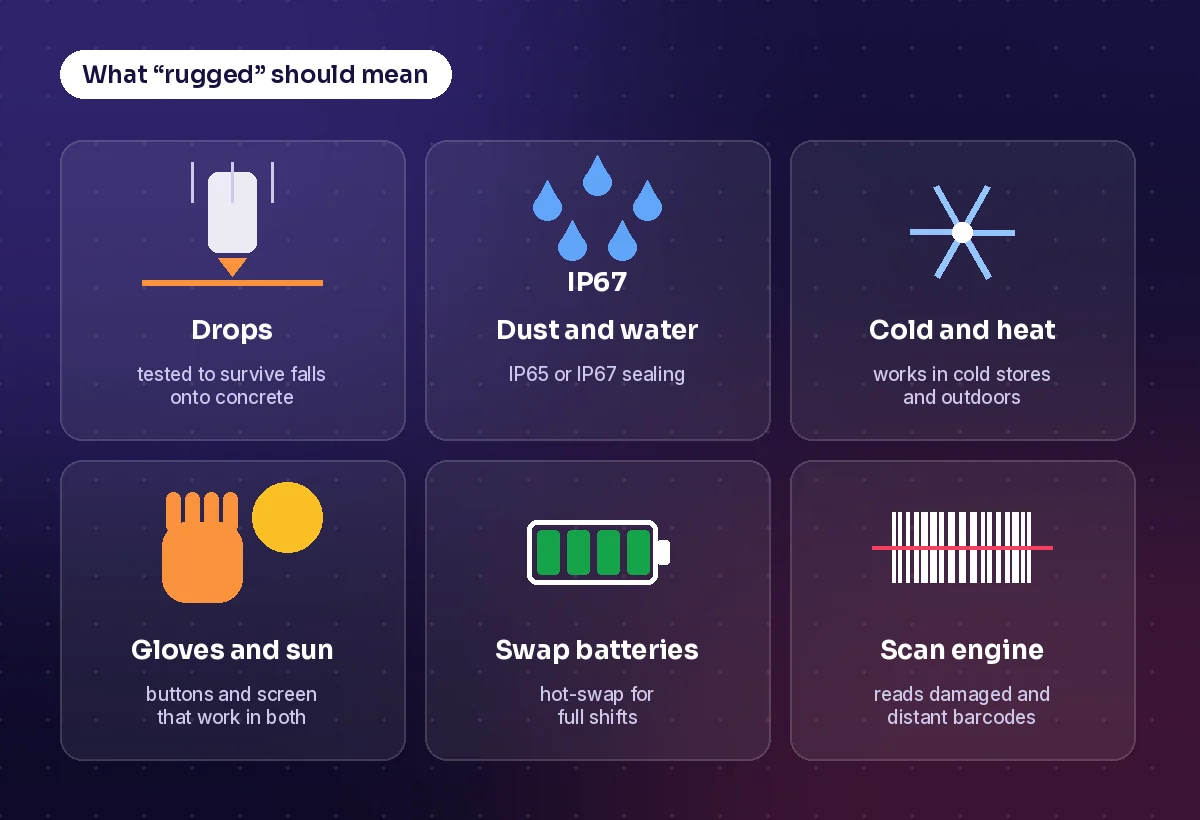
Rugged is not just a thick case. A purpose-built handheld from makers such as Zebra, Honeywell, Datalogic or Newland is designed for all-day scanning:
- A dedicated scan engine that reads damaged, small or distant barcodes in a fraction of a second
- Drop and tumble testing so the device survives repeated falls onto hard floors
- Sealing against dust and water: IP65 means dust-tight and protected against water jets, IP67 adds protection against short immersion
- Batteries that last a full shift and can often be swapped without switching off
- Physical buttons and screens that work with gloves, in sunlight and in the cold
- Longer availability and longer software support than consumer phones
Google's Android Enterprise Recommended programme for rugged devices sets a useful baseline: at least IP54 sealing, a recognised drop test, and security updates at least every 90 days.
The options in between
The choice is not only phone or rugged handheld. There are good steps in between:
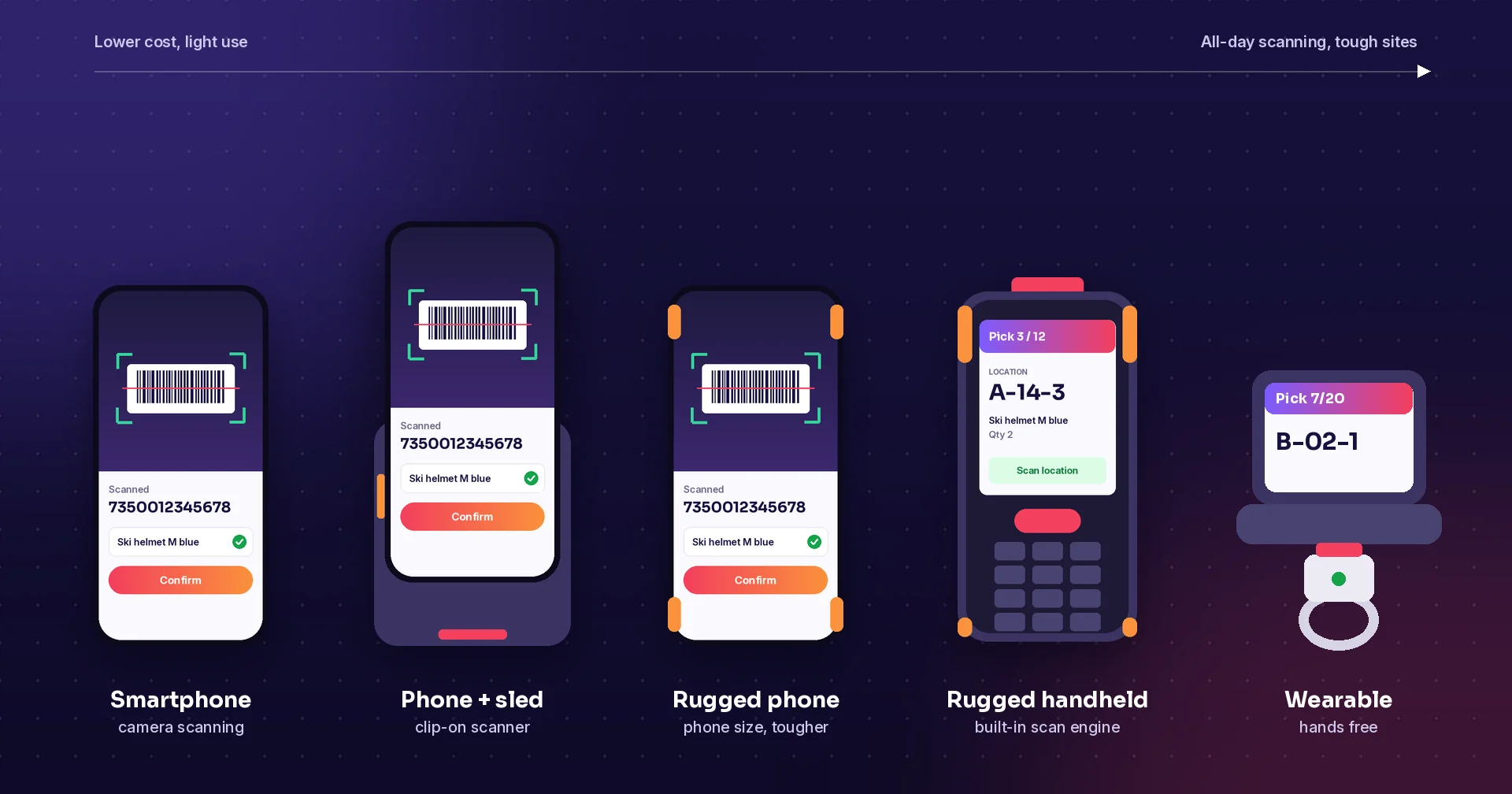
- Phone with a scanner sled: a clip-on case with a real scan engine and an extra battery
- Rugged phone: phone-sized, but sealed, drop-tested and often with a built-in scanner
- Rugged handheld: the classic warehouse device with a scan engine, keypad and trigger
- Wearable or ring scanner: a scanner on the finger and a small screen on the wrist, so both hands stay free
- Vehicle-mounted computer: a rugged screen on a forklift for drivers
Price versus total cost
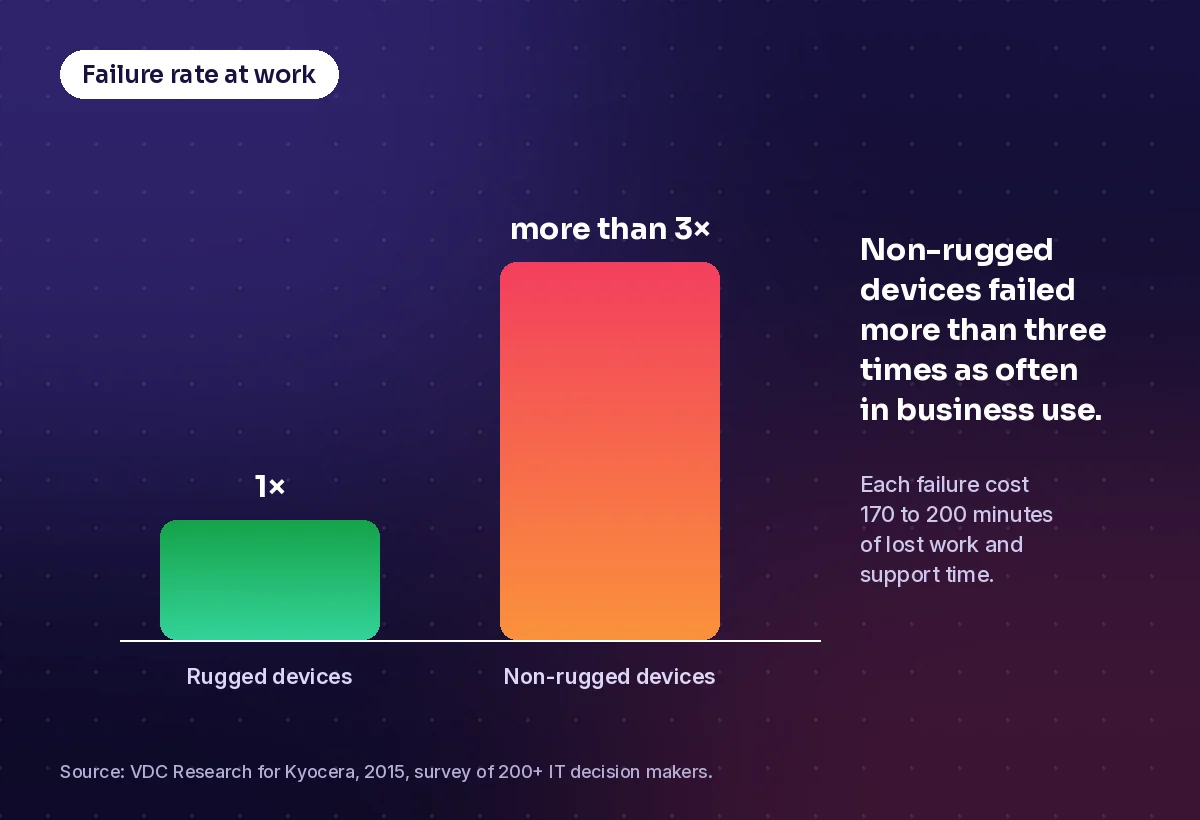
A rugged device costs more to buy, but the purchase price is only part of the cost. Broken screens, replacements, lost work while a device is out of action and the time IT spends setting up new phones all add up. A 2015 study by VDC Research, commissioned by rugged phone maker Kyocera, found that non-rugged devices failed more than three times as often as rugged devices in business use, and that each failure cost 170 to 200 minutes of lost work and support time. The study put the total cost of ownership of rugged devices on average 46 percent lower. Your numbers will depend on how hard your devices are used, but the pattern is worth testing on your own floor.
Side by side
| Smartphone | Rugged handheld | |
|---|---|---|
| Purchase price | Low | Higher |
| Scan speed | Good for occasional scans | Fast all day, also on damaged codes |
| Durability | Needs a case, breaks when dropped often | Built for drops, dust and water |
| Battery | Often runs out on long shifts | Lasts a shift, often swappable |
| Gloves, cold, sunlight | Difficult | Designed for it |
| Model lifespan | Replaced by new models quickly | Sold and supported for longer |
| Best for | Light use, managers, drivers, starting out | Picking, receiving and counting all day |
How to choose
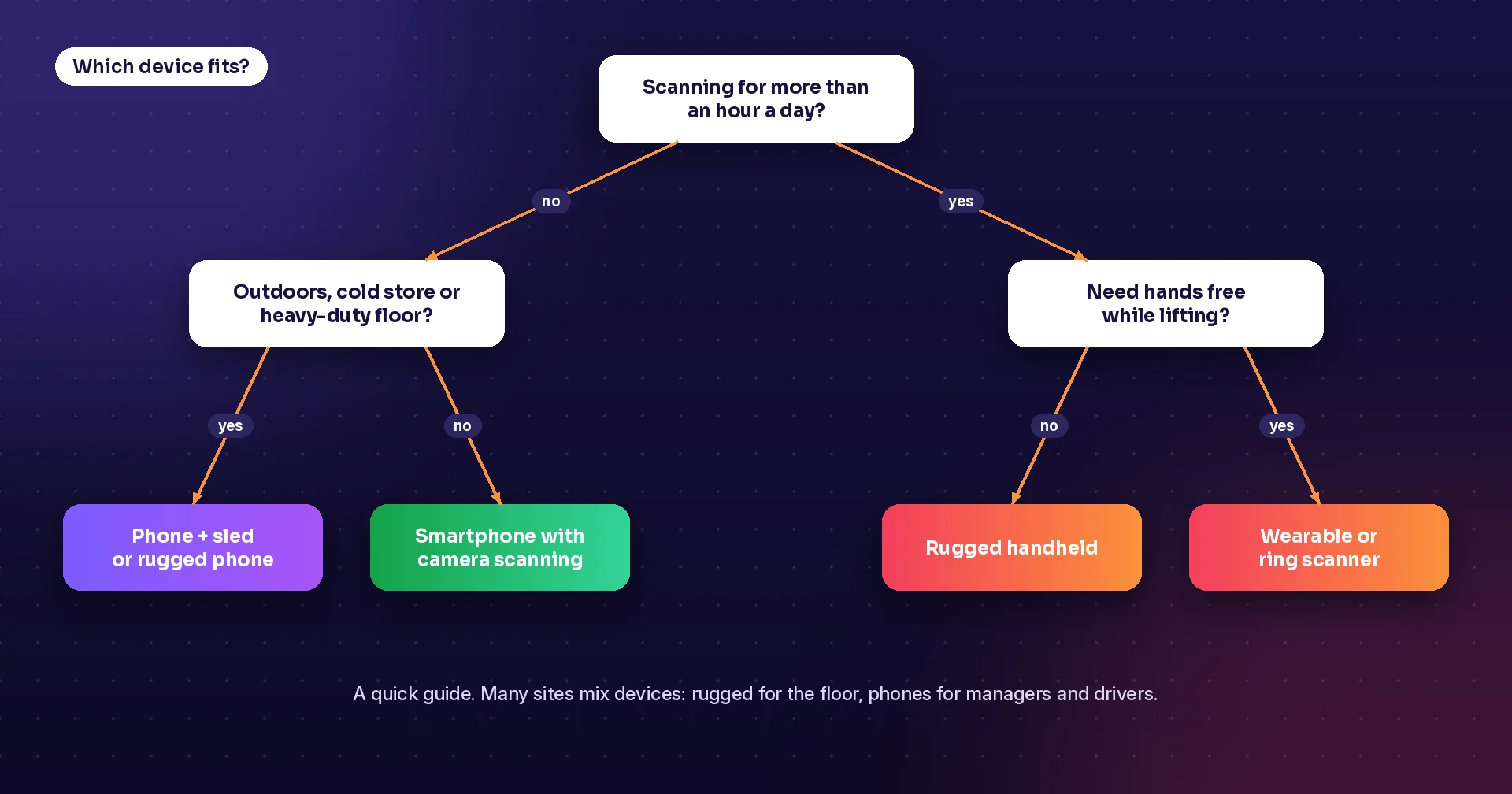
- Count the scans: if someone scans for more than an hour a day, test a device with a real scan engine
- Look at the place: cold stores, outdoor yards and dusty floors need sealed, drop-tested devices
- Watch the hands: if people lift and carry while picking, a wearable scanner saves time
- Mix devices: rugged handhelds for the floor, phones for managers, drivers and occasional users
- Test with your own barcodes, in your own aisles, for a full shift before buying many
- Plan for spares, chargers and a way to set up and lock down devices centrally
How Raptool helps
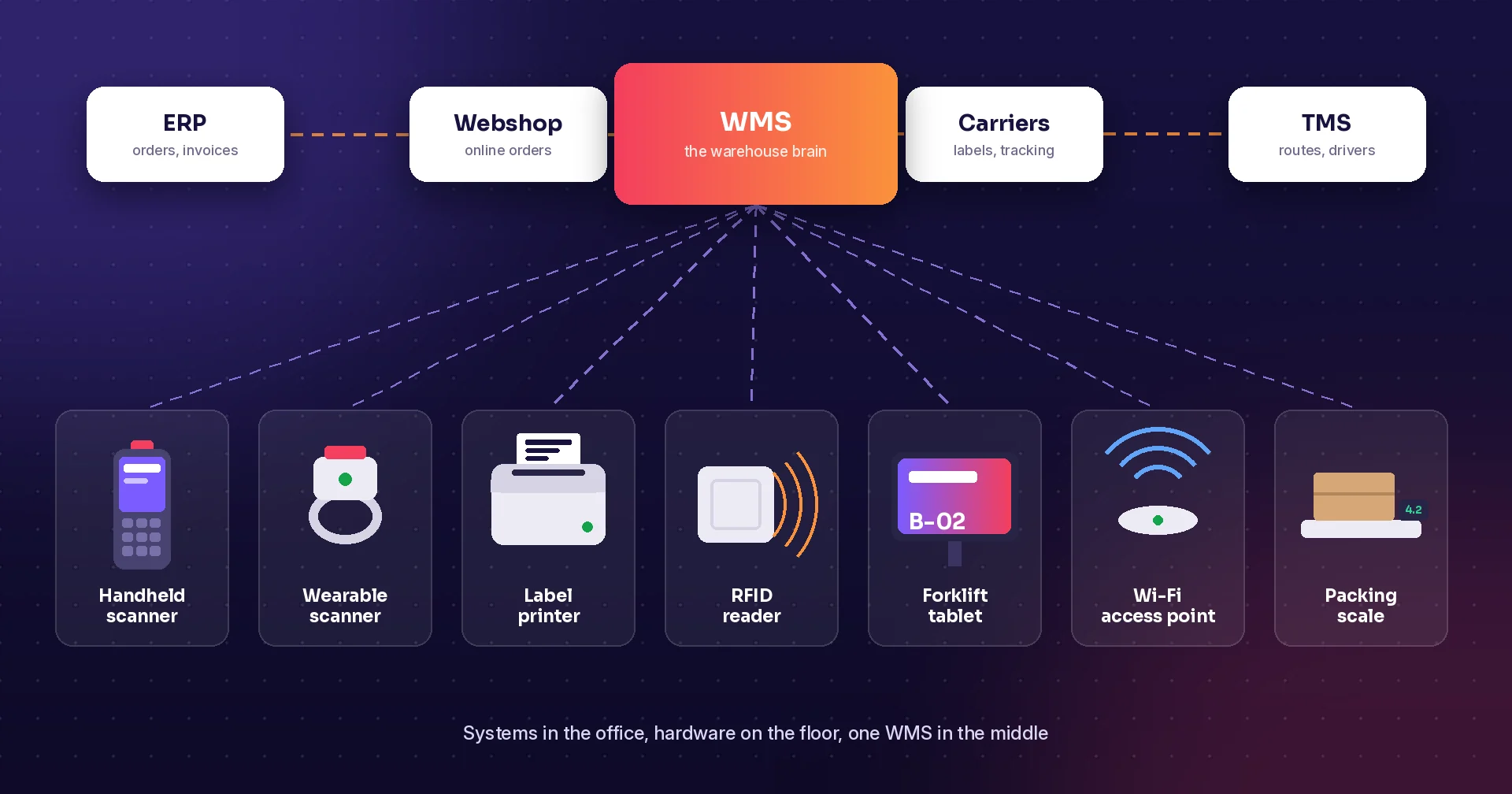
With Raptool you do not have to choose one device for everyone. The Raptool Client is a native app for Android, iOS, Windows and Mac, so the same app runs on a smartphone, a tablet or a rugged scanner, and you can mix them on the same floor. Staff can scan with the camera on any Android or iOS phone, or with a rugged scanner. Raptool is a Zebra Technologies partner and recommends Zebra handhelds for the warehouse floor, and it also works with Honeywell, Datalogic and Newland devices, including Honeywell wearables for hands-free voice picking. The Raptool Client has full access to barcode scanners, cameras, RFID readers and label and receipt printers, and it keeps working offline when the network drops. So you can start with phones and move to rugged devices where the numbers show it pays off, without changing the app.
Key takeaways
- Smartphones are a good, cheap start for light and occasional scanning
- All-day scanning, drops, cold and gloves are where rugged devices earn their price
- Look at total cost, including failures and lost work, not just the purchase price
- Phones with sleds, rugged phones and wearables fill the gap between the two
- Most sites end up with a mix, so choose software that runs on all of them
Frequently asked questions
Can a smartphone replace a barcode scanner?
For light use, yes. A phone camera reads most barcodes and QR codes well enough for occasional scanning. For scanning all day, a device with a dedicated scan engine is faster, reads damaged codes better and lasts longer.
What does IP65 and IP67 mean?
IP ratings come from the IEC 60529 standard. The first digit is protection against dust and the second against water. IP65 means dust-tight and protected against water jets. IP67 means dust-tight and protected against short immersion in water.
Are rugged devices worth the extra cost?
Often, where devices are used all day. A 2015 VDC Research study for Kyocera found non-rugged devices failed more than three times as often in business use and estimated a lower total cost of ownership for rugged devices. Test on your own floor to see how the numbers look for you.
What is a scanner sled?
A sled is a case that clips onto a smartphone and adds a dedicated barcode scan engine, a trigger button and often an extra battery. It turns a phone into a faster scanner without buying a full rugged device.
Can I mix phones and rugged scanners?
Yes, as long as the software runs on both. Many businesses use rugged handhelds for picking and receiving, and phones or tablets for managers, drivers and occasional tasks.
Sources: “Survey finds mobile-device failures are costing businesses”, VDC Research study for Kyocera, via Construction Business Owner (2015); Android Enterprise Recommended requirements; “IP protection degree (IEC 60529) explained”, EEP.
Tags
Not sure which devices fit your team? Book a demo and we will show Raptool on phones and rugged scanners side by side.
Book a demo