
A delivery arrives while the team is already picking customer orders. Someone signs for the cartons, someone else puts them on a shelf, and the office updates the stock later. Before choosing a new scanner, decide what must be checked during that handoff and who is responsible for each decision.
Use this checklist to design a receiving process your team can follow on a busy day. The aim is a clear record of what arrived, what needs attention, and where accepted goods were placed. Treat the steps as a starting point for your own operating procedure, rather than a promise that every software setup works the same way.
Prepare the delivery before scanning
Start with the expected purchase order when one exists. Make the supplier reference, item identifiers, quantities, and units available to the receiver. Agree how staff should handle deliveries without an order, because an unexpected shipment still needs an owner and a review path.
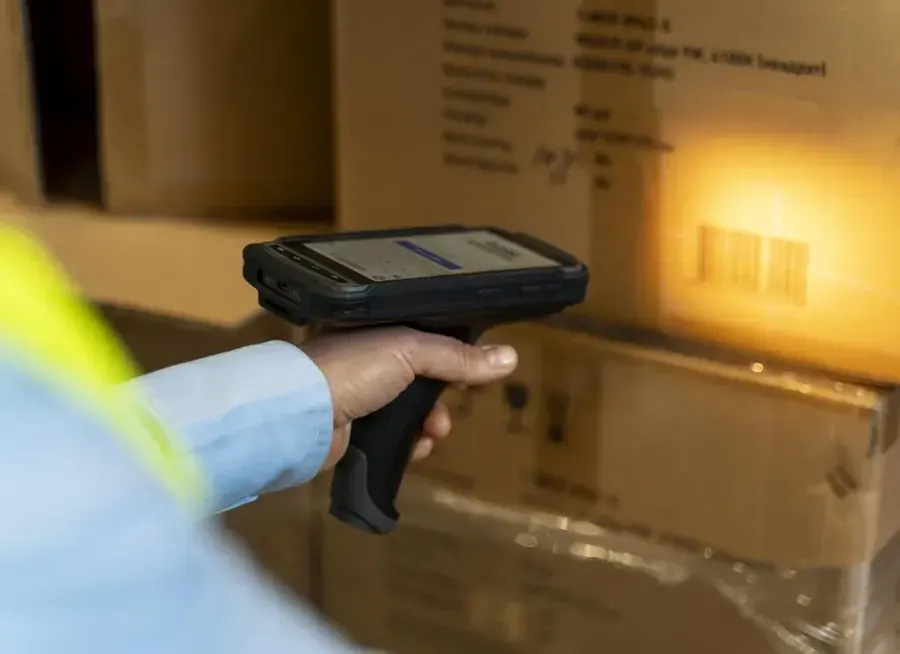
Check the item data before the pilot. A carton barcode and a single-item barcode may represent different quantities. Ask staff to demonstrate how they distinguish them. Decide whether a scan identifies a product, a carton, or a pallet, and make the unit clear before anyone confirms a quantity.
Set aside a receiving area and an exception area appropriate to your building. These can be simple labeled locations. The useful distinction is whether goods are awaiting inspection, ready for storage, or waiting for someone to resolve a discrepancy.
Check identity, quantity, and condition separately
A successful barcode read identifies a code; it does not establish that the delivery is complete or undamaged. Ask the receiver to confirm the item, count the quantity in the agreed unit, and inspect the condition according to your own receiving rules.
For example, suppose a purchase order expects twelve units and one arrives damaged. Define whether your process records twelve received with one held, or eleven accepted with one rejected. Either approach needs clear stock and purchasing treatment. Do not let different shifts choose different interpretations.
Capture batch or expiration information where your business needs it. Decide which products require those fields and what happens when a supplier label is unreadable. Avoid filling an unknown value with a convenient guess just to finish the receipt.
Give exceptions a named next step
Create a short list of reasons staff can recognize: short delivery, extra quantity, wrong item, damage, and missing identification. Give each reason a next action and an owner. A note saying “problem with delivery” is harder to resolve than a specific item, quantity, and supplier reference.
Use photographs when they help explain visible damage or a labeling issue. Keep the evidence attached to the relevant receiving record or claim rather than relying on a separate message that someone must find later. Agree who reviews the issue and how the receiver learns that it is closed.
Keep disputed goods separate until the responsible person makes a decision. Test what the system shows to pickers during that period. A physical hold area is useful only if the stock status and the team's instructions also prevent premature use.
Confirm the destination during put-away
Receiving and put-away answer different questions. Receiving establishes what arrived; put-away establishes where it is stored. If your operation performs both in one step, the destination still needs a deliberate confirmation.
Choose a consistent location naming scheme and put readable labels where staff can reach them safely. In your pilot, ask a new employee to find several locations without help. Similar names, hidden labels, and damaged shelf codes deserve attention before you increase scanning volume.
Record the source, destination, item, and quantity for a move. Where your configured workflow supports location validation, test a wrong shelf on purpose. Check how the app responds and what the employee should do next. Never treat a green confirmation screen as sufficient evidence without checking the resulting stock record.
Use one checklist for normal work and exceptions
Keep the working checklist short enough to use at the dock. Put detailed escalation instructions in training material, and make it clear when the receiver should stop and ask for help. The following table is a suggested review aid for your team.
| Checkpoint | What to confirm | If something is wrong |
|---|---|---|
| Delivery reference | Supplier and expected order | Assign an owner before posting |
| Item and unit | Product code and quantity unit | Resolve identification or unit mismatch |
| Condition | Accepted, damaged, or held goods | Record evidence and follow your hold procedure |
| Destination | Shelf and moved quantity | Resolve the location before closing the move |
Measure the handoff before expanding
Start with one receiving area, a manageable product group, and staff from more than one shift. Include a normal delivery, a partial delivery, damage, an unknown barcode, and a destination change. These are practical test scenarios, not performance benchmarks.
Record when goods arrive, when checking finishes, and when accepted stock is available in its confirmed location. Track unresolved exceptions separately from normal receipts. That makes it easier to distinguish slow checking from a delay caused by missing supplier information.
Review repeated corrections with the receiver. A unit mismatch may need better item data; a wrong shelf may need clearer location labels. Set your own baseline before deciding whether a change has improved the process. Avoid borrowing a savings percentage from a different warehouse.
How Raptool fits
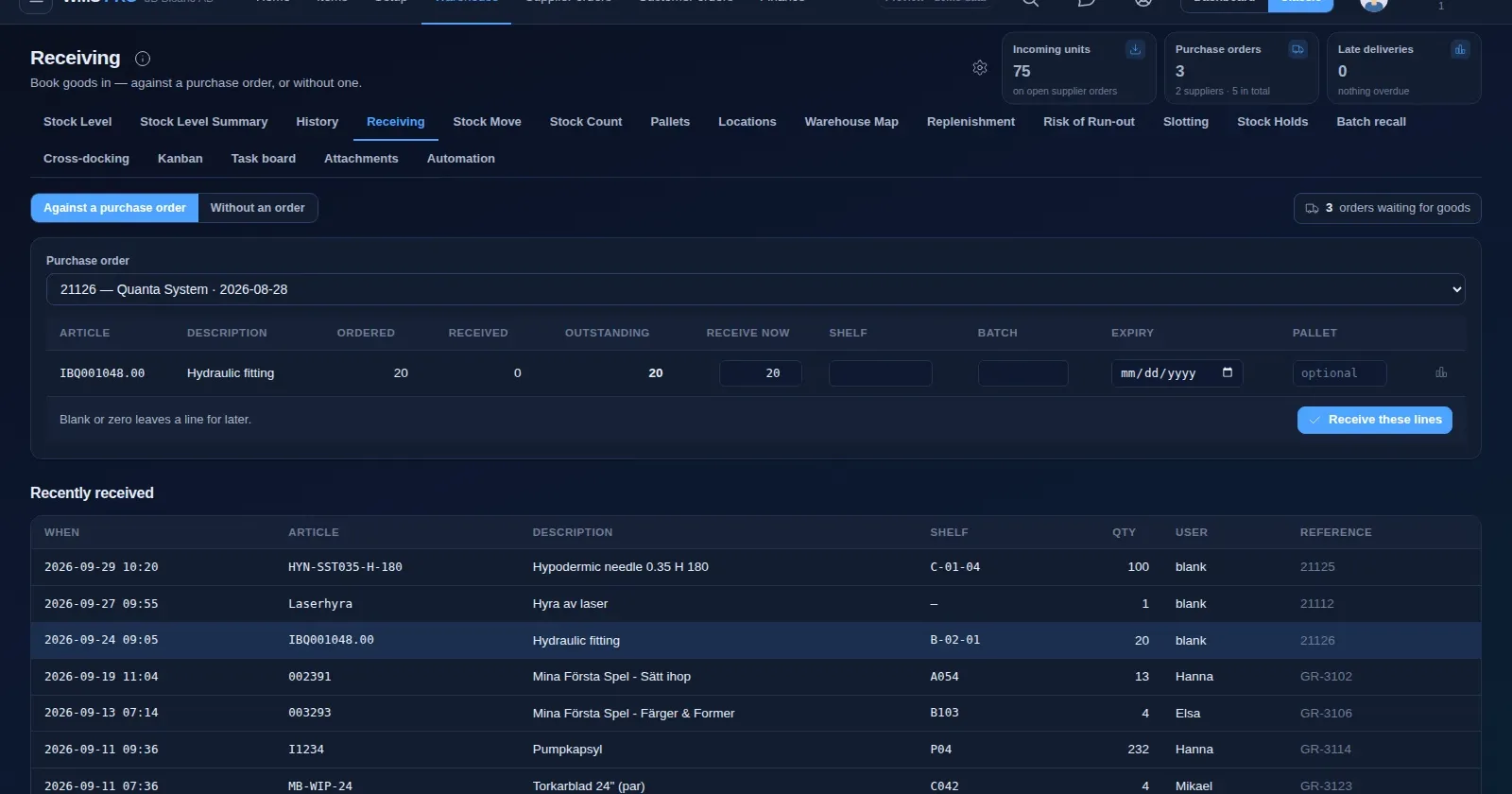
The supplied Raptool website describes Raptool WMS receiving against a purchase order or without one, with shelf, batch, expiration, and pallet information on receiving lines. It also describes goods inspection and claims for short, wrong, or damaged goods, including photographs.
Its stock-move workflow records the current shelf, quantity, and destination. The site also describes pallet IDs and replenishment from bulk storage to picking locations. Use these capabilities as demo requirements: show an ordinary receipt, a damaged line, and the movement of accepted goods to a shelf.
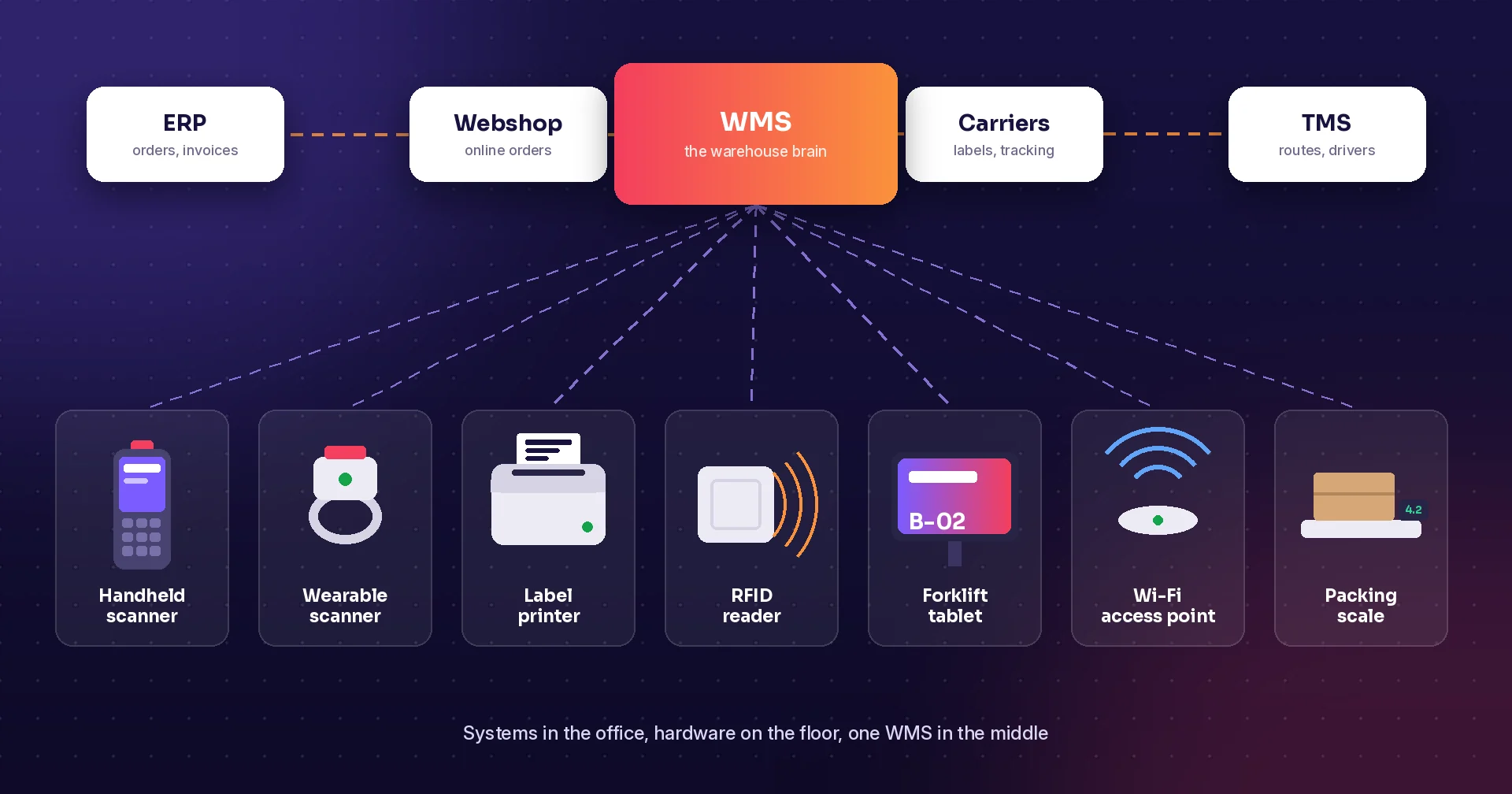
Raptool is a software company. If your pilot needs dedicated scanning equipment, review handheld scanner apps and arrange hardware through a partner. Confirm your receiving rules, integration behavior, and device choices in the proposed setup before rollout.
FAQ
Do we need a purchase order for every receipt?
The supplied Raptool WMS page describes receiving with or without a purchase order. Decide who can accept unplanned deliveries and how those receipts are reviewed.
Does scanning confirm the delivered quantity?
A barcode read identifies the scanned code. Staff still need a defined method to verify quantities, units, and condition.
When should received goods become available to pick?
Set that rule for your operation and test it in the configured system. Goods awaiting inspection or a discrepancy decision should follow your agreed hold procedure.
Can we record batch and expiration information?
The supplied Raptool WMS page lists batch and expiration information on receiving lines. Confirm which products require it and validate the workflow in a demo.
What should we test first?
Test a normal receipt, a shortage, a damaged item, an unknown barcode, and a wrong destination. Verify the final stock records as well as the screens staff use.
Tags
Want to see how this could work in your warehouse? Book a demo and we will walk you through it.
Book a demo