Choose a device for the work between scans
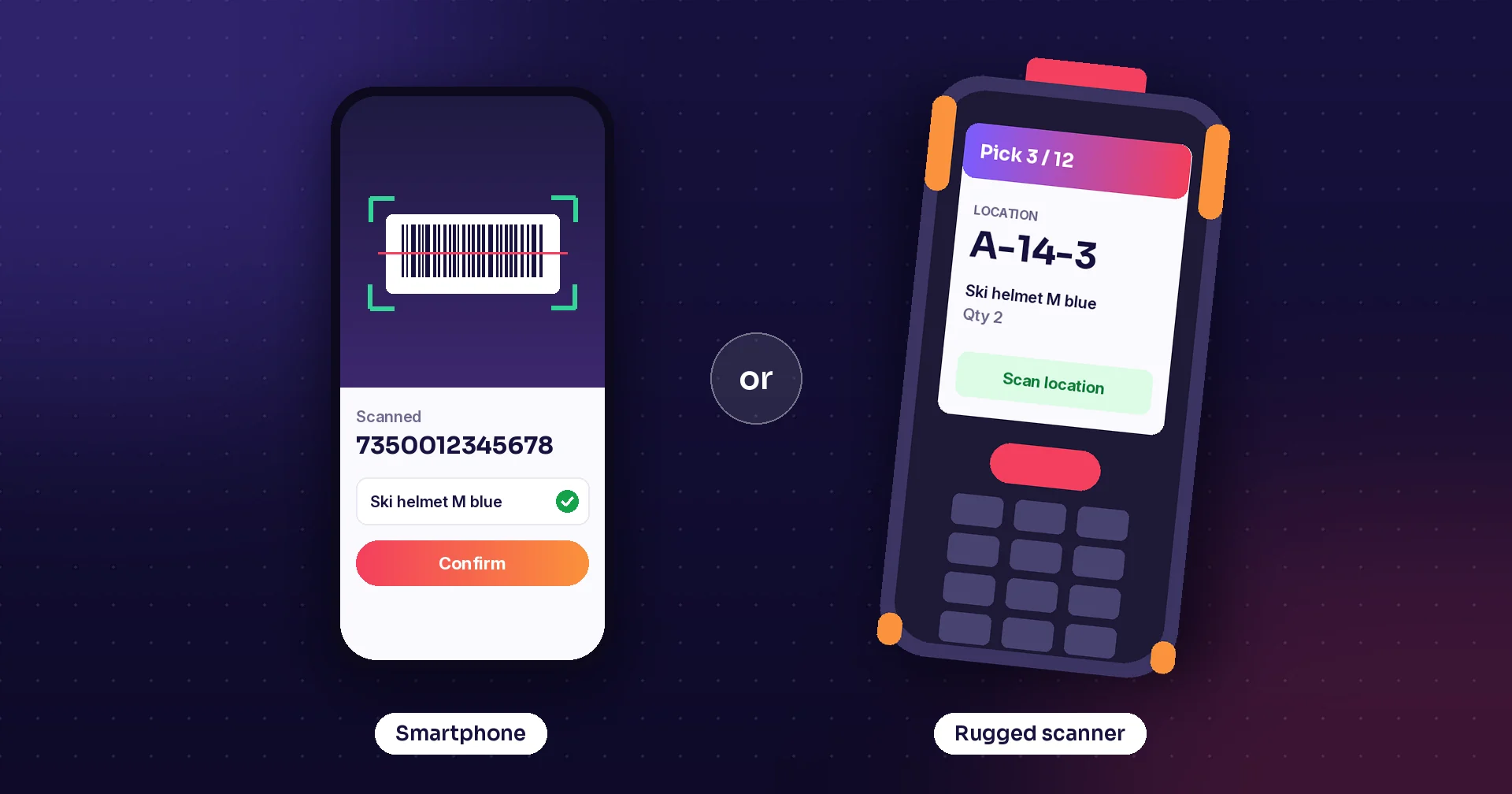
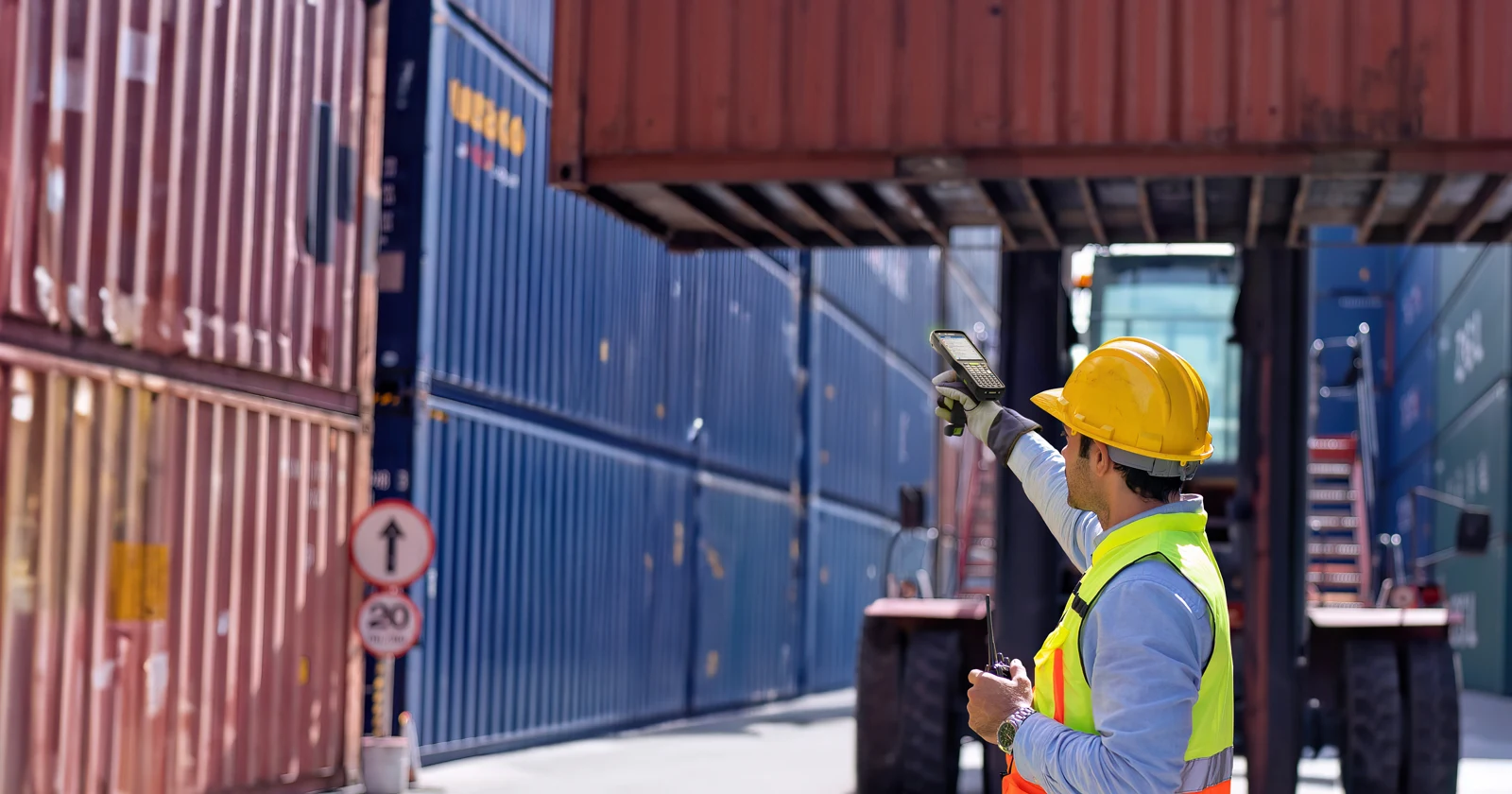
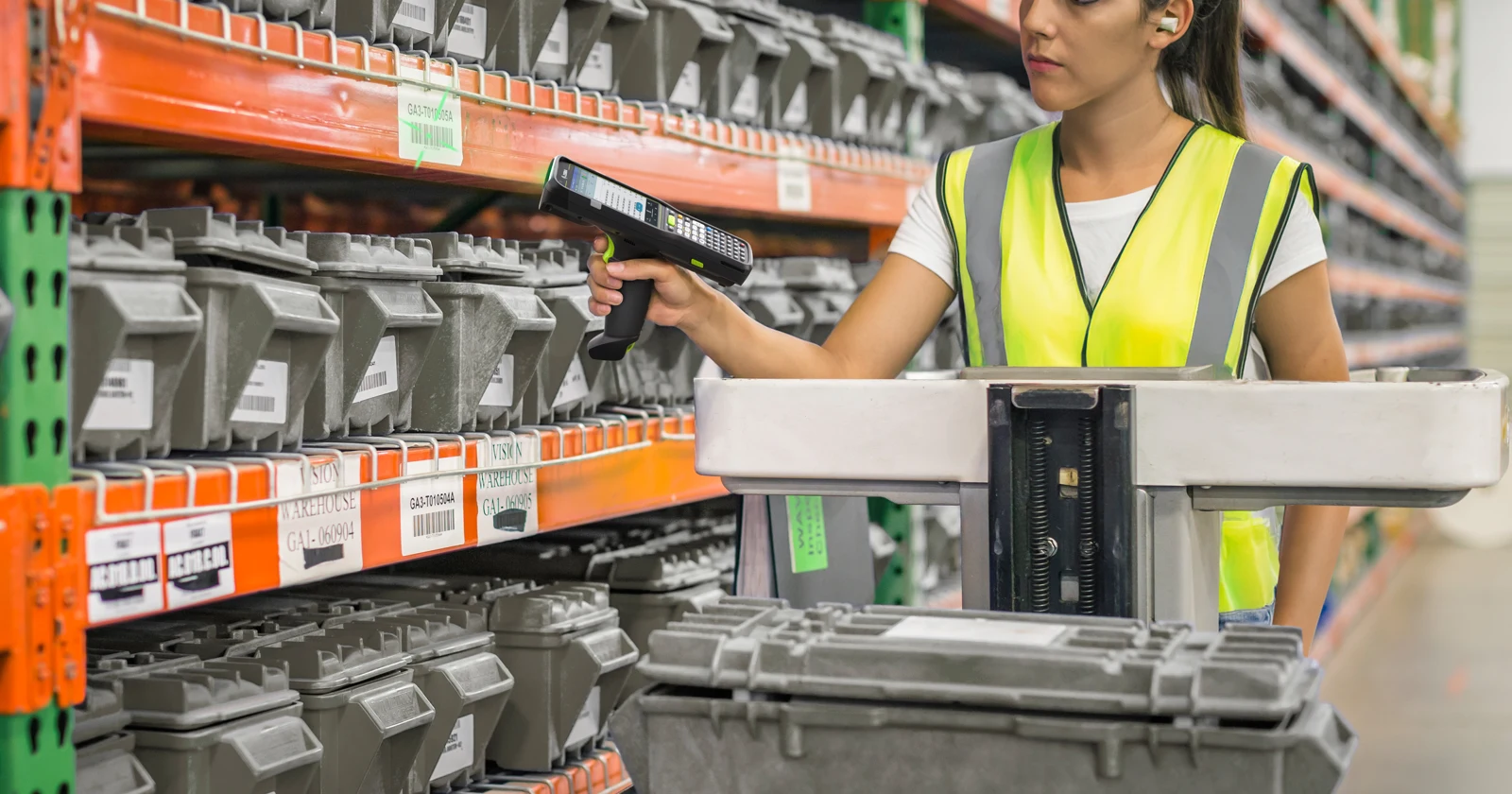
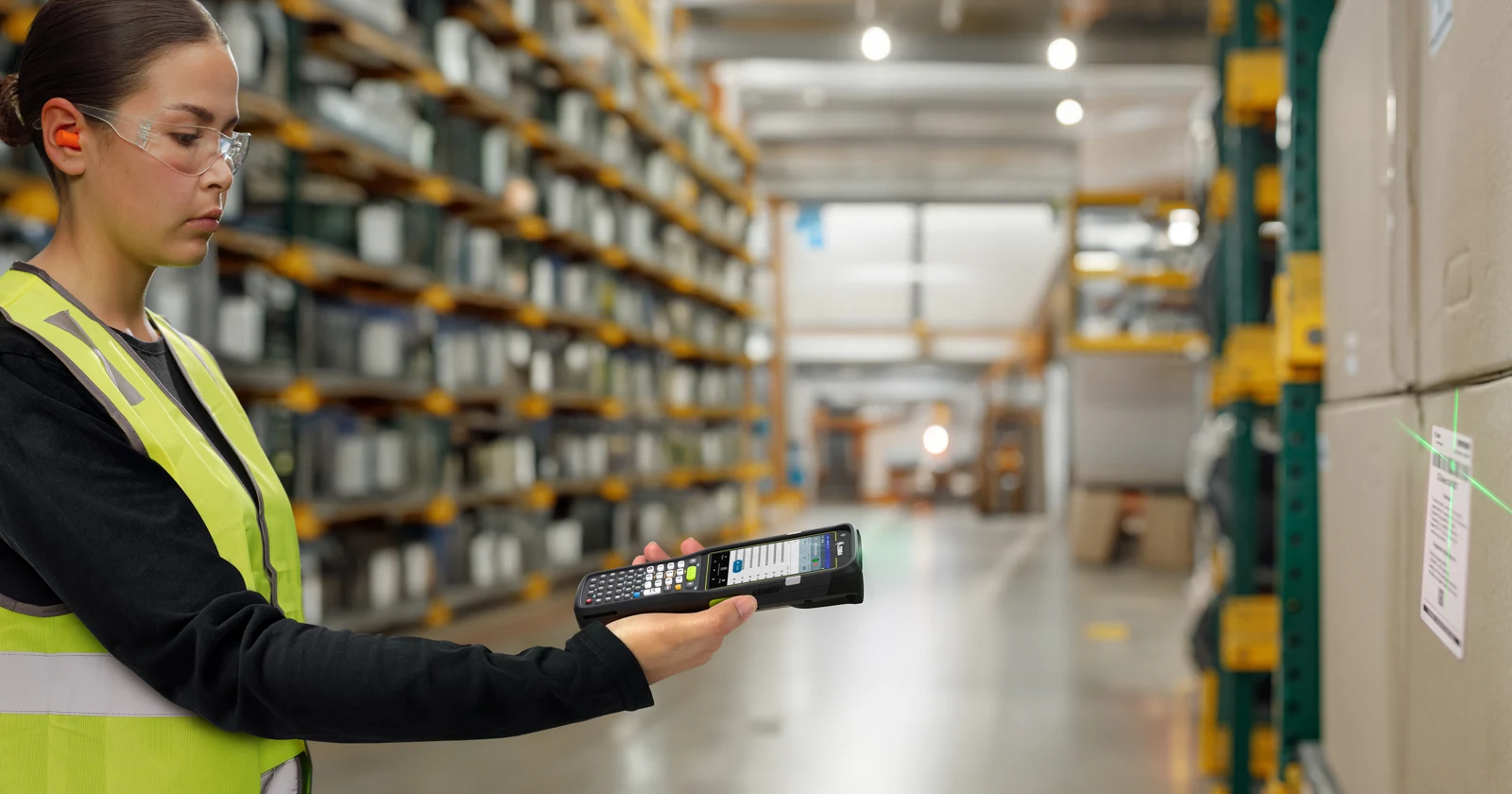
A phone in a protective case can be enough for occasional stock checks. A dedicated barcode computer becomes more attractive when people scan throughout a shift, work with gloves or read labels on high shelves. Physical keys help with repeated quantity entry. UHF RFID serves a different task: reading tagged items in groups.
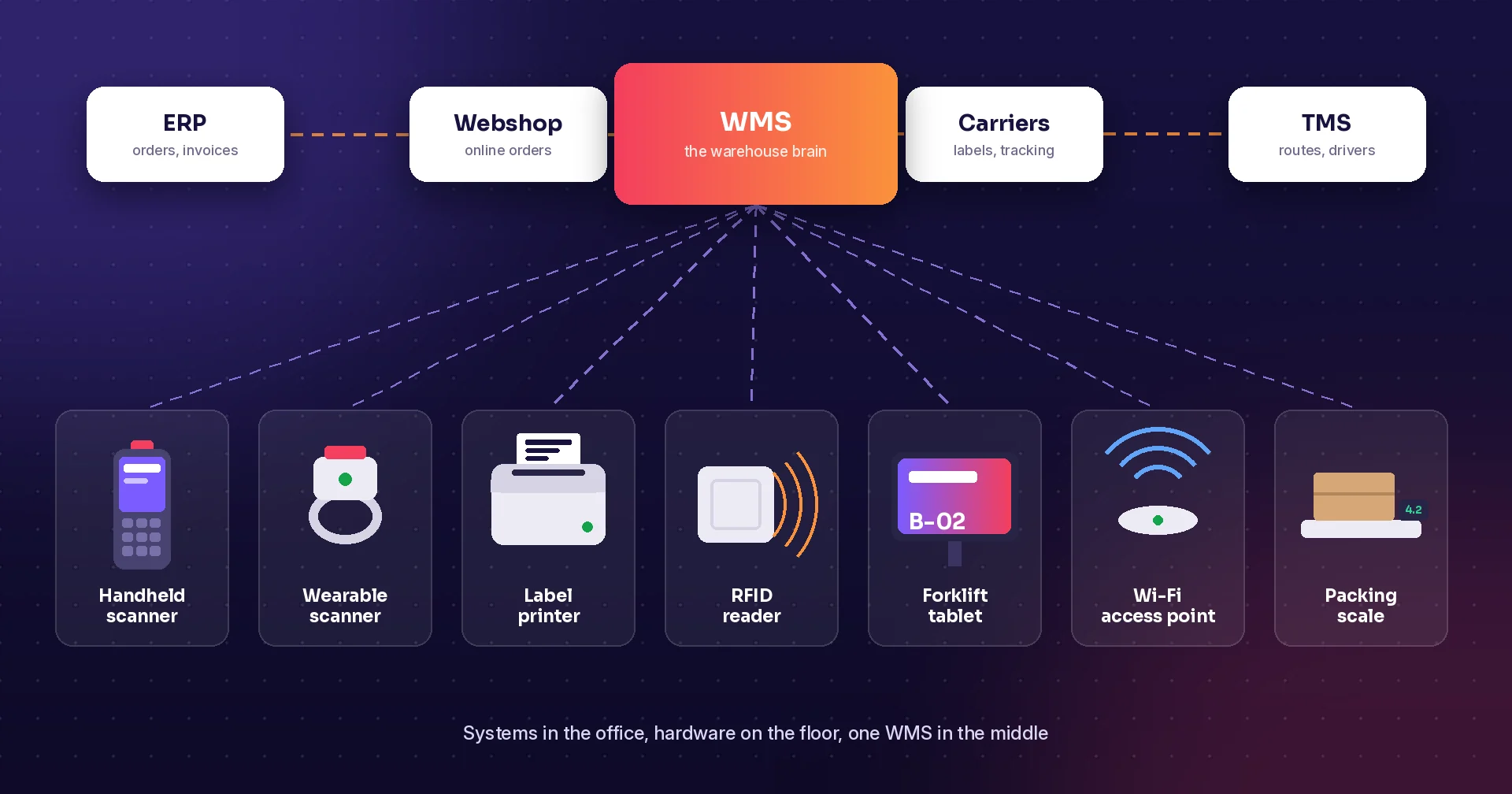
Raptool WMS lists Android, iOS, Windows and Mac support and recommends purpose-built devices from Zebra, Honeywell and Datalogic for most warehouses. That lets a business consider different devices for pickers, receiving staff and supervisors. Confirm the exact scanner or RFID connection, OS version and workflow before ordering a fleet.
Research checked 14 October 2026. Specifications are manufacturer-published; suitability comments are our assessment. Photos are supplier examples and can show optional accessories. This guide does not report hands-on testing.
Camera, barcode imager or RFID?
| Method | Advantage | Trade-off | Useful starting point |
|---|---|---|---|
| Phone camera | Uses a phone you may already own; also takes damage photographs. | App decoding, focus, lighting and repeated aiming affect the result. There is no industrial scan engine. | Occasional scans, supervisors and exception handling. |
| Dedicated barcode imager | A scan trigger, aiming aid and engine selected for the label distance. | Higher equipment cost; still requires a visible readable barcode. | Receiving, picking, putaway and dispatch. |
| UHF RFID | Can identify multiple compatible tags without sight of each printed barcode. | Needs tags, readers, integration and a controlled read zone. Metal, liquids and unwanted reads need testing. | Cycle counts and finding tagged stock or assets. |
iPhone in a case: start with the labels you use
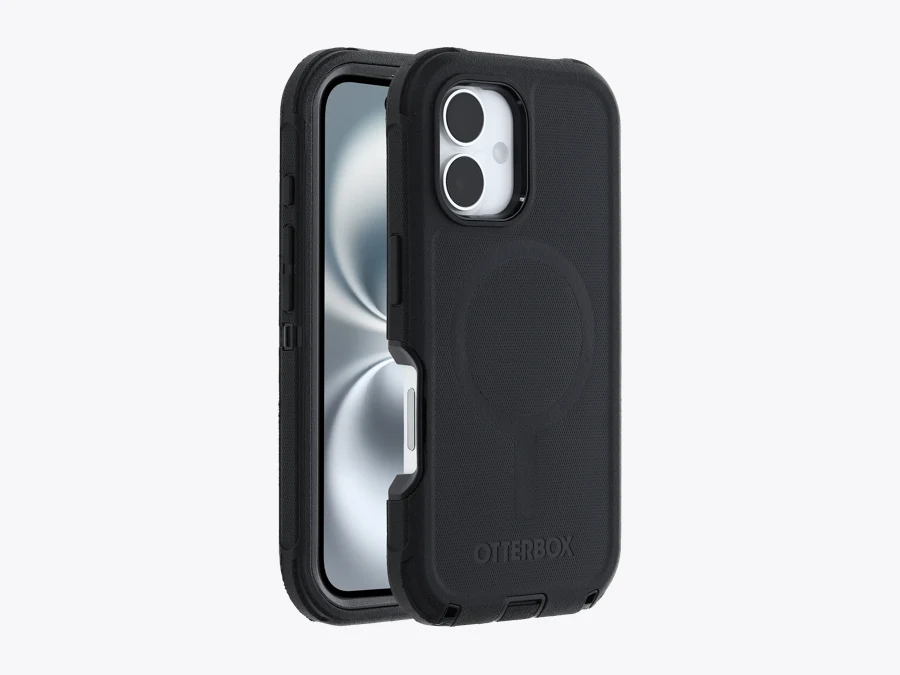
An iPhone with a protective case is a practical candidate when scanning is one part of a supervisor’s day. Keep the camera opening clear and test small labels, reflective packaging and low light in the intended app. The case helps protect the phone, but adds no barcode decoding hardware. If scans become frequent, compare an external scanner or a dedicated handheld against the camera workflow.
Samsung Galaxy: a rugged phone with a camera workflow
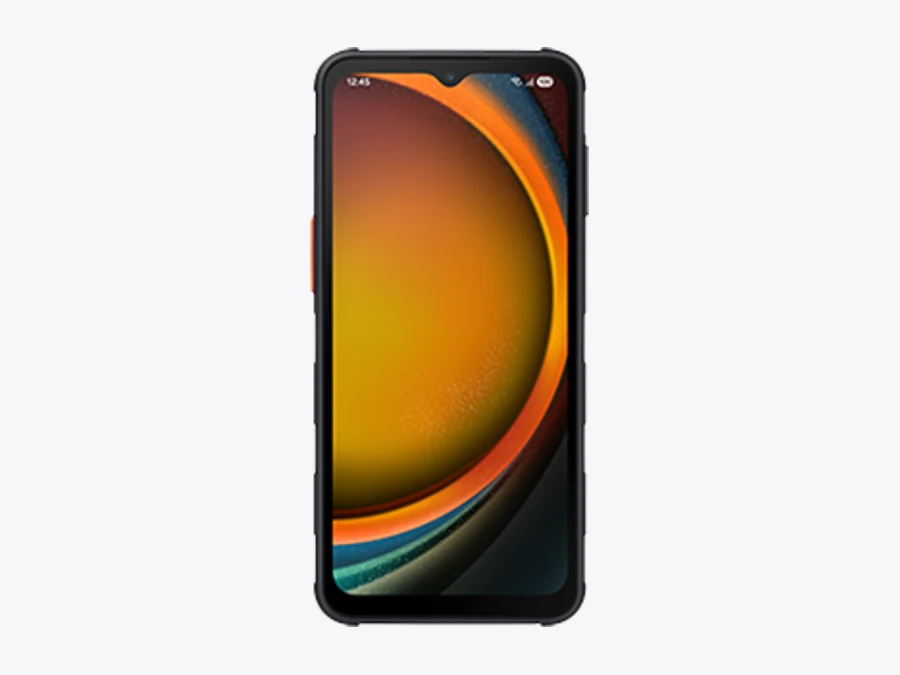
The Galaxy XCover7 Pro combines rugged construction with a replaceable battery. That helps with shared use and battery planning. Barcode capture still relies on app-based camera decoding unless an external reader is added. Check whether the app can use the intended buttons; a programmable hardware key does not automatically become a Raptool scan trigger.
Nearly half the barcode capture time
Zebra’s TC22/TC27 specification sheet reports this comparison with mobile-phone camera scanning, citing its June 2022 white paper. It is a vendor scanning benchmark, not a promise to halve total picking time or labor cost. Test your phones, labels and Raptool flow.
Dedicated Android handhelds: buy the right engine
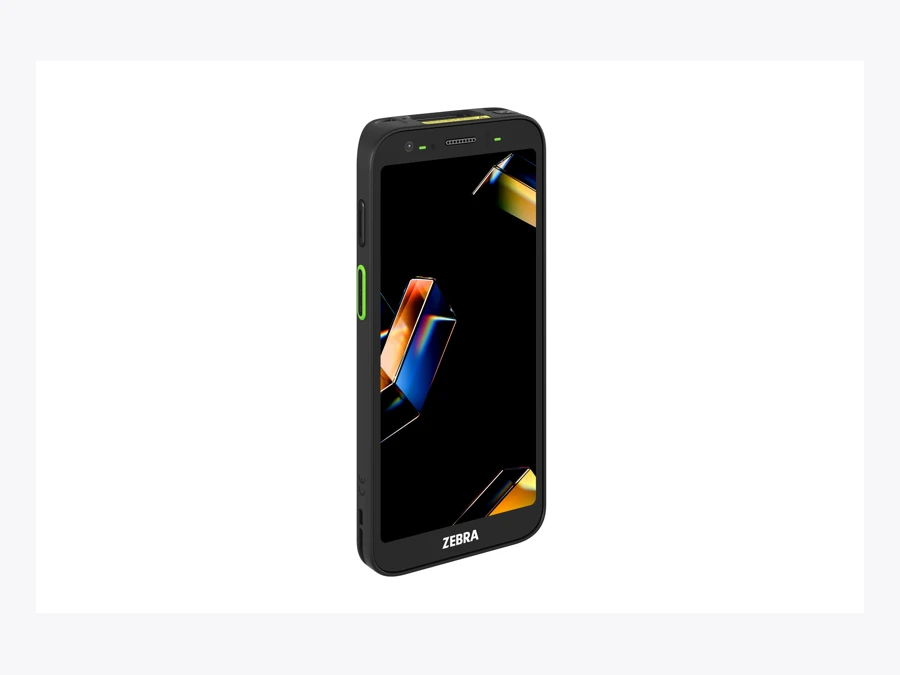
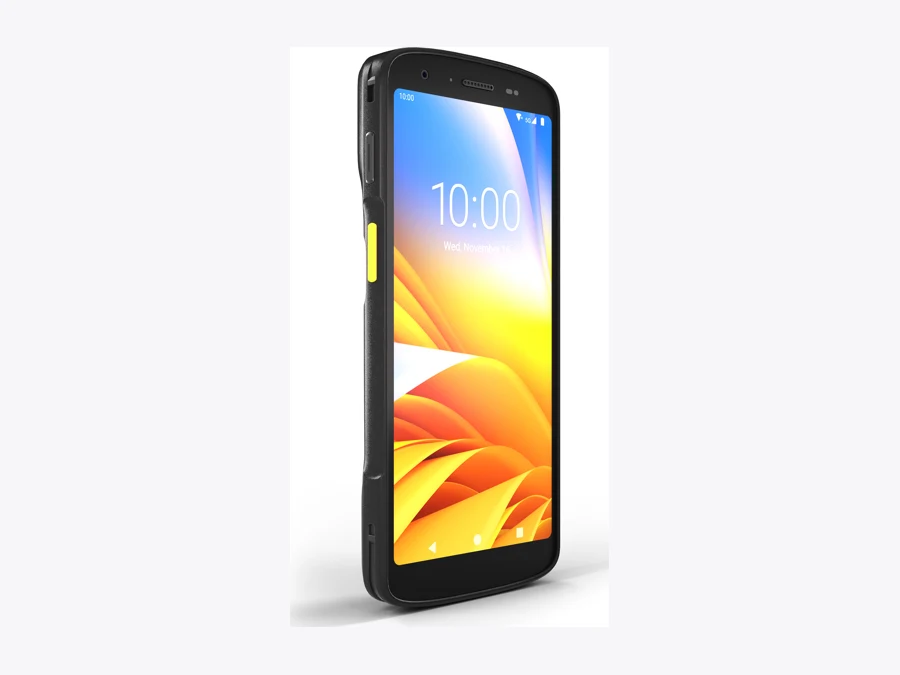
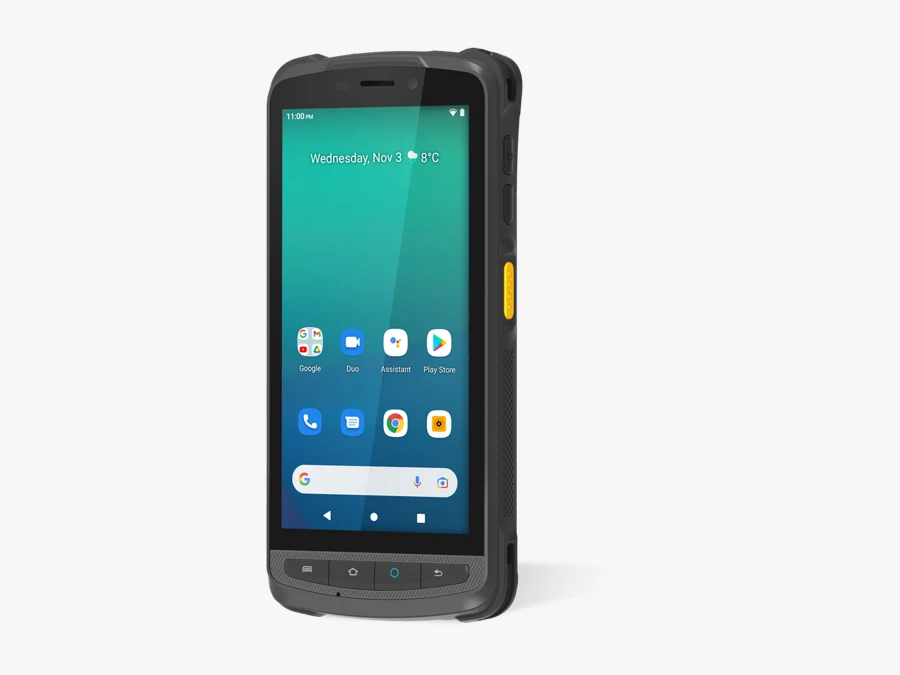
Zebra TC22, Honeywell CT47, Datalogic Memor 30 and Newland MT90 Orca Pro II give workers a dedicated barcode reader in a touchscreen device. Standard-range and long-range versions are different purchases. A long-distance claim applies to particular labels and conditions; it does not mean every tiny barcode reads from the same distance.
Choose the engine around the furthest label workers must read. Then test the closest label too. Damaged packaging, glare and the time spent finding the correct barcode matter as much as maximum range.
Gun grip, physical keyboard or touchscreen?
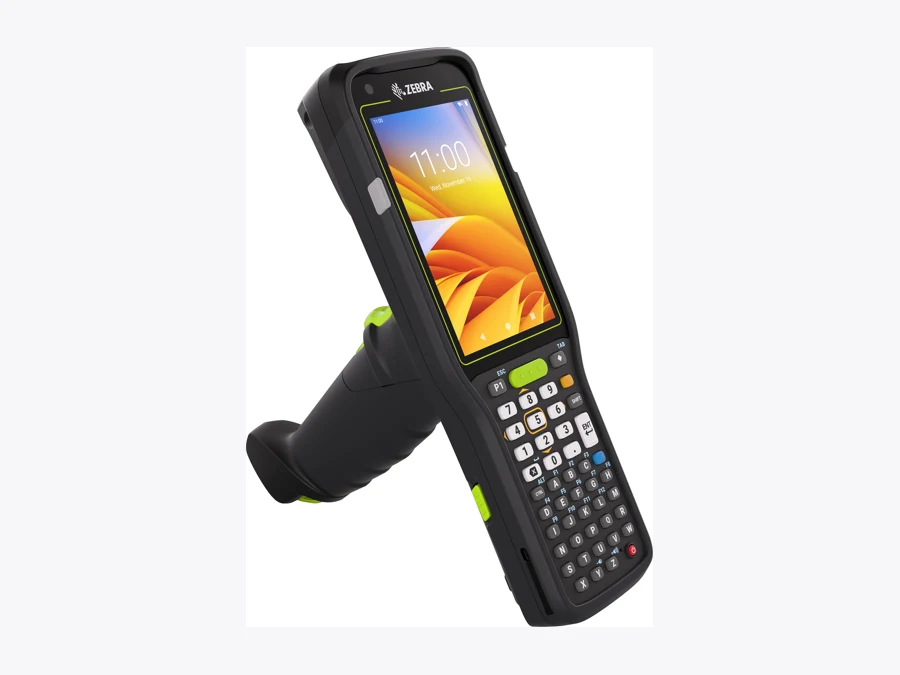
A gun grip gives repeated scans a finger trigger and changes how the device sits in the hand. Zebra MC3400 and Datalogic Skorpio X5 offer gun configurations; Newland lists a PG90 grip for the MT90 series, and Honeywell CK67 configurations can be paired with a handle. Include the selected grip in the pilot and the quote.
The benefit depends on the task. A grip can suit repeated carton scanning, but adds bulk when the worker must pocket the device or handle goods. Ask operators to try a complete picking round with the strap, gloves and trolley they normally use.
Use physical keys where people enter numbers repeatedly
MC3400, CK67 and Skorpio X5 are candidates for quantity-heavy work. A numeric keypad suits quantities; an alphanumeric layout suits frequent lot or reference entry. Check the size and position of Enter, navigation and function keys in the actual Raptool form. Touchscreens provide more room for product images and instructions, but an on-screen keyboard uses part of that space.
Compare the operating systems in their warehouse roles
iOS offers a familiar managed-phone route. Android offers both rugged phones and a broad choice of integrated barcode computers, keyboard devices and sled connections. Update support varies by model and supplier. Windows and Mac can remain useful at packing desks or back-office stations; those desktop roles do not require every mobile worker to carry the same equipment.
RFID: count tagged items in groups
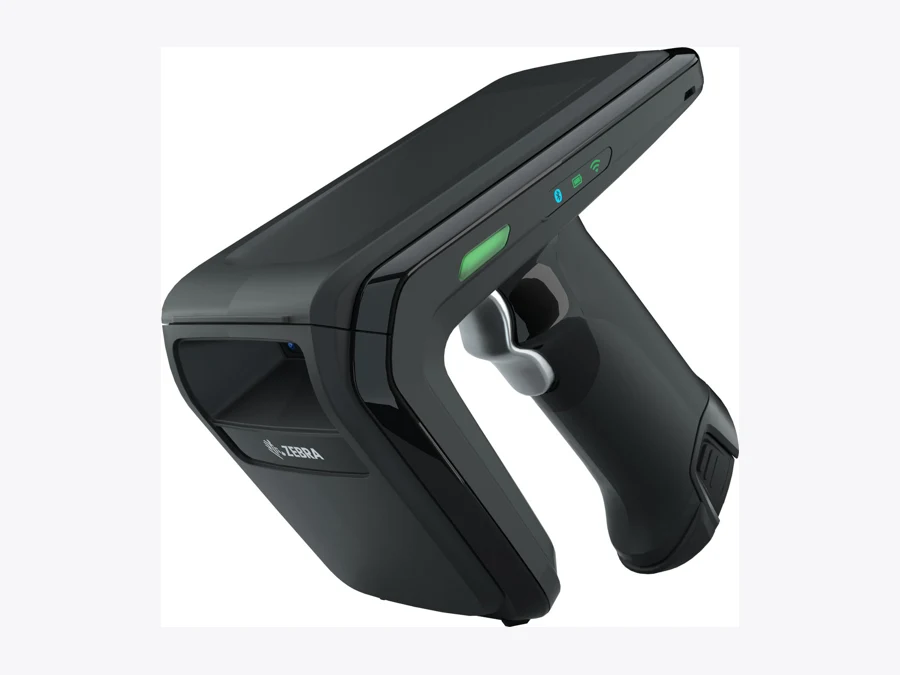
The tenth slider option is a Zebra RFD40 Premium Plus UHF RFID sled, an accessory rather than a standalone warehouse computer. Its published maximum is 1,300+ tag reads per second. That radio metric includes reads that software must interpret; it is not the number of unique stock items a warehouse can finish counting each second.
A useful RFID pilot compares a known set of tagged items against the count returned by the reader. Test stacked cartons, metal shelving, liquid products, nearby stock and missing tags. Decide how tag identity maps to the item, lot or serial number in the WMS, and how duplicate or unintended reads are rejected.
NFC is a short-range technology commonly found in phones and mobile computers. Having NFC does not give a device the UHF bulk-reading capability shown here. Reader hardware and the Raptool integration must both support the chosen workflow.
What about pen, paper and Excel?
Paper has a low purchase cost and works without a network or charged battery. It can be a reasonable starting point for a small, simple operation or a planned fallback. Someone still needs to read the handwriting and enter the result, and the live system stays unchanged until that happens.
Excel adds calculations and structured lists. A scanner configured as a keyboard can enter a barcode into a cell, which reduces typing. The workbook still needs rules for locations, units, duplicate scans, simultaneous edits and transaction history. Whether it prevents a wrong-bin pick depends on how it has been built.
A WMS workflow can validate an item and location at the point of work when those rules are configured. The financial question is how much paid effort that removes from transcription, reconciliation and error correction. Keep an agreed fallback for outages and a procedure for reconciling it afterward.
| Workflow | Visible cost | Measure in the pilot |
|---|---|---|
| Paper | Printing, forms and later data entry. | Transcription time and missing or unclear entries. |
| Excel + scanner | Computer, scanner and workbook maintenance. | Duplicate entries, reconciliation and location checks. |
| Mobile WMS + barcode | Handheld, software, integration and support. | End-to-end task time and wrong-item/location rework. |
| WMS + UHF RFID | Readers, tags, host devices and integration. | Unique-item count accuracy and total count time. |
How much could the right hardware save?
3 seconds less per scan = €2,500/year of capacity per worker
Assume 500 scans/day, 240 working days/year and €25/hour labor cost. Saving 3 seconds per scan frees 100 hours/year: 500 × 240 × 3 ÷ 3,600. At €25/hour, that is €2,500 in annual labor capacity.
If one equipment choice costs €800 more upfront and €100 more per year to support, the first-year capacity benefit after those extra costs is €1,600. If the freed time consistently avoids paid overtime or hiring, simple payback on the €800 difference is four months, using €2,400/year after extra support. Reassigned time is capacity; it becomes cash savings only when a paid cost is avoided. Software, integration and other costs are excluded here and must be added to a full business case.
For comparison, saving only 0.5 seconds on 100 daily scans frees about 3.3 hours/year, worth about €83 at the same labor rate. On that assumption, scanning speed alone would not justify the same €800 premium. Use measured volumes and timings instead of selecting every worker’s device from the highest-volume job.
Measure the whole job before buying ten more
Run the same receiving, picking and stock-count tasks on the shortlisted devices. Record completed work, first-read failures, wrong-item corrections, battery changes and support time. Include walking and handling time so the comparison does not mistake faster barcode capture for faster picking overall.
Ask for a complete quote: devices, cases, grips, cradles, spare batteries, licenses, repairs, OS support, labels and RFID tags where relevant. Confirm Wi-Fi coverage and restart or outage recovery on the warehouse floor.
Tags
Match Raptool WMS to the devices your warehouse team needs. Start with one complete workflow and a measured pilot.
Explore Raptool WMSTechnical data and manufacturer information
Compare the exact configuration. Expand a model below or click its slider card.
iPhone 16 + protective case · iOS · camera
iOS · camera
iPhone 16 + protective case
Apple · Manufacturer website
Apple supplies the device family shown. Accessories, configuration and regional availability must be specified separately.
| Phone reference | iPhone 16; 6.1-inch display; A18 |
|---|---|
| Barcode capture | Rear camera + app decoding; no built-in barcode imager |
| Protection | Use a model-specific protective case; case and phone sold separately |
| Power | USB-C; internal battery |
| Photo | OtterBox Defender Series Pro case for iPhone 16 |
Advantage
Can reuse an existing managed phone for occasional receiving or stock checks.
Trade-off
Repeated aiming and battery management can become limiting in intensive scanning.
Candidate uses: Supervisors; light receiving; exception handling
Check before ordering: Test Raptool camera decoding, your barcode formats and case camera opening. A case does not make this an industrial scanner.
Product page · Manufacturer specifications
Published specifications checked 14 October 2026. Product photos can show a family or accessory configuration. Validate the selected setup with Raptool.
Galaxy XCover7 Pro · Android · camera
Android · camera
Galaxy XCover7 Pro
Samsung · Manufacturer website
Samsung supplies the device family shown. Accessories, configuration and regional availability must be specified separately.
| Processor | Snapdragon 7s Gen 3 |
|---|---|
| Memory / storage | 6 GB / 128 GB |
| Battery | 4,350 mAh; replaceable |
| Connectivity | 5G; Wi-Fi 6E |
| Protection | IP68; MIL-STD-810H tested under stated conditions |
| Barcode capture | Camera + app; no dedicated scan engine |
Advantage
A rugged phone with a replaceable battery and familiar Android interface.
Trade-off
Rugged construction does not remove the camera-scanning workload.
Candidate uses: Mixed warehouse and field work; supervisors
Check before ordering: Validate camera scanning and key mapping in Raptool. Check fleet-management and replacement arrangements.
Published specifications checked 14 October 2026. Product photos can show a family or accessory configuration. Validate the selected setup with Raptool.
Zebra TC22 · Android · barcode
Android · barcode
Zebra TC22
Zebra Technologies · Manufacturer website
Zebra Technologies supplies the device family shown. Accessories, configuration and regional availability must be specified separately.
| Display | 6-inch; 1080 × 2160 |
|---|---|
| Scanning | SE4710 standard range or SE55 advanced range; specify SKU |
| Connectivity | TC22: Wi-Fi; TC27 adds cellular |
| Memory options | 6 GB / 64 GB or 8 GB / 128 GB |
| Battery options | 3,800 or 5,200 mAh; removable |
| Protection | IP65 / IP68; conditions apply |
Advantage
Dedicated scan buttons and a large screen suit a mixed picking and receiving flow.
Trade-off
No physical numeric keypad; scan engine and optional software licenses affect the quote.
Candidate uses: Receiving; stock checks; picking
Check before ordering: Specify the engine and Android support dates. Wi-Fi 6E requires the listed Mobility DNA Enterprise license.
Product page · Manufacturer specifications
Published specifications checked 14 October 2026. Product photos can show a family or accessory configuration. Validate the selected setup with Raptool.
Zebra MC3400 gun model · Android · keys + grip
Android · keys + grip
Zebra MC3400 gun model
Zebra Technologies · Manufacturer website
Zebra Technologies supplies the device family shown. Accessories, configuration and regional availability must be specified separately.
| Display | 4-inch; 800 × 480 |
|---|---|
| Processor | Qualcomm 4490; octa-core 2.4 GHz |
| Memory options | 4/64, 6/64 or 6/128 GB |
| Battery | 7,000 mAh; hot-swappable |
| Form | Straight-shooter or gun; keypad variants |
| Connectivity | MC3400 Wi-Fi; MC3450 adds 5G data |
Advantage
Physical keys and a gun format suit repeated scanning with frequent quantity entry.
Trade-off
Bulkier than a phone; smaller screen needs a well-designed picking form.
Candidate uses: High-volume picking; putaway; replenishment
Check before ordering: Choose keypad, scan engine and form factor by part number; test gloves and reach.
Published specifications checked 14 October 2026. Product photos can show a family or accessory configuration. Validate the selected setup with Raptool.
Honeywell CT47 · Android · barcode
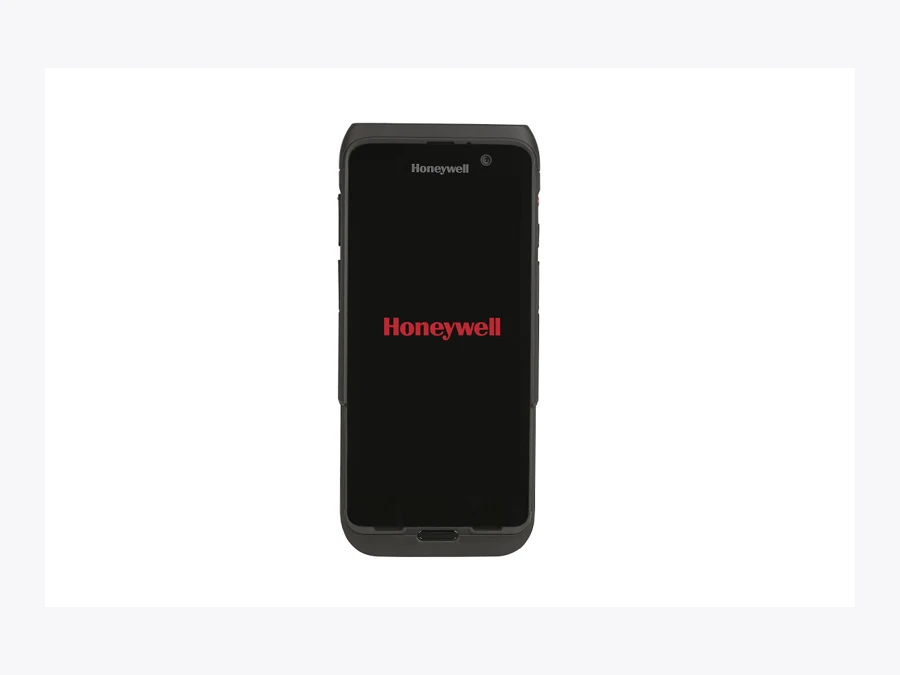
Android · barcode
Honeywell CT47
Honeywell · Manufacturer website
Honeywell supplies the device family shown. Accessories, configuration and regional availability must be specified separately.
| Display | 5.5-inch full touchscreen |
|---|---|
| Processor | Qualcomm QCS6490/QCM6490; 2.7 GHz |
| Memory options | 6 or 8 GB RAM; 128 GB flash |
| Scan options | Standard range, FlexRange or FlexRange XLR |
| Connectivity | Wi-Fi 6E; cellular SKU options |
| Protection | IP65 / IP68; published test conditions |
Advantage
A touchscreen scanner for receiving, picking and work that continues into the yard.
Trade-off
Long-range performance depends on the engine and barcode; accessories add weight and cost.
Candidate uses: Receiving; picking; dispatch
Check before ordering: Confirm current Android lifecycle, exact scanning configuration and Raptool scanner integration.
Published specifications checked 14 October 2026. Product photos can show a family or accessory configuration. Validate the selected setup with Raptool.
Honeywell CK67 · Android · keyboard
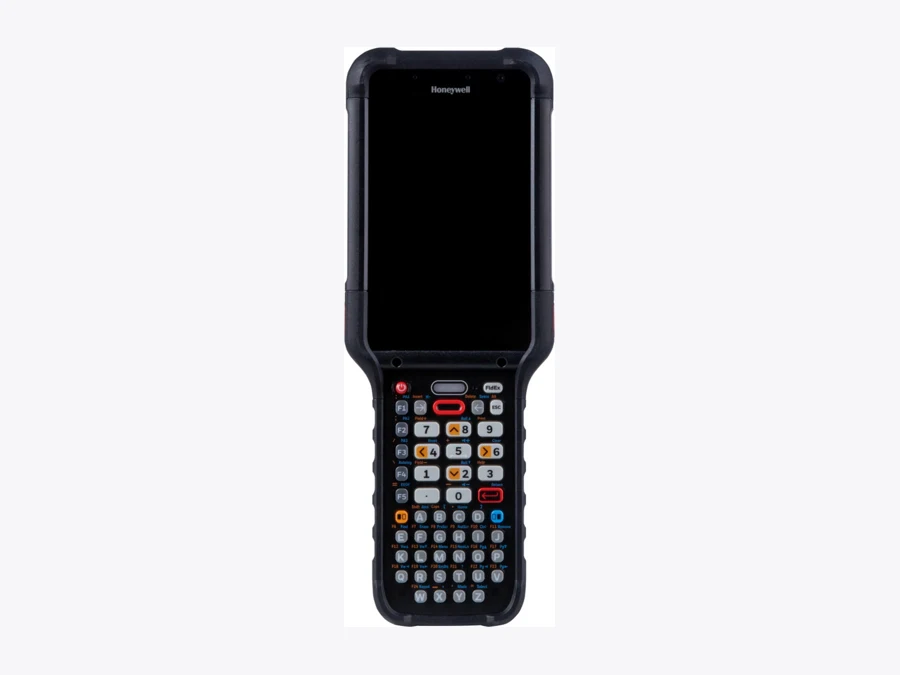
Android · keyboard
Honeywell CK67
Honeywell · Manufacturer website
Honeywell supplies the device family shown. Accessories, configuration and regional availability must be specified separately.
| Display | 4.3-inch; 800 × 480 |
|---|---|
| Processor | Qualcomm QCS4490/QCM4490; 2.4 GHz |
| Memory / storage | 8 GB / 128 GB |
| Keypads | Numeric / alphanumeric configurations |
| Battery | 7,000 mAh |
| Scanning / grip | Standard / FlexRange configurations; specify optional handle |
Advantage
A keyboard computer for quantity-heavy warehouse work with substantial battery capacity.
Trade-off
Heavier than compact handhelds; keypad layout and handle must match the task.
Candidate uses: Picking; replenishment; distribution centers
Check before ordering: Confirm handle, keypad and cold-store configuration separately. The product page lists multiple variants.
Published specifications checked 14 October 2026. Product photos can show a family or accessory configuration. Validate the selected setup with Raptool.
Datalogic Memor 30 · Android · barcode
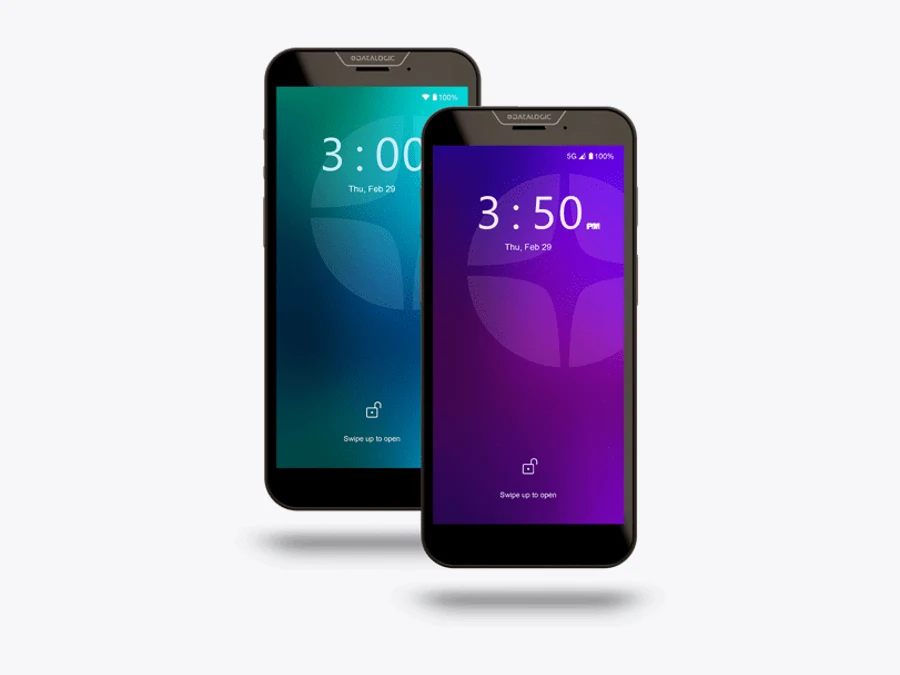
Android · barcode
Datalogic Memor 30
Datalogic · Manufacturer website
Datalogic supplies the device family shown. Accessories, configuration and regional availability must be specified separately.
| Selected model | Memor 30 Wi-Fi; Memor 35 adds cellular |
|---|---|
| Scanning | Standard range; Memor 30X/35X offer long-range options |
| Memory / storage | 6 or 8 GB RAM; 128 GB; variant-dependent |
| Connectivity | Wi-Fi 6E; NFC |
| Battery | 4,680 mAh |
| Protection | IP65 / IP68 |
Advantage
Touchscreen workflow with Green Spot scan feedback and wireless charging options.
Trade-off
No physical quantity keypad; long-range and 5G belong to different configurations.
Candidate uses: Receiving; stock counts; picking
Check before ordering: Check exact 30/30X/35/35X SKU and delivered OS; photo illustrates the family.
Published specifications checked 14 October 2026. Product photos can show a family or accessory configuration. Validate the selected setup with Raptool.
Datalogic Skorpio X5 pistol · Android · keys + grip
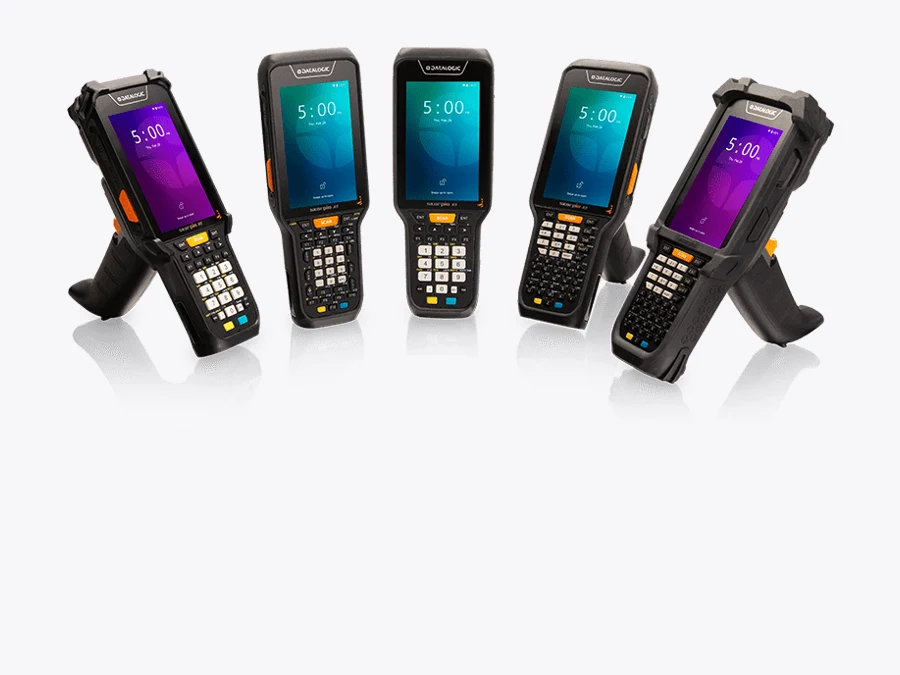
Android · keys + grip
Datalogic Skorpio X5 pistol
Datalogic · Manufacturer website
Datalogic supplies the device family shown. Accessories, configuration and regional availability must be specified separately.
| Display | 4.3-inch |
|---|---|
| Keypads | 28-key numeric; 38-key functional; 47-key alphanumeric |
| Form | Handheld or pistol-grip model |
| Scanning | 1D, 2D SR/MR or XLR; configuration-dependent |
| Memory example | 4 GB / 64 GB on listed configurations |
| OS lifecycle | Listed SKUs include Android 10; confirm current support |
Advantage
A grip and keypad give repeated scanning and quantity entry dedicated controls.
Trade-off
Older published OS configurations need a lifecycle check before a new fleet purchase.
Candidate uses: Picking; replenishment; high-shelf scanning with the appropriate engine
Check before ordering: Confirm support end date, Android image, scanner, battery and keyboard. Do not order by family name alone.
Published specifications checked 14 October 2026. Product photos can show a family or accessory configuration. Validate the selected setup with Raptool.
Newland MT90 Orca Pro II · Android · barcode + grip option
Android · barcode + grip option
Newland MT90 Orca Pro II
Newland AIDC · Manufacturer website
Newland AIDC supplies the device family shown. Accessories, configuration and regional availability must be specified separately.
| Display | 5-inch; 1280 × 720 |
|---|---|
| Memory / storage | 6 GB / 128 GB |
| Battery | 4,500 mAh removable; extended option |
| Scanner | Built-in megapixel 1D/2D imager; physical scan keys |
| Protection | IP65; 1.5 m drop specification |
| Grip / OS | PG90 optional; page lists Android 11; roadmap lists Android 13 |
Advantage
A compact barcode computer with a removable battery and optional pistol grip.
Trade-off
Verify firmware and support dates because the page and OS roadmap differ.
Candidate uses: Receiving; picking; stocktaking
Check before ordering: Confirm delivered firmware, grip and cradle. NFC is separate from UHF; a UHF accessory needs its own integration.
Product page · Manufacturer specifications
Published specifications checked 14 October 2026. Product photos can show a family or accessory configuration. Validate the selected setup with Raptool.
Zebra RFD40 Premium Plus · UHF RFID · accessory
UHF RFID · accessory
Zebra RFD40 Premium Plus
Zebra Technologies · Manufacturer website
Zebra Technologies supplies the device family shown. Accessories, configuration and regional availability must be specified separately.
| Type | UHF RFID sled; requires a supported host/app |
|---|---|
| Standards | EPC Class 1 Gen 2; EPC Gen2 V2 |
| Vendor maximum | 1,300+ tags/sec; not a completed warehouse count rate |
| Nominal range | About 6+ m; tag and environment-dependent |
| Battery / weight | 7,000 mAh; approximately 556 g with battery |
| Barcode / radio | Premium Plus: SE4100 imager; Bluetooth and Wi-Fi |
Advantage
Can capture multiple UHF-tagged items without aiming at each barcode.
Trade-off
Needs tags, compatible host, adapters and software integration; adds considerable weight.
Candidate uses: Cycle counts; finding tagged items; asset tracking
Check before ordering: Confirm regional frequency SKU and exact host adapter. Validate Raptool RFID integration and reject unwanted reads.
Product page · Manufacturer specifications
Published specifications checked 14 October 2026. Product photos can show a family or accessory configuration. Validate the selected setup with Raptool.
Warehouse hardware questions answered
Can an iPhone scan barcodes in a warehouse?
An iPhone can be a candidate for app-based camera scanning. Validate barcode formats, lighting and the actual Raptool configuration. A protective case does not add a dedicated barcode imager.
Is a Samsung Galaxy the same as a Zebra barcode computer?
A Galaxy XCover is a rugged phone using its camera or an external reader for barcode capture. Zebra TC22 has an integrated scan engine and dedicated scan buttons. Compare the complete workflow and selected configuration.
When should a warehouse choose a physical keyboard?
Consider physical keys when staff repeatedly enter quantities or references, particularly with gloves. Trial the keypad layout, grip and Raptool form together.
Does NFC mean a phone can count UHF RFID stock?
No. NFC and UHF RFID are different technologies. Bulk stock counting needs compatible UHF tags, a UHF reader and software integration.
Is the RFID sled a standalone computer?
The Zebra RFD40 Premium Plus is an accessory requiring a compatible host or connection and application support. Check regional frequencies, adapters and Raptool integration.
How much does faster scanning save?
In the illustrative example, saving three seconds on 500 scans per working day across 240 days frees 100 hours, worth €2,500 at €25/hour. Cash savings require avoided paid costs. This is not a measured customer outcome.