Overview
Every visitor management system has to answer one simple question: how do people on site know who a visitor is? For years the answer was a sticker or a card on a lanyard. Today many offices send a QR code to the visitor's phone instead. Both work. They just solve different problems. This post compares printed and digital visitor badges, with the pros and cons of each, and helps you pick the right one for your site.
What a visitor badge is for
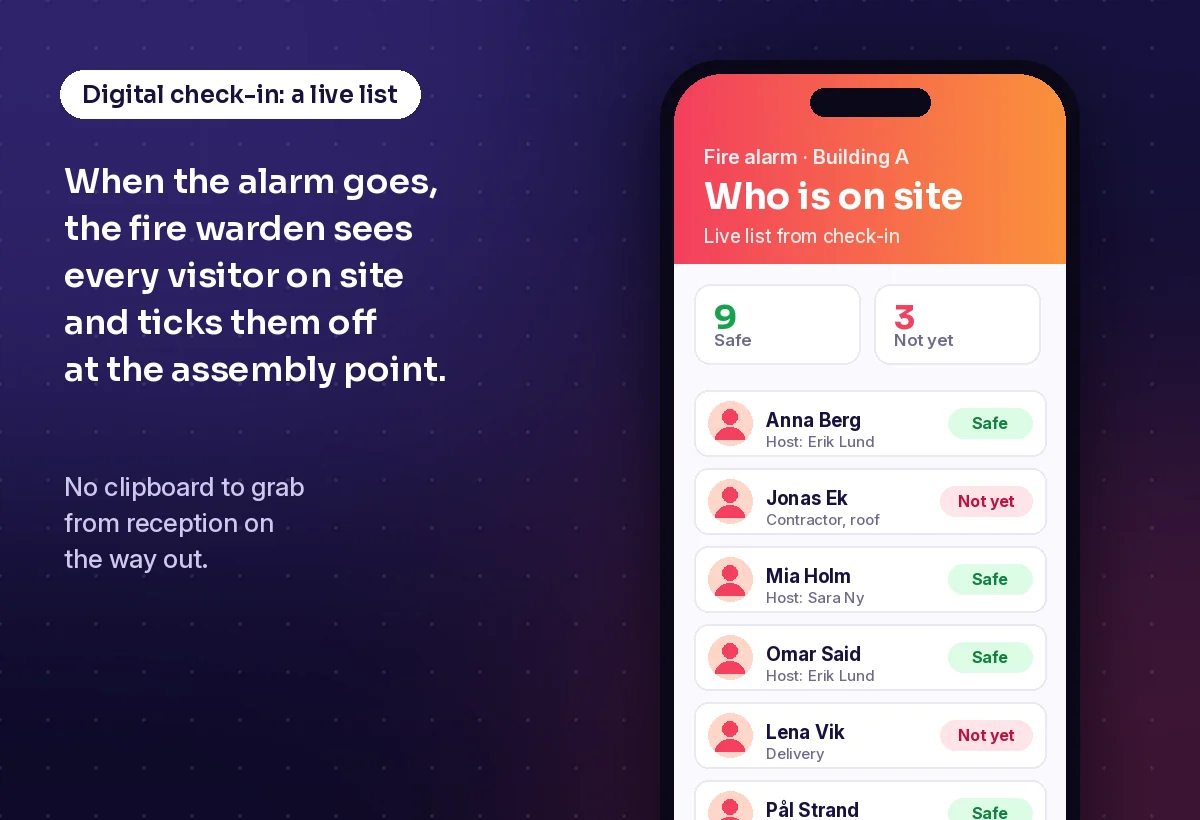
A badge is more than a name tag. It tells staff that this person has signed in. It shows who they are visiting, and often until when they may stay. It can open a door or a turnstile. And when the fire alarm goes, the visitor list behind the badges tells you who still needs to be found. Whatever you choose, it has to do these jobs well.
Printed badges: how they work
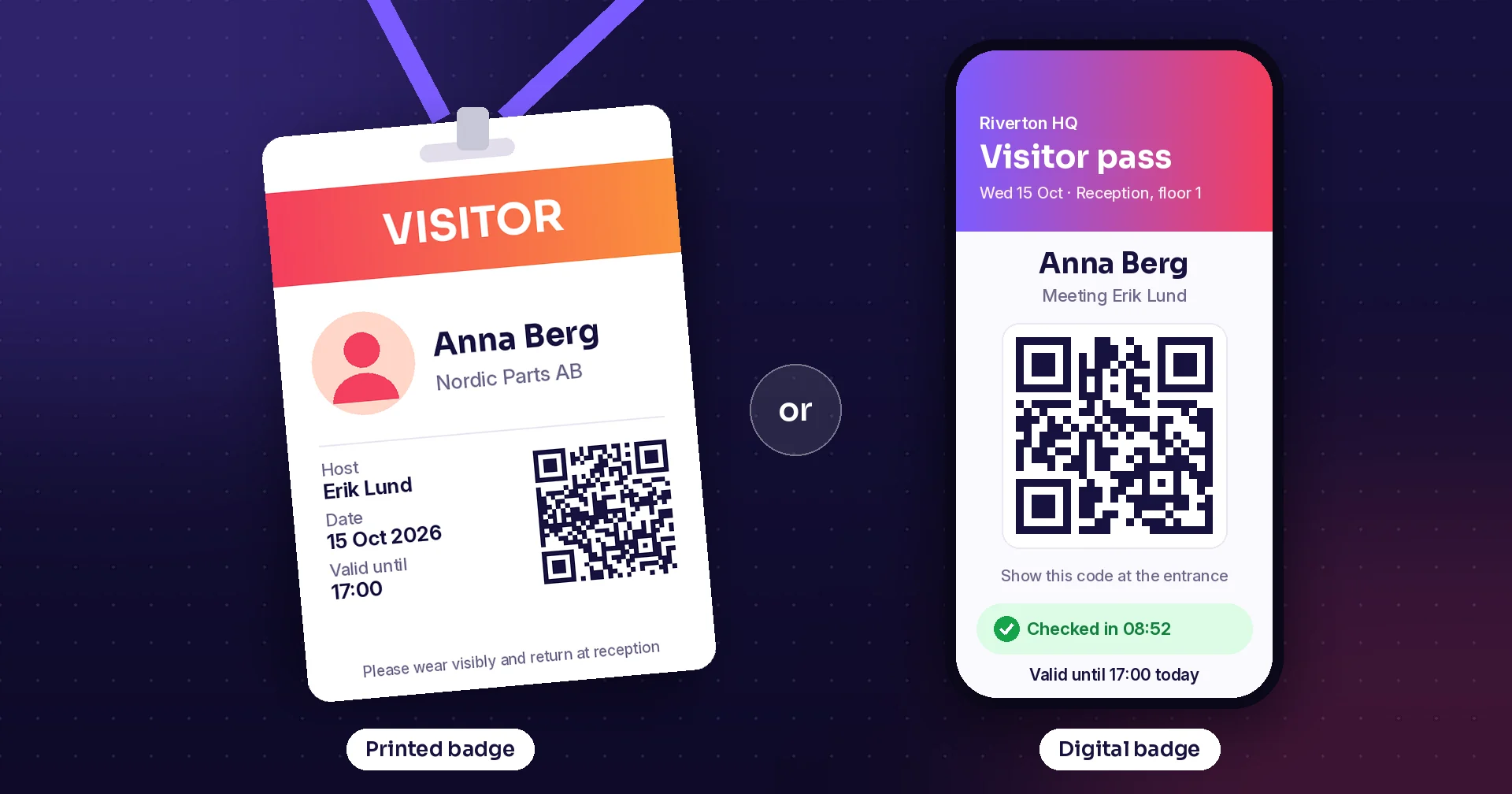
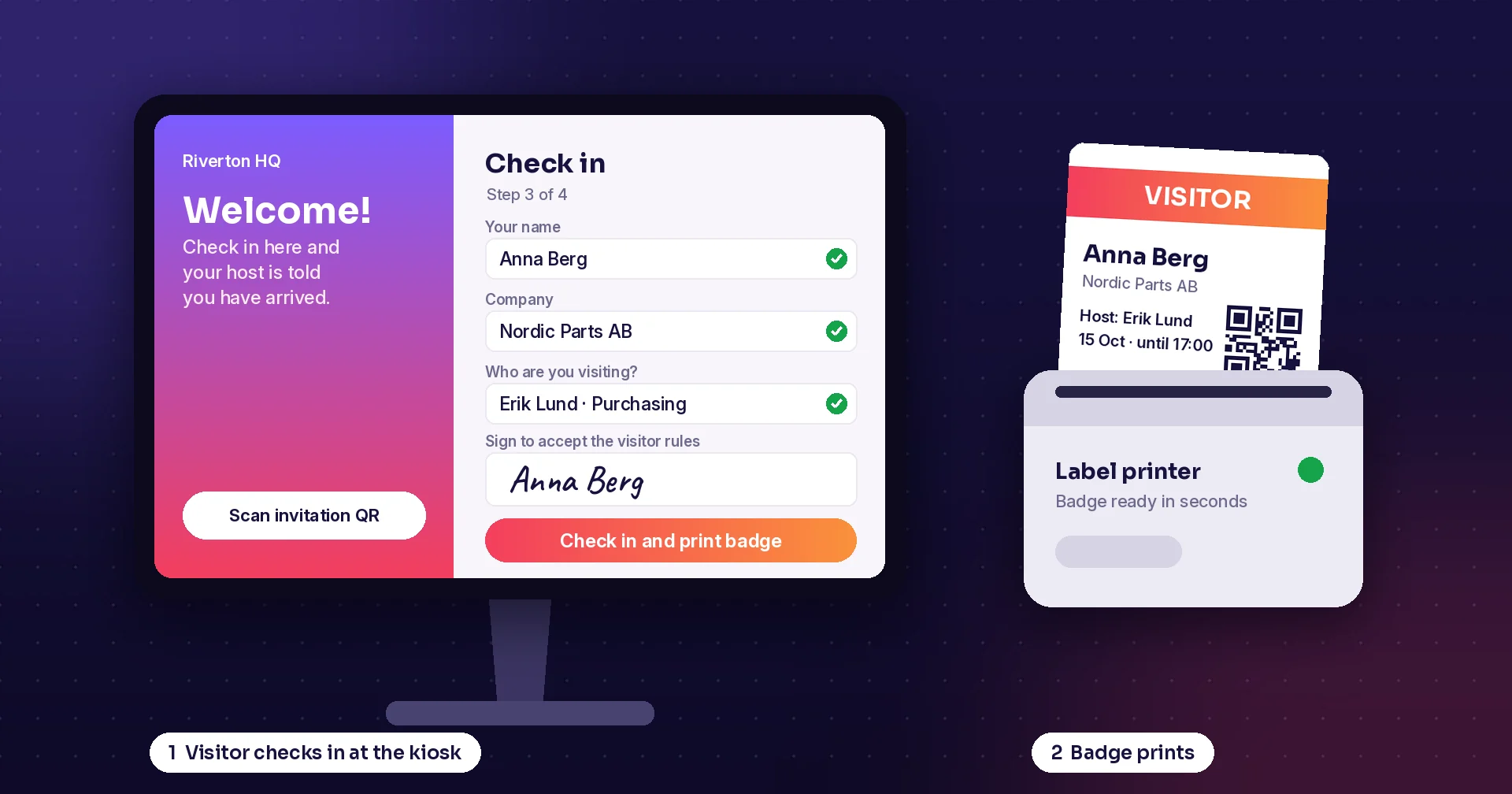
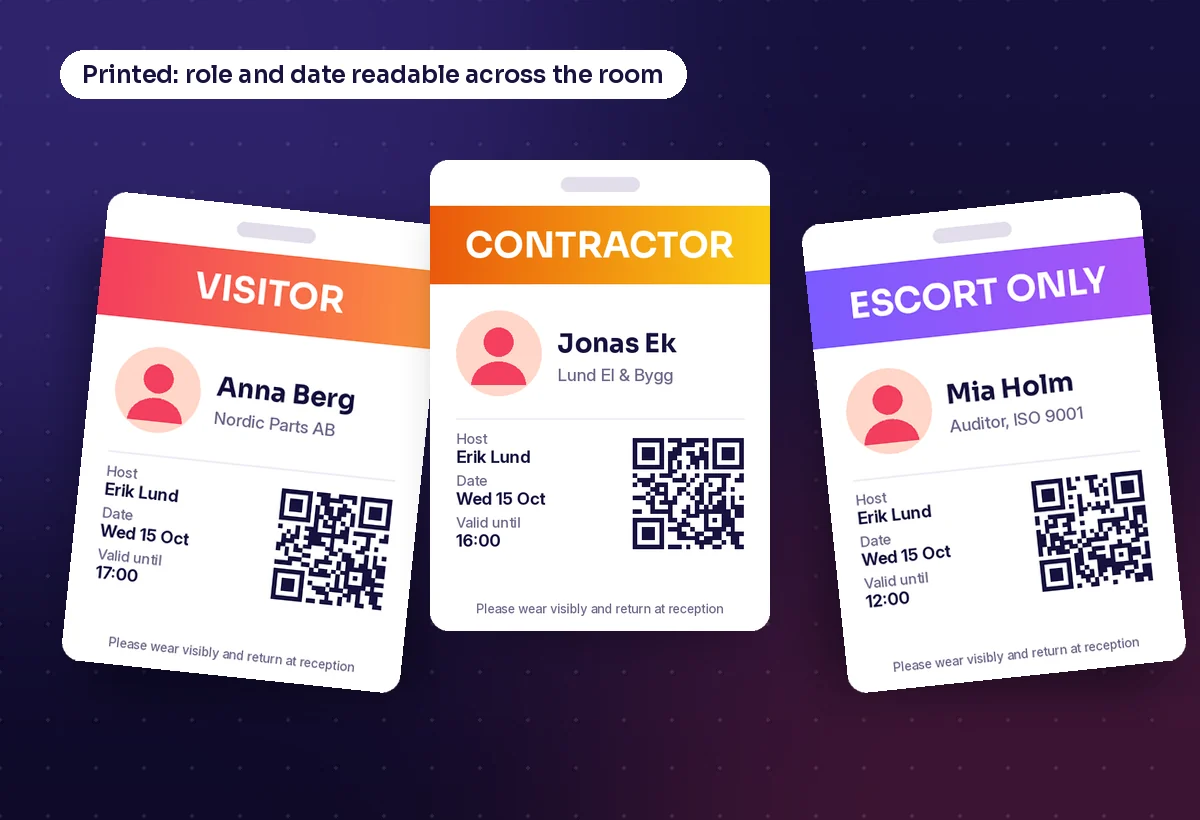
The visitor signs in at reception or at a self-service kiosk. A small label printer prints a badge in a few seconds: name, company, host, date and often a QR code. The badge goes on a sticker, in a card holder or on a lanyard. Colour bands can show the type of visitor, such as guest, contractor or escort only. Some sites use self-expiring badges that slowly change colour during the day, so an old badge cannot be reused tomorrow.
Pros of printed badges
- Easy to see: anyone in the building can spot a visitor at a glance
- Colour coding shows role and access level from across the room
- Works for every visitor, with or without a smartphone
- No battery, signal or app needed once the badge is printed
- A clear, familiar welcome ritual at reception
Cons of printed badges
- Ongoing cost for labels, card holders and lanyards, plus printer upkeep
- Badges walk out of the building, and lost cards and lanyards add up
- A badge that is not taken back can be reused unless it expires
- The visitor's name and company are on display to anyone nearby
- A jammed or empty printer slows the queue at busy times
Digital badges: how they work
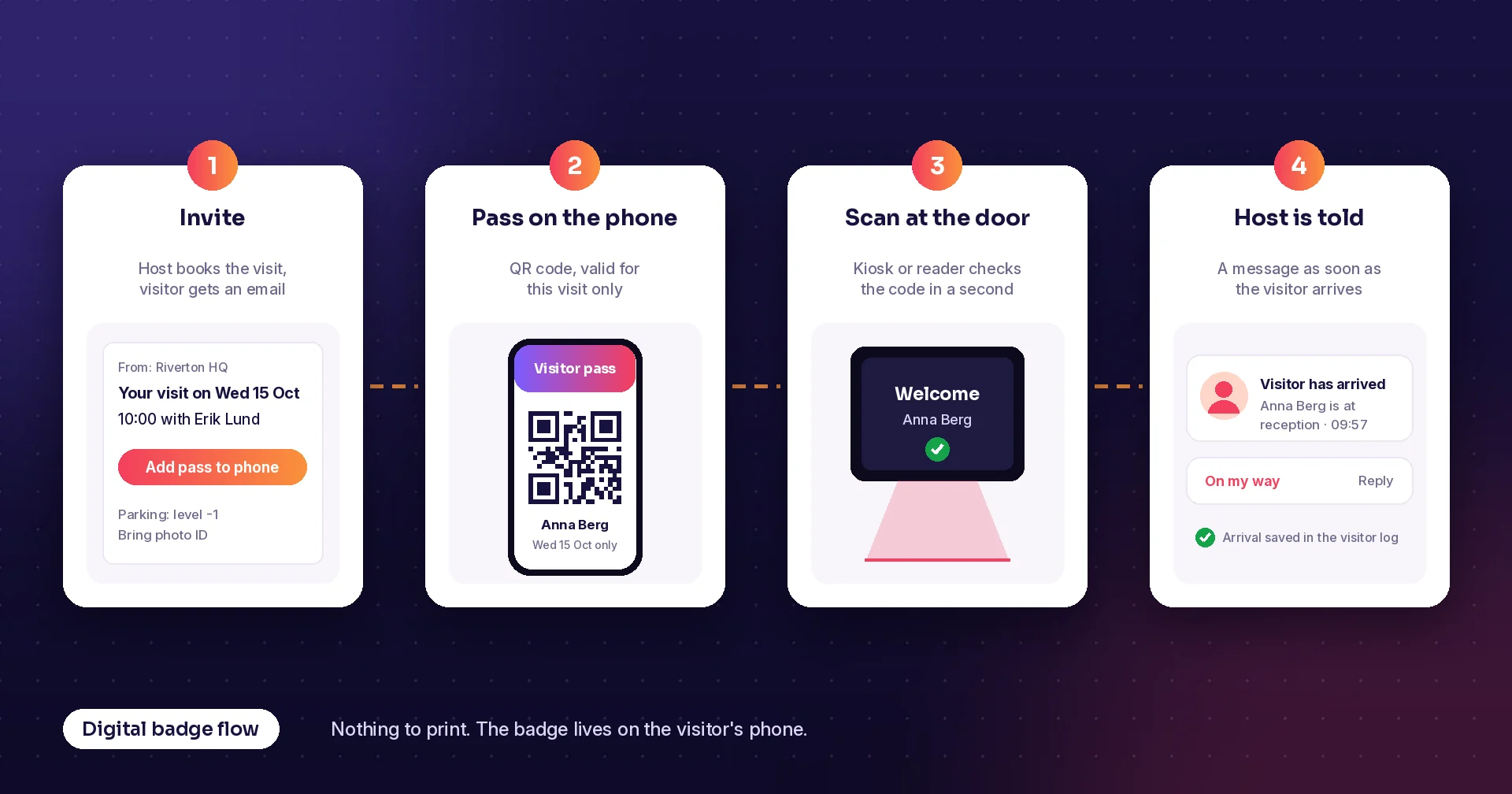
The host books the visit in advance and the visitor gets an email or text with a QR code. On the day, the visitor shows the code at a kiosk, a reader or a turnstile. The system checks it, logs the arrival and tells the host. The pass is only valid for that visit, so it stops working by itself. Nothing is printed, and there is nothing to hand back.
Pros of digital badges
- Faster arrival: details are filled in before the visitor comes
- No labels, ink or lanyards to buy, store or throw away
- Passes expire on their own, so nothing old can be reused
- Less personal data on display in corridors and on the street
- Easy to send parking, Wi-Fi and safety information with the invite
Cons of digital badges
- Not visible: staff cannot see at a glance who is a visitor
- Depends on the visitor's phone, battery and willingness to use it
- Walk-in visitors and deliveries still need another way in
- Doors or turnstiles need readers if the pass is to open them
- Some visitors find a QR code harder than a simple sticker
Side by side
| Printed badge | Digital badge | |
|---|---|---|
| Visibility | Seen at a glance, colour coded by role | Hidden in the visitor's phone |
| Check-in speed | Fast with a kiosk, slower if details are typed on the day | Fastest: details are entered before the visit |
| Running cost | Labels, holders, lanyards and printer upkeep | No consumables; QR readers if doors must open |
| Reuse risk | Old badges can be reused unless they expire | Pass stops working after the visit |
| Privacy | Name and company shown to anyone nearby | Less personal data on display |
| Works for | Everyone, including walk-ins and visitors without a phone | Pre-booked visitors with a smartphone |
| Evacuation | Works with a printed or on-screen visitor list | Works with a live on-screen visitor list |
Privacy: the paper visitor book is the real problem
The biggest privacy risk is often not the badge but the sign-in book next to it. In a paper book, every visitor can read the names of the people who signed in before them. GDPR expert Karen Cheeseman put it simply: “Anyone can read the logbook.” GDPR also asks you to keep personal data limited to what is necessary and to keep it no longer than you need it. A digital visitor log helps with both: it collects only the fields you choose, hides other visitors' details and can delete old records automatically.
The same idea applies to the badge itself. Print only what staff need to see, such as first name, host and date, and keep the rest in the system.
Which one should you choose?
For many sites the best answer is both: a digital check-in with pre-registration, and a printed badge where visibility matters. Use this as a guide:
- Choose printed badges for factories, warehouses, labs, schools and hospitals, where staff must see who is a visitor
- Choose printed badges when many visitors walk in without booking
- Choose digital badges for offices where most visits are booked and doors use access control
- Choose digital badges for events and repeat visitors, where speed at the door matters most
- Use both when you want a fast digital check-in but still need a visible badge on site
How Raptool helps
Raptool Visitor registration welcomes visitors at a kiosk, prints badges and keeps a GDPR-ready visitor log, styled for your company. You can print a badge on a label printer, show a QR code on screen, or use both. Pre-booked visitors can check in quickly, and visitors log out when they leave, so your list of who is on site stays up to date. The app runs on Raptool Client, natively on Android, iOS, Windows and Mac, with full access to label and receipt printers, cameras and scanners. Raptool is a Zebra Technologies partner. And if you need something special, such as your own badge layout or extra safety questions, the Raptool AI Development Framework can build it as a real app on the Raptool platform.
Key takeaways
- Printed badges win on visibility and work for every visitor
- Digital badges win on speed, cost and reuse risk for booked visits
- A paper sign-in book is a bigger privacy risk than either badge
- Your visitor list, not the badge, is what keeps people safe in an evacuation
- Many sites get the best of both with digital check-in and a printed badge
Frequently asked questions
What is a digital visitor badge?
A digital visitor badge is a pass on the visitor's phone, usually a QR code sent by email or text before the visit. The visitor shows it at a kiosk, reader or turnstile, the visit is logged and the pass stops working when the visit ends.
Are printed visitor badges more secure than digital ones?
Each is stronger in a different way. Printed badges make visitors easy to spot, which helps staff challenge someone without a badge. Digital badges expire on their own and cannot be reused, and they keep personal details out of sight. Many sites combine a digital check-in with a printed badge.
What should a visitor badge show?
Only what staff need: usually the visitor's name, the host, the date and a clear visitor type such as guest, contractor or escort only. A QR code can link to the full visit record, so there is no need to print more personal data on the badge.
Is a paper visitor book GDPR compliant?
It is hard to make one compliant, because each visitor can usually read the details of earlier visitors and old books are hard to store securely and delete on time. A digital visitor log shows each visitor only their own details and can delete records after a set period.
What happens to visitors during an evacuation?
The fire warden needs a list of everyone on site. With a digital visitor system, that list comes from check-ins and check-outs and can be opened on a phone or printed at the assembly point, whether your badges are printed or digital.
Sources: “Experts weigh in on GDPR visitor sign-in books: Paper vs digital”, Proxyclick; GDPR Article 5, principles relating to processing of personal data; “Temporary Badge Changes Colors With Expiration”, Security Sales & Integration.
Tags
Want to see printed and digital visitor badges on your own kiosk? Book a demo and we will show you Raptool Visitor registration.
Book a demo