Overview
In short: a visitor management system replaces the paper visitor book with a digital sign-in, usually on a tablet or kiosk at reception. Before you choose one, decide which visitors you have, what each type must do on arrival, what data you really need and how long you keep it, and how you will know who is on site in an emergency. Get those right and the software choice gets much easier.
Most companies still start with a book at the front desk. It is cheap, but every visitor can read the names above their own, the handwriting is hard to read, and nobody knows who is still in the building when the fire alarm goes off. A digital system fixes that. It also gives a better first impression, because a guest is signed in, badged and announced to their host in under a minute. Here are ten things to get right when you implement one.
1. Start with your visitor types
A guest, a contractor, a courier and a job candidate do not need the same sign-in. List every type of visitor you get and what each one must do. A guest may only need a name, company and host. A contractor may need a safety video, a signed NDA and a check of permits. A courier may only need to drop a parcel and leave. Each type should get its own short flow, not one long form for everyone.
2. Map the whole visitor journey
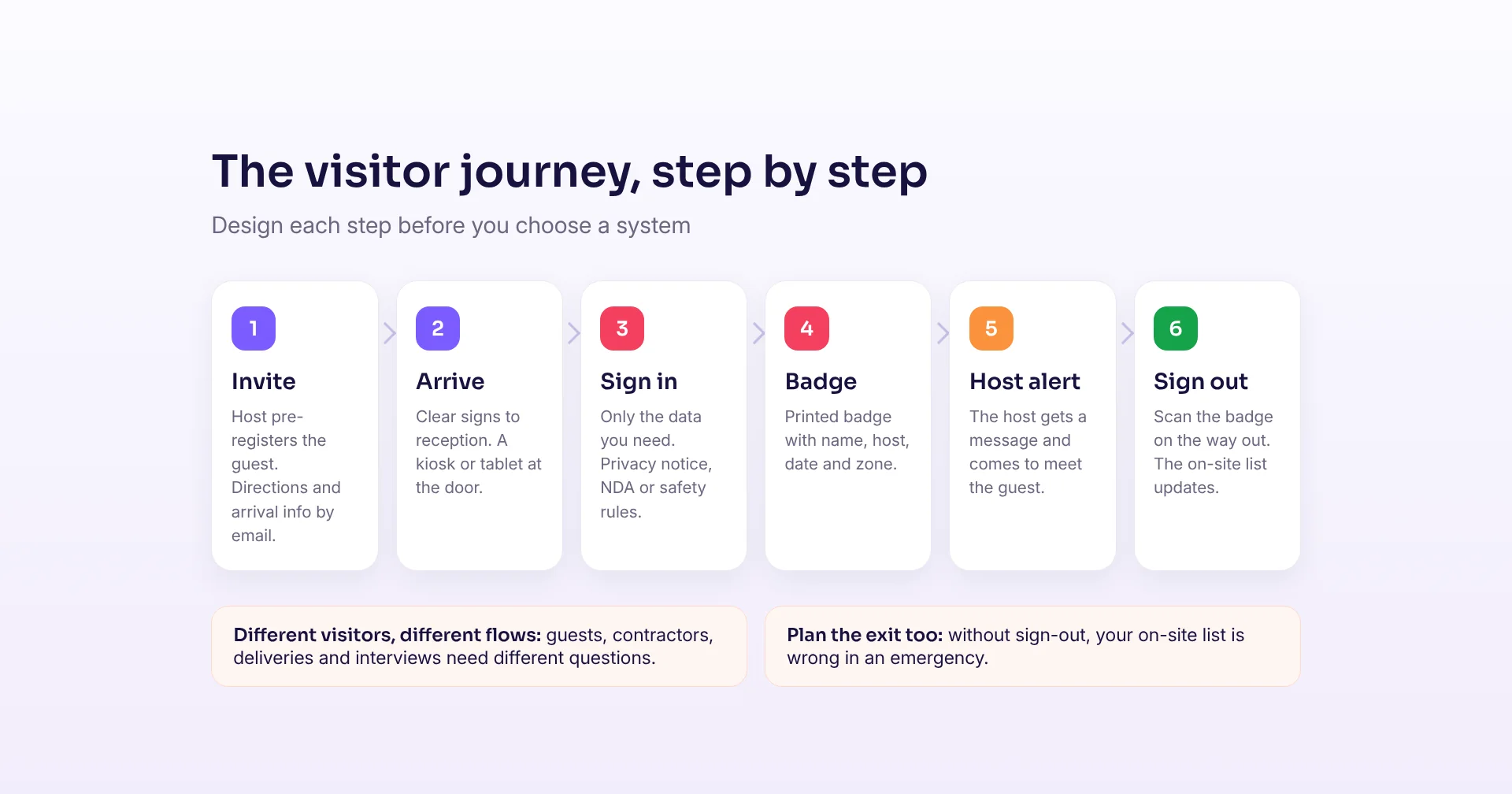
Sign-in is only one step. Walk through the full journey: the invitation, the arrival, the sign-in, the badge, the message to the host and the sign-out. Pre-registration lets the host enter the guest in advance, so the guest only confirms on arrival. Sign-out is the step most often forgotten, and without it your list of who is on site is wrong.
| Paper visitor book | Digital visitor management | |
|---|---|---|
| Privacy | Every visitor sees earlier names | Each visitor sees only their own details |
| Speed at reception | Write, then wait for someone to find the host | Tap through in under a minute, host is notified |
| Badges | Handwritten sticker or none | Printed badge with name, host, date and zone |
| Emergencies | Book stays at reception, often unreadable | Live on-site list on any phone |
| Data retention | Pages kept for years | Automatic deletion after a set period |
| Contractors | Paper forms and copies | Safety video, rules and NDA signed on screen |
3. Collect only what you need
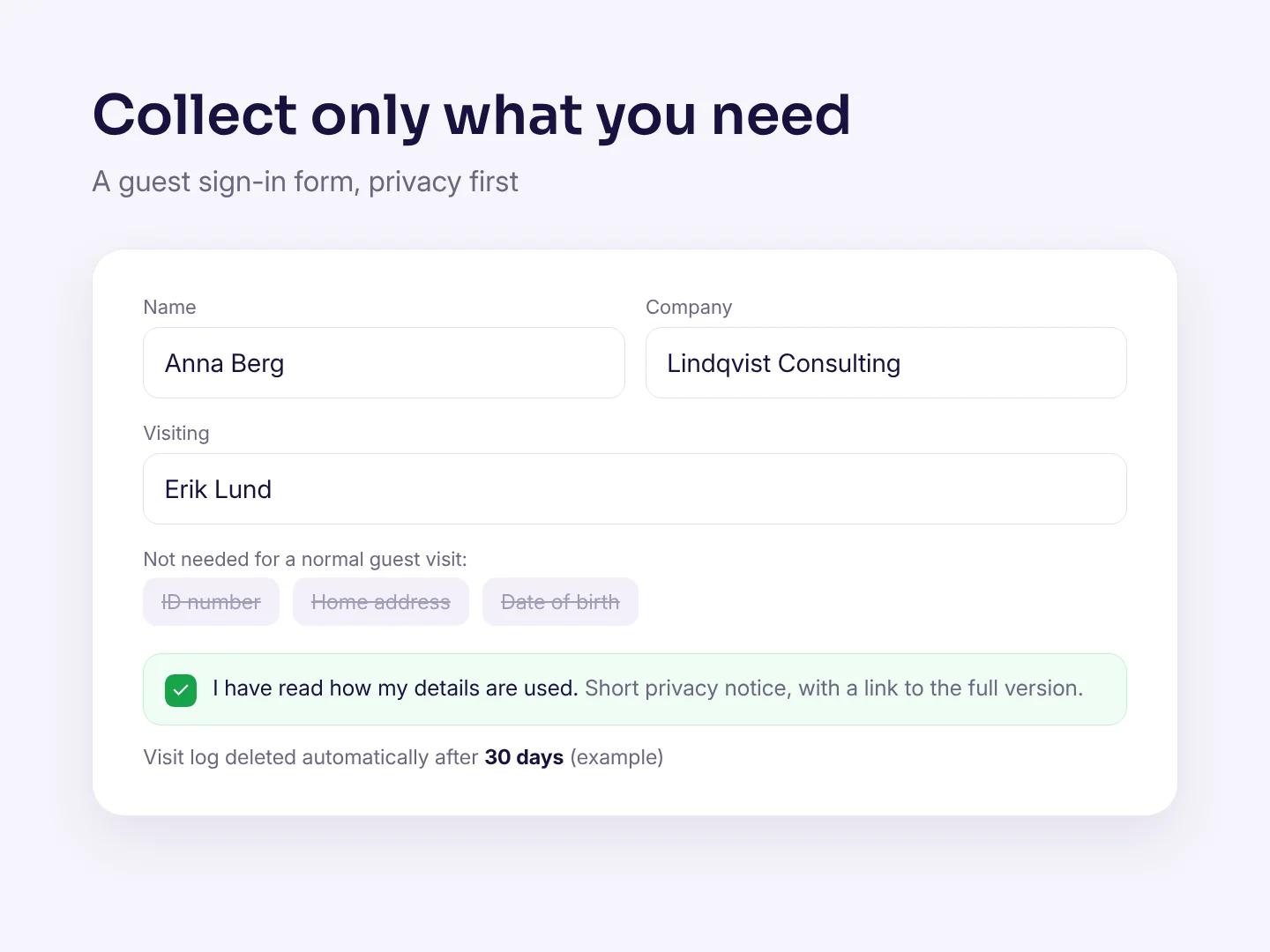
Visitor data is personal data. Under the EU's GDPR, data must be "adequate, relevant and limited to what is necessary" for the purpose. South Africa's POPIA has the same idea: processing must be adequate, relevant and not excessive. For most guests, name, company, host and time of visit is enough. Do not ask for ID numbers, home addresses or dates of birth unless you have a clear reason, such as a high-security site.
4. Tell visitors how their data is used
Show a short privacy notice at sign-in, with a link to the full version. Say what you collect, why, who can see it and how long you keep it. Let visitors confirm they have read it. Decide the legal basis with your data protection officer or legal adviser. It is often legitimate interest for security and safety, not consent, but that depends on your situation.
5. Set retention and deletion rules
GDPR says personal data must be kept "for no longer than is necessary". POPIA also requires records to be deleted or de-identified once they are no longer needed, unless a law or contract says otherwise. Pick a retention period for each visitor type, for example 30 days for normal guests and longer for contractor safety records if your rules require it. Then let the system delete the data automatically, so nobody has to remember.
6. Handle contractors and agreements on screen
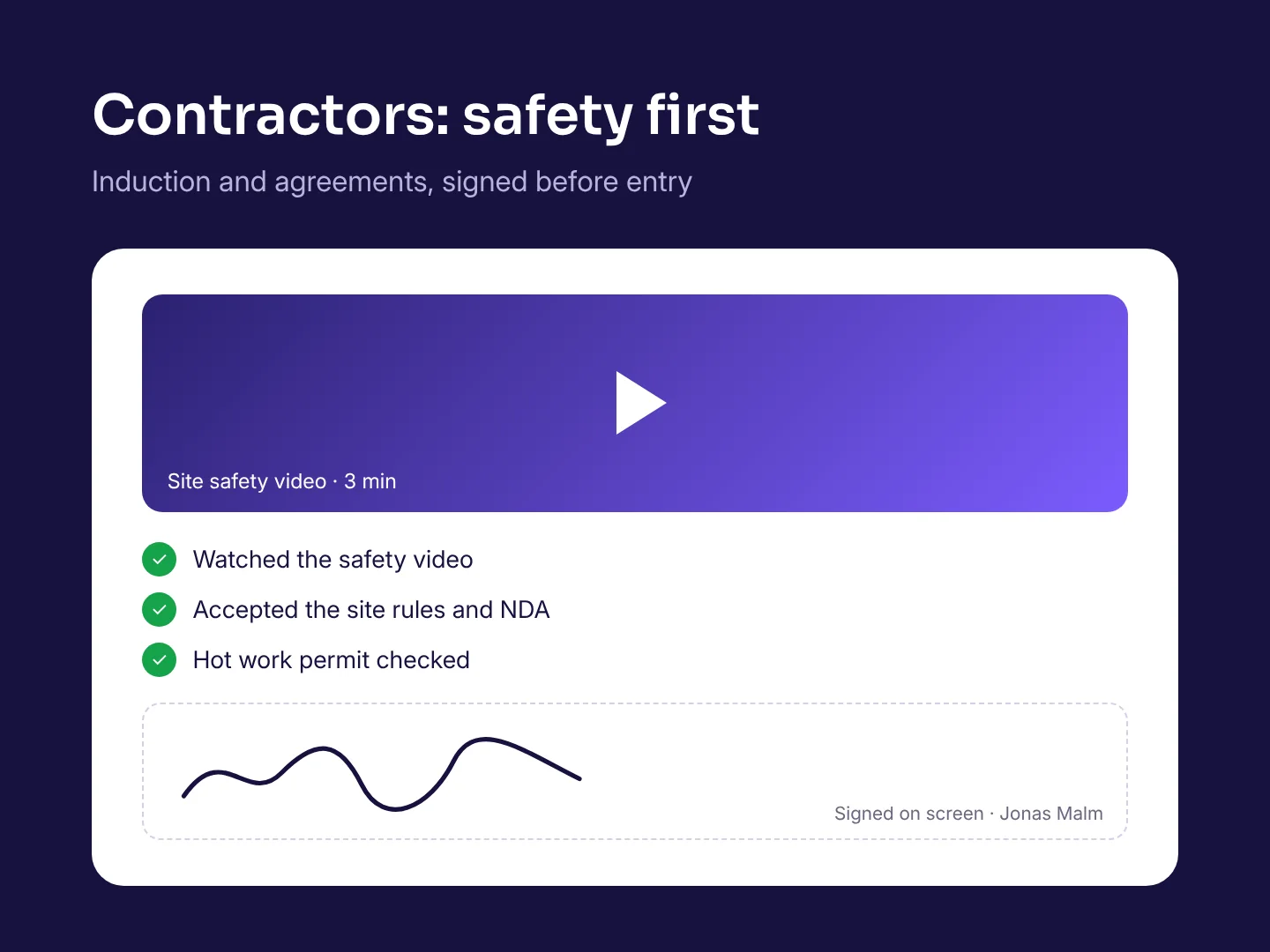
Contractors are often the visitors with the highest risk. Let them watch a short safety video, accept the site rules and sign an NDA on the screen before they get a badge. Store the signed version with the visit. Next time they come, the system can skip what is still valid and only ask what has changed.
7. Make badges that mean something
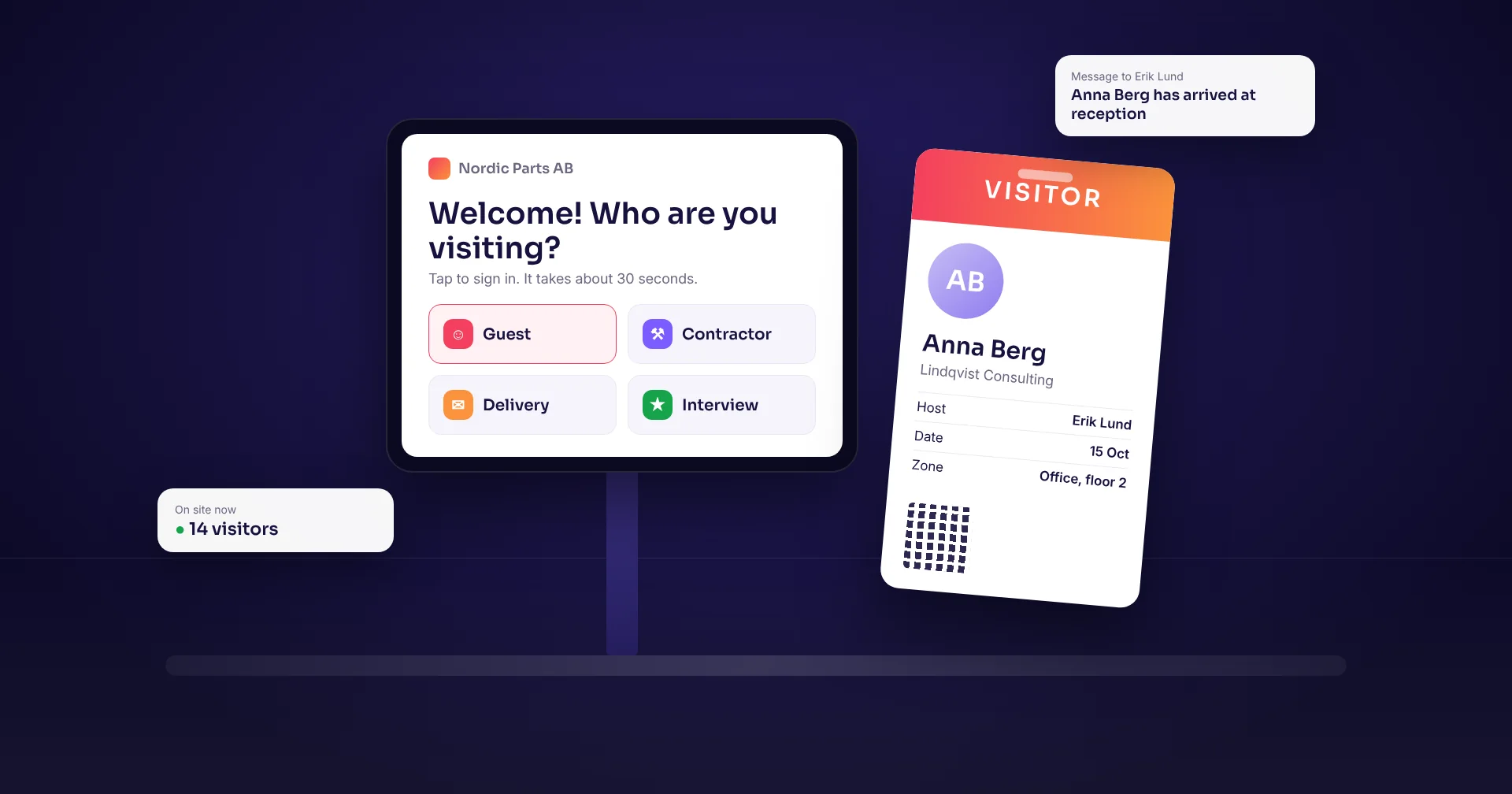
A printed badge shows staff at a glance who is a visitor, who they are visiting and where they may go. Put the name, host, date and zone on it, and consider a colour per visitor type. Add a QR code so the visitor can scan out on the way home. You will need a small label printer at reception, so include it in the plan from day one.
8. Notify the host
The host should know the moment their guest arrives, by email, text or a chat message. That removes the phone calls from reception and shortens the wait. Decide what happens if the host does not answer, for example a backup contact or a message to reception after a few minutes.
9. Plan for emergencies first
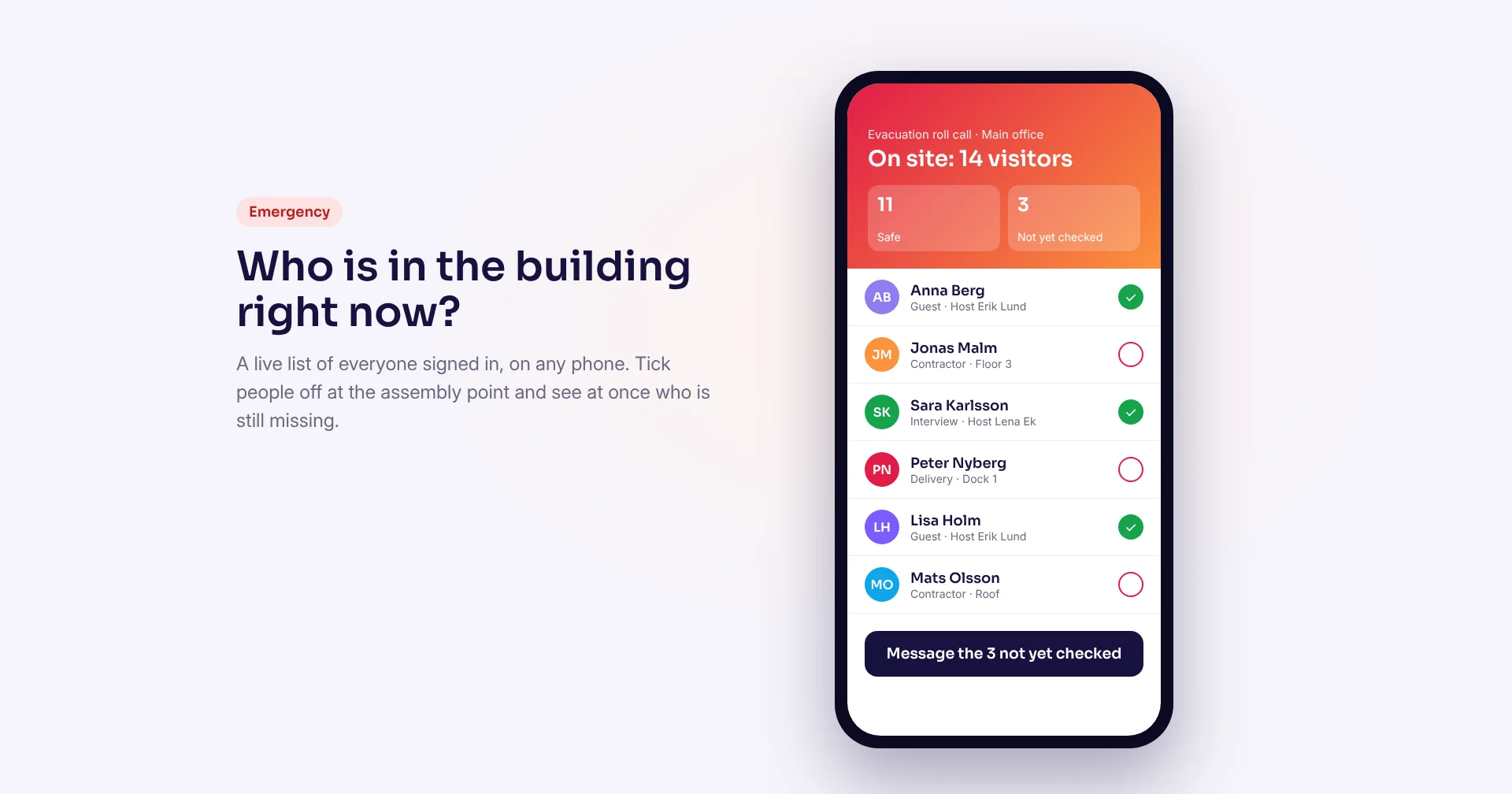
In an evacuation, the person responsible needs a reliable list of everyone on site, not a book left behind at the front desk. Make sure the live list is available on a phone, that you can tick people off at the assembly point, and that you can see at once who is missing. Test it in your next fire drill. This only works if sign-out works, so make sign-out quick and visible.
10. Choose hardware, placement and integrations
Pick a tablet or kiosk that fits your entrance, on a stable stand at a height that also works for wheelchair users. Offer the languages your visitors speak. Check what happens if the network goes down: a system that keeps working offline and syncs later avoids a queue at reception. Finally, list what it should connect to, such as your calendar for invitations, your access control or Wi-Fi guest codes, single sign-on for staff, and a list of people who must not be admitted.
Roll it out step by step
Start with one entrance and the most common visitor type. Train the reception team, tell all staff how to pre-register guests, and put clear signs at the door. After a few weeks, check the numbers: average sign-in time, visits without a sign-out, and feedback from reception. Then add the next visitor type or site.
- List your visitor types and what each must do
- Draw the full journey, including sign-out
- Keep the sign-in form short and privacy-first
- Write a privacy notice and set a retention period
- Put contractor safety and NDAs on screen
- Print badges with name, host, date and zone
- Test the evacuation list in a real drill
- Pilot one entrance before you roll out everywhere
How Raptool helps
Raptool's visitor registration welcomes visitors at a kiosk, prints badges and keeps a GDPR-ready log, styled for your company. It runs on Raptool Client, which works natively on Android, iOS, Windows and Mac, from tablets to kiosks, uses the camera and label printers, and keeps working offline. Because it is built on the Raptool platform, you can adapt the sign-in flows, questions and badges to each visitor type in Raptool Designer, or describe the change in plain words with the Raptool AI Development Framework.
Frequently asked questions
What is a visitor management system?
A visitor management system is software that registers people who visit your premises. It usually replaces the paper visitor book with sign-in on a tablet or kiosk, prints a visitor badge, tells the host that their guest has arrived and keeps a log of who is on site.
What information should a visitor management system collect?
Only what you need for the purpose. For most guests that is name, company, host and the time of the visit. Contractors may also need signed safety rules or an NDA. Avoid ID numbers, home addresses and dates of birth unless you have a clear security reason.
How long should visitor data be kept?
No longer than necessary for the purpose, as GDPR and POPIA both require. Many companies keep normal guest logs for a few weeks and contractor safety records longer if their rules require it. Set a period per visitor type and let the system delete the data automatically.
Is a visitor management system GDPR compliant?
A system can support compliance, but compliance depends on how you use it. You need a privacy notice, a legal basis, a short form, a retention period, access control on the data and a data processing agreement with the supplier. Ask your data protection officer or legal adviser to confirm your setup.
How does a visitor management system help in an emergency?
It keeps a live list of everyone who is signed in. In an evacuation, the person responsible can open the list on a phone, tick people off at the assembly point and see at once who is still missing. This only works if visitors also sign out.
What hardware do I need for visitor sign-in?
Usually a tablet or kiosk on a stand at reception and a small label printer for badges. A badge scanner or the tablet camera can handle sign-out with a QR code. Choose hardware that keeps working if the network goes down.
Sources: GDPR Article 5, principles relating to processing of personal data; Mondaq, “Maintaining compliance with POPIA”; Eptura, GDPR compliance checklist for visitor management; Entrust, key considerations for visitor management. This article is general information, not legal advice.
Tags
Want to see digital visitor sign-in, badges and an evacuation list in action? Book a demo and we will set it up for your reception.
Book a demo