Overview
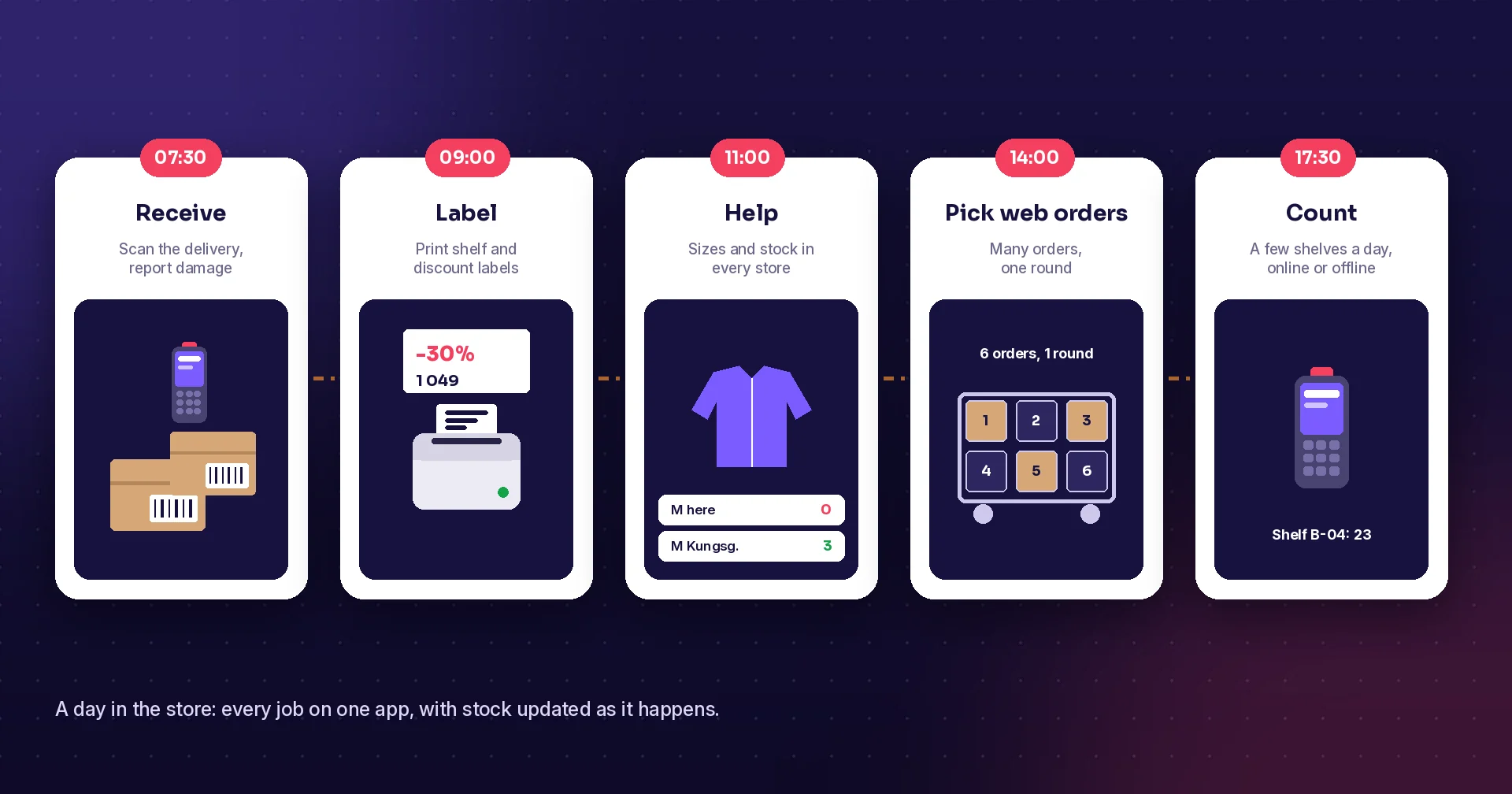
Many stores still run on a till, a spreadsheet and a lot of walking to the stockroom. It works, until a customer asks for a size you think you have, a delivery arrives with the wrong items, or the year-end count does not match the books. Retail software puts the store's daily jobs on a phone or handheld, with stock that updates as people work. Here are eight concrete benefits, what they look like on the shop floor, and how to get started.
Why it matters now
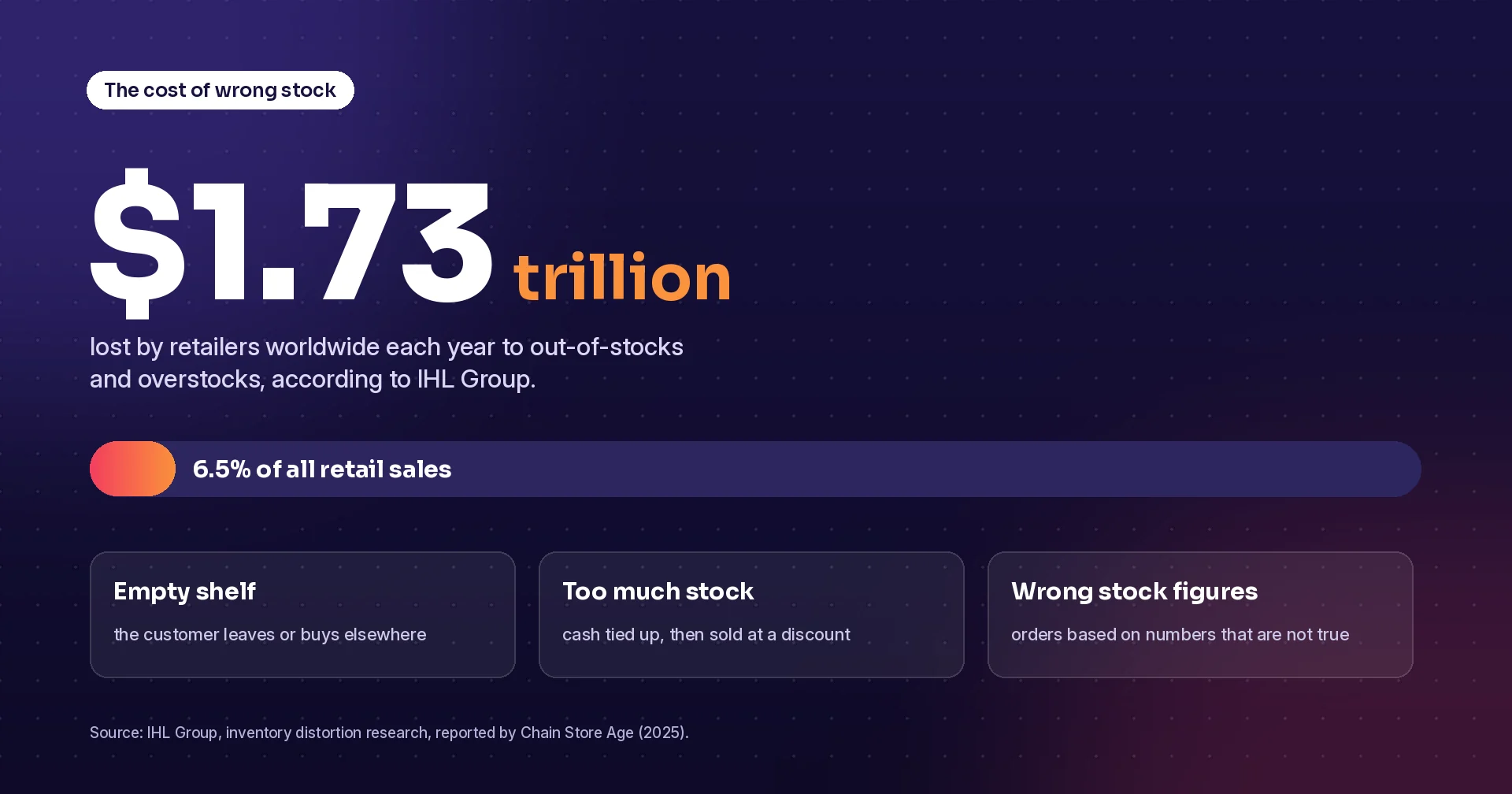
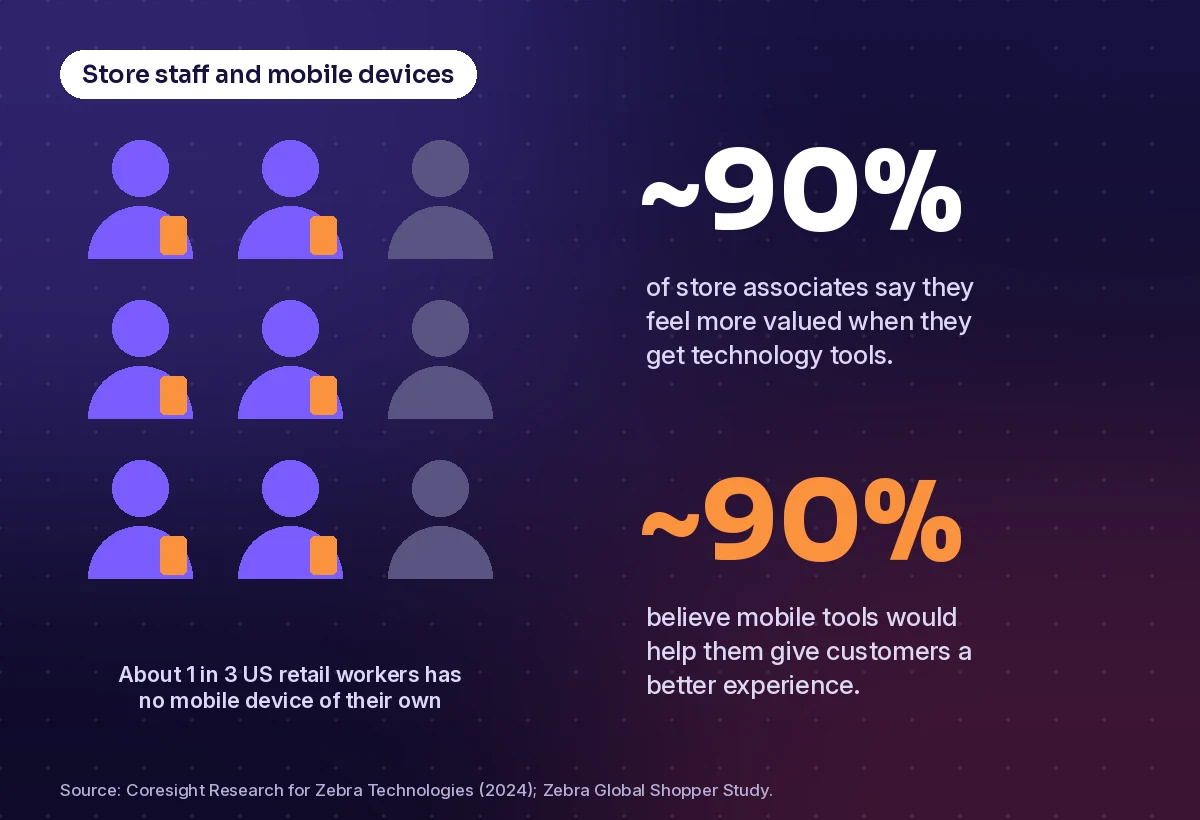
Wrong stock is expensive. Retail research firm IHL Group estimates that retailers lose about 1.73 trillion US dollars a year to out-of-stocks and overstocks, roughly 6.5 percent of global retail sales. At the same time, many store teams still lack the tools to fix it: a 2024 study by Coresight Research for Zebra Technologies found that about a third of the US retail workforce has no mobile device of their own at work.
1. Stock figures you can trust
Everything else depends on knowing what you have. When receiving, moves between stores and sales are scanned, the stock figure stays close to reality. Counting also gets easier: staff count a few shelves a day on a phone or scanner instead of closing the store for a big count, and differences are found while they are still easy to explain.
2. Fewer empty shelves
With accurate stock, the system can suggest orders before a product runs out. Set a minimum per item, and let the software build the supplier order when stock drops below it. Staff check and send the order from the floor instead of writing lists and typing them in later. The result is fewer empty shelves and less money tied up in slow sellers.
3. Faster, more accurate receiving
Deliveries are where errors start. Scanning the delivery against the order shows at once what is missing, extra or damaged, while the driver is still there. Approved goods are booked straight into stock, and moves from the backroom to the shop floor, or from one store to another, are recorded the same way.
4. Better service on the shop floor
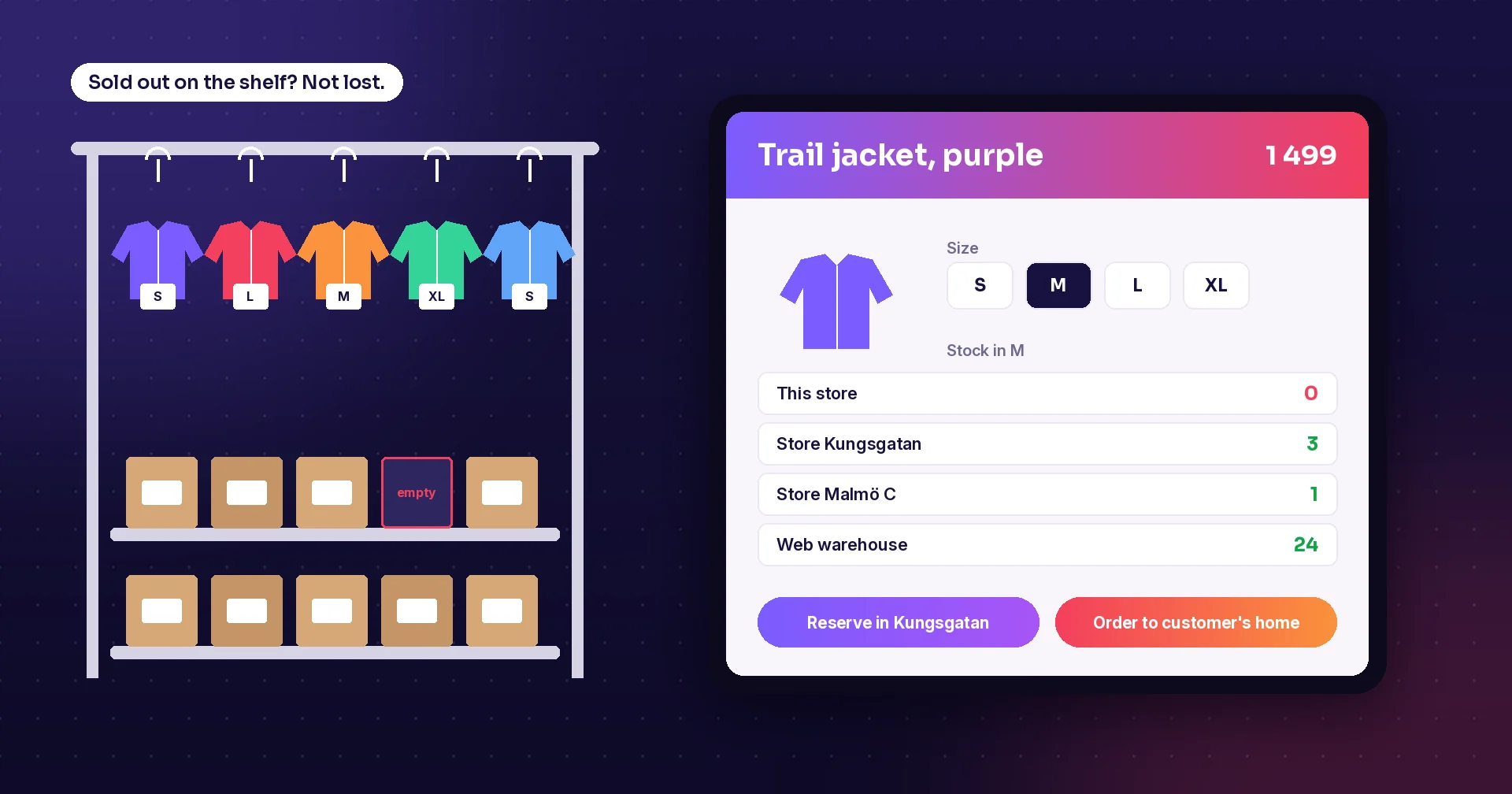
A customer asks for a jacket in medium. Without software, a staff member walks to the stockroom and comes back empty-handed. With a mobile app, they check sizes, colours and stock in every store and the web warehouse in seconds, reserve the item in another store or order it to the customer's home. The sale is saved instead of lost, and the customer leaves happy.
5. Web orders picked faster
Many stores now ship web orders or prepare click-and-collect orders. Software tells staff when a new order arrives, groups several orders into one round through the shop, and shows a picture of each item so the right one is picked. One walk can fill many orders, which keeps picking from taking over the day.
6. The right price on every label
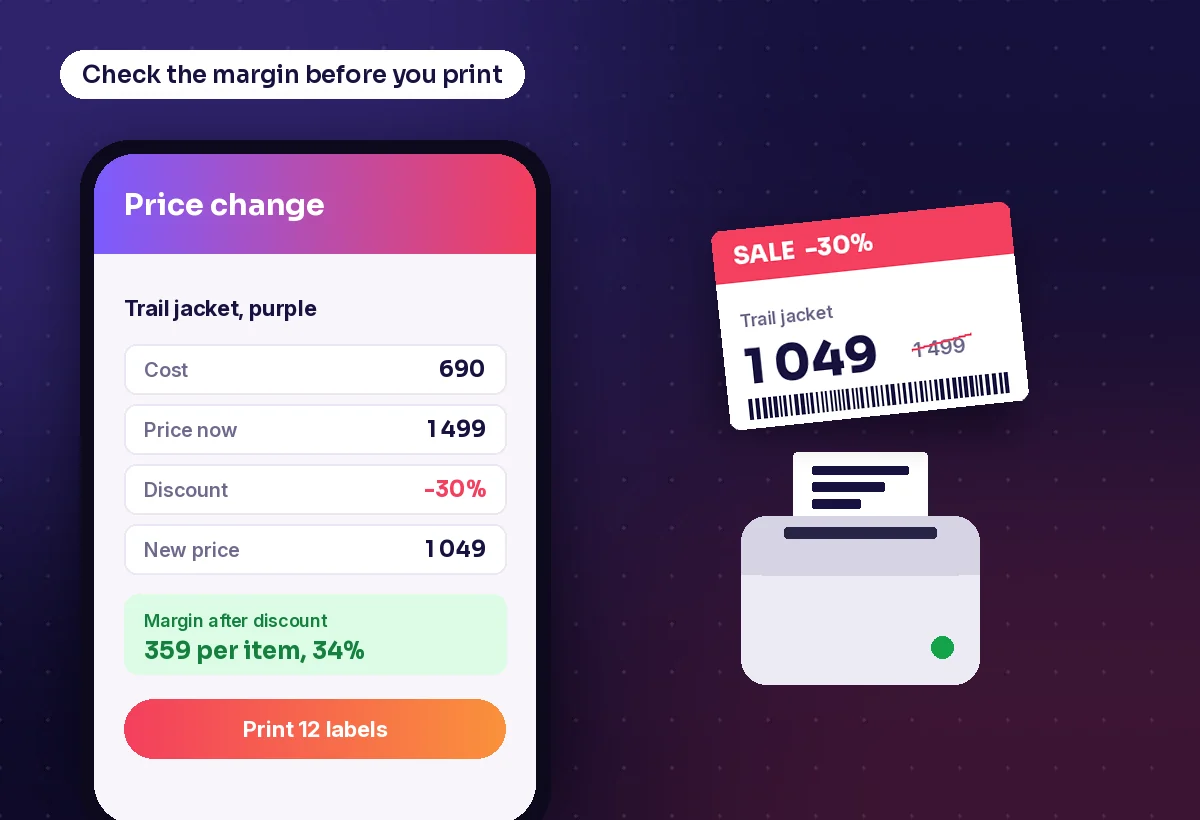
Price changes and promotions mean a lot of labels. When labels are printed from the same system that holds prices, the shelf, the label and the till always agree. Staff can also check cost and margin before they print a discount, so a markdown does not quietly turn into a loss.
7. Staff who feel equipped
The benefit is not only for the business. In Zebra's research, nearly 90 percent of store associates said they feel more valued by their employer when they get technology tools, and nearly as many said mobile tools would help them give customers a better experience. Simple apps that do one job well are also faster to learn, which helps with new and seasonal staff.
8. Data you can act on
Once every receipt, move, count and pick is scanned, you can see what sells where, which suppliers deliver short, where stock goes missing and how long jobs take. That turns gut feeling into decisions: what to reorder, what to move to another store and where to put staff.
Side by side
| Without software | With retail software | |
|---|---|---|
| Stock count | Paper lists, typed in later, store closed | Scanned on mobile, a few shelves a day |
| Reordering | Gut feeling and handwritten lists | Suggested orders from minimum levels |
| Receiving | Checked by eye, errors found later | Scanned against the order on arrival |
| Customer asks for a size | Walk to the stockroom and back | Stock in every store in seconds |
| Web orders | One order at a time, from memory | Many orders in one round, with pictures |
| Price labels | Handwritten or typed one by one | Printed from the system, margin checked |
How to get started
- Start with the job that hurts most, often stock counts or customer stock checks
- Make sure every product has a barcode and every shelf a location
- Connect the app to your POS or ERP so stock and prices stay in one place
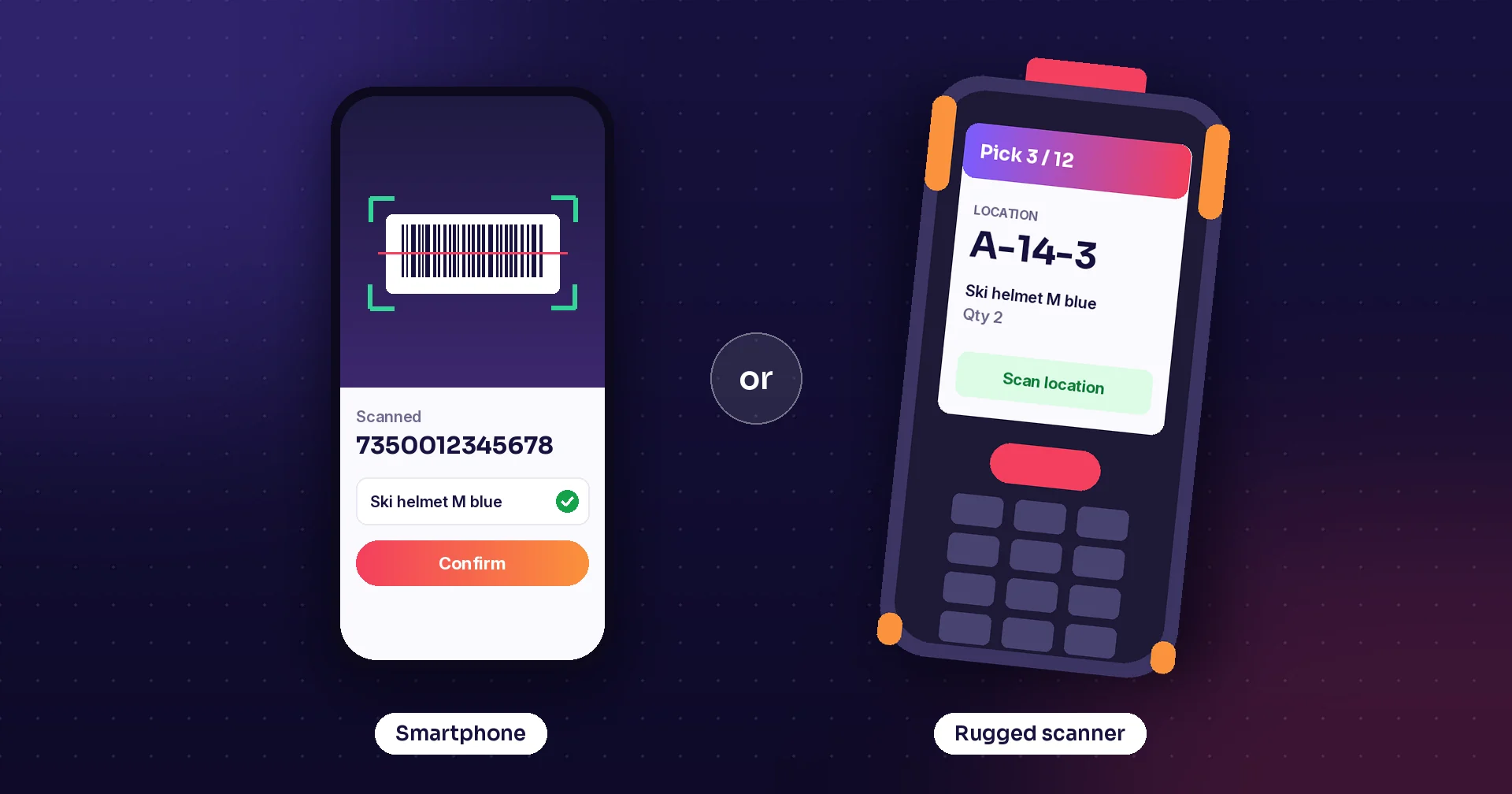
- Use the devices you have first, then add rugged scanners where scanning is heavy
- Measure the effect, such as fewer empty shelves or faster counts, before the next step
How Raptool helps
Raptool Retail puts stock counts, supplier orders, receiving, sales assistance, web order picking and label printing in your staff's hands, in one mobile app. It works with your POS and ERP, or on its own. Staff can check stock, sizes and colours in every store, set discounts and send custom orders to the POS, pick up to 30 web orders in one round with pictures and text-to-speech guidance, and print shelf, product and discount labels on any label printer after checking the margin. Reordering can be automatic from minimum quantities, with orders sent by email as PDF, by EDI or through your ERP or POS. The apps run natively on Android, iOS, Windows and Mac, work offline with millions of lines stored on the device, and run on phones, iPads and devices from Zebra, Honeywell and Datalogic. When you are ready, add RFID or customer self-scanning. Stores such as Acne, Löplabbet, Telenor and Fenix Outdoor run on Raptool Retail, and there is a free 30-day trial.
Key takeaways
- Wrong stock costs retailers about 6.5 percent of sales, so accurate stock comes first
- Scanning receiving, moves and counts keeps stock figures close to reality
- Stock in other stores on a phone turns a lost sale into a saved one
- Labels and prices from one system keep the shelf and the till in agreement
- Equipped staff feel more valued and serve customers better
Frequently asked questions
What does retail software do?
Retail software helps stores run their daily jobs: counting stock, ordering from suppliers, receiving deliveries, helping customers find products, picking web orders and printing price labels. It keeps stock and prices in one place, usually connected to the POS and ERP.
Is retail software only for large chains?
No. Small stores often gain the most, because each person does many jobs. A mobile app on a phone or tablet can start with one task, such as stock counts, and grow from there.
Do I need special hardware?
Not to begin with. Many retail apps run on phones and tablets that scan with the camera. Rugged scanners and label printers are worth adding where staff scan a lot or print many labels.
How does software reduce out-of-stocks?
By keeping stock figures accurate and suggesting orders before an item runs out. When every delivery, move and sale is recorded, the system knows when stock drops below the minimum and can create the supplier order.
Can retail software work with my POS?
Most retail apps connect to the POS and ERP through standard integrations, so stock, prices and orders stay in sync. Some can also run on their own if you do not have a central system yet.
Sources: IHL Group inventory distortion research, via Chain Store Age (2025); Coresight Research for Zebra Technologies, “Success at Hand”, via Business Wire (2024).
Tags
Want to see what retail software can do in your store? Book a demo or start a free 30-day trial of Raptool Retail.
Book a demo