A warehouse can buy a faster mobile computer and still lose time on every order. The operator is entering quantities through an awkward screen, walking closer to a label, or waiting for a dropped connection to recover. Datalogic’s latest Android devices deserve attention because they offer different answers to those problems.
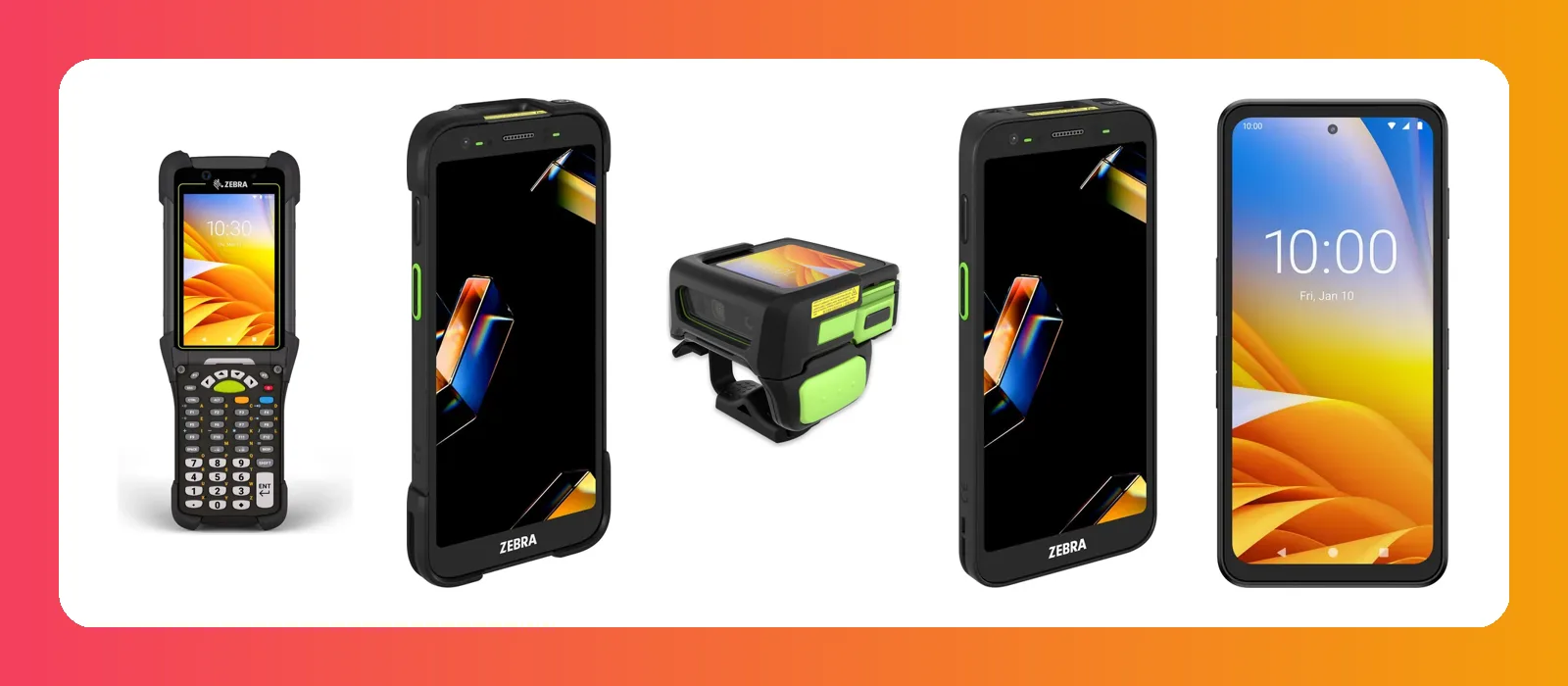
The newest warehouse families in this selection are the Falcon X60/X65 and Skorpio X40/X45. Alongside them, the recent Memor 12/17 and Memor K20/25, plus the established Memor 30/35 range, cover touch-first work, compact keypad entry and longer-range scanning. The purchasing decision is about matching the device to the work, rather than issuing the same handheld to everyone.
This guide was checked on 15 October 2026. It covers selected current Android families, with announcement dates kept separate from current availability and installed software versions.
What is actually new?
Datalogic described Falcon X60/X65 and Skorpio X40/X45 as global launches in its MODEX 2026 announcement. Separate product releases followed on 18 June for Falcon and 23 June for Skorpio. Those are different stages in the launch story, rather than evidence that the products first appeared on the June press-release dates. Datalogic’s MODEX announcement.
| Family | Where it sits | First question to ask |
|---|---|---|
| Falcon X60/X65 | New 2026 warehouse generation; heavy input and demanding conditions. | Do we need a rugged keypad device and the selected long-range engine? |
| Skorpio X40/X45 | New 2026 warehouse generation; compact handling and repeated scanning. | Does its size and grip suit a complete picking shift? |
| Memor 12/17 | Recent full-touch family launched in 2025. | Is the work mostly inside the building or across mobile locations? |
| Memor K20/K25 | Compact keypad family launched 30 June 2025. | Would physical keys make frequent quantity entry easier? |
| Memor 30/35, including X variants | Established full-touch range, included for context. | Does a touch interface need an extended-range scanner configuration? |
Current product pages are not a guarantee of local stock. Ask for the exact part number, regional radio configuration, scanner, accessories and delivery date in the quotation.
Falcon X60/X65: when the warehouse needs keys, reach and durability
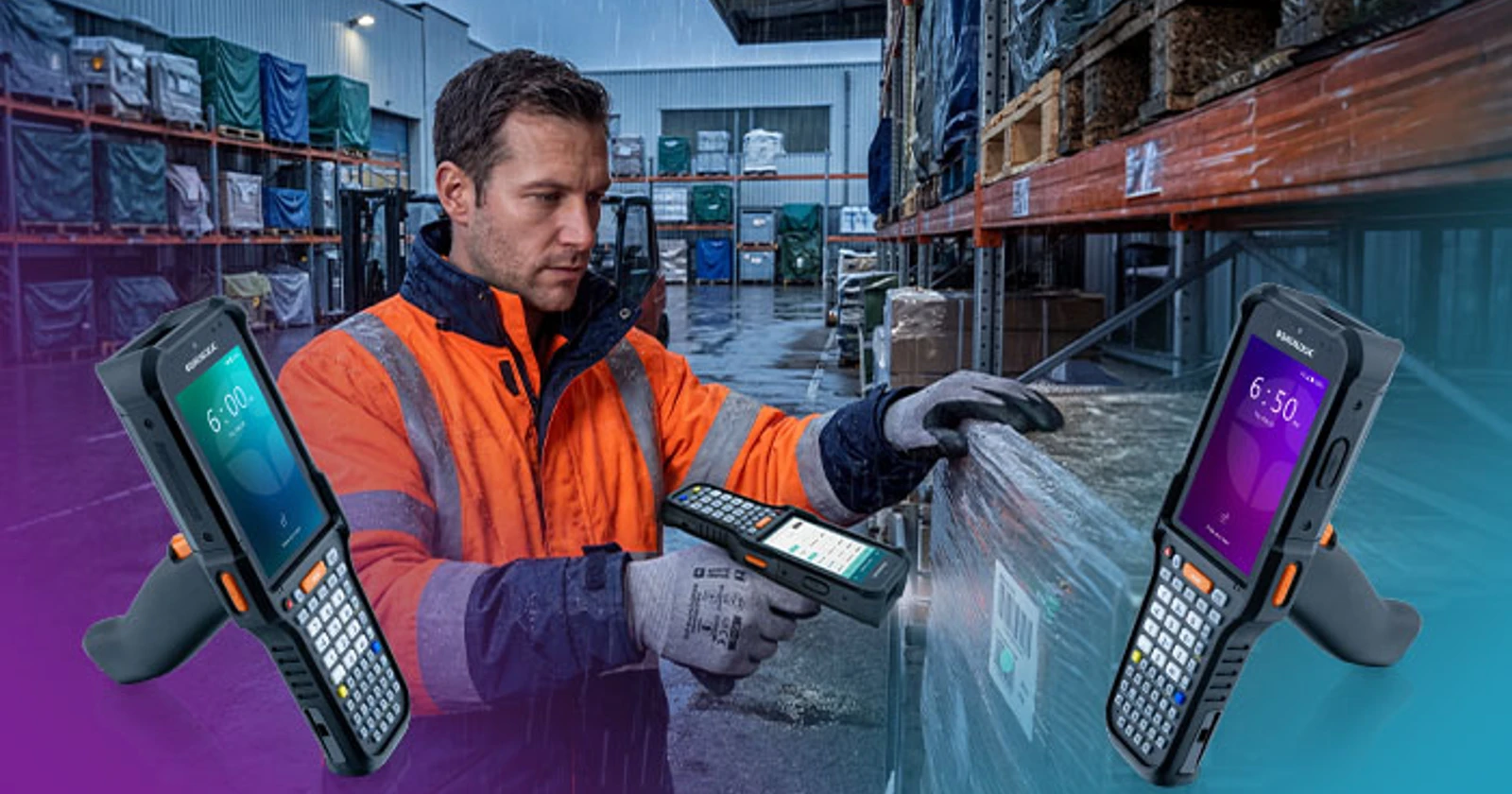
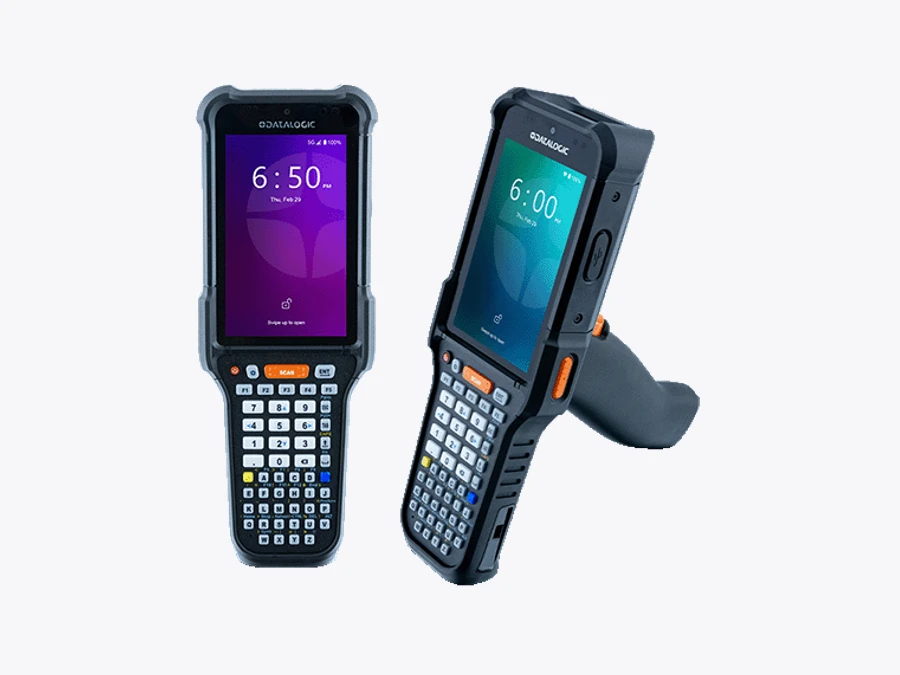
Datalogic positions the Falcon X60/X65 for demanding, scan-intensive warehouse work. Its June release describes a Qualcomm Dragonwing QCM4490 platform, physical keypad choices and long-range capture. The current product listing includes Android 15 configurations and standard, long-range and XLR scanner choices. Falcon release · models and specifications.
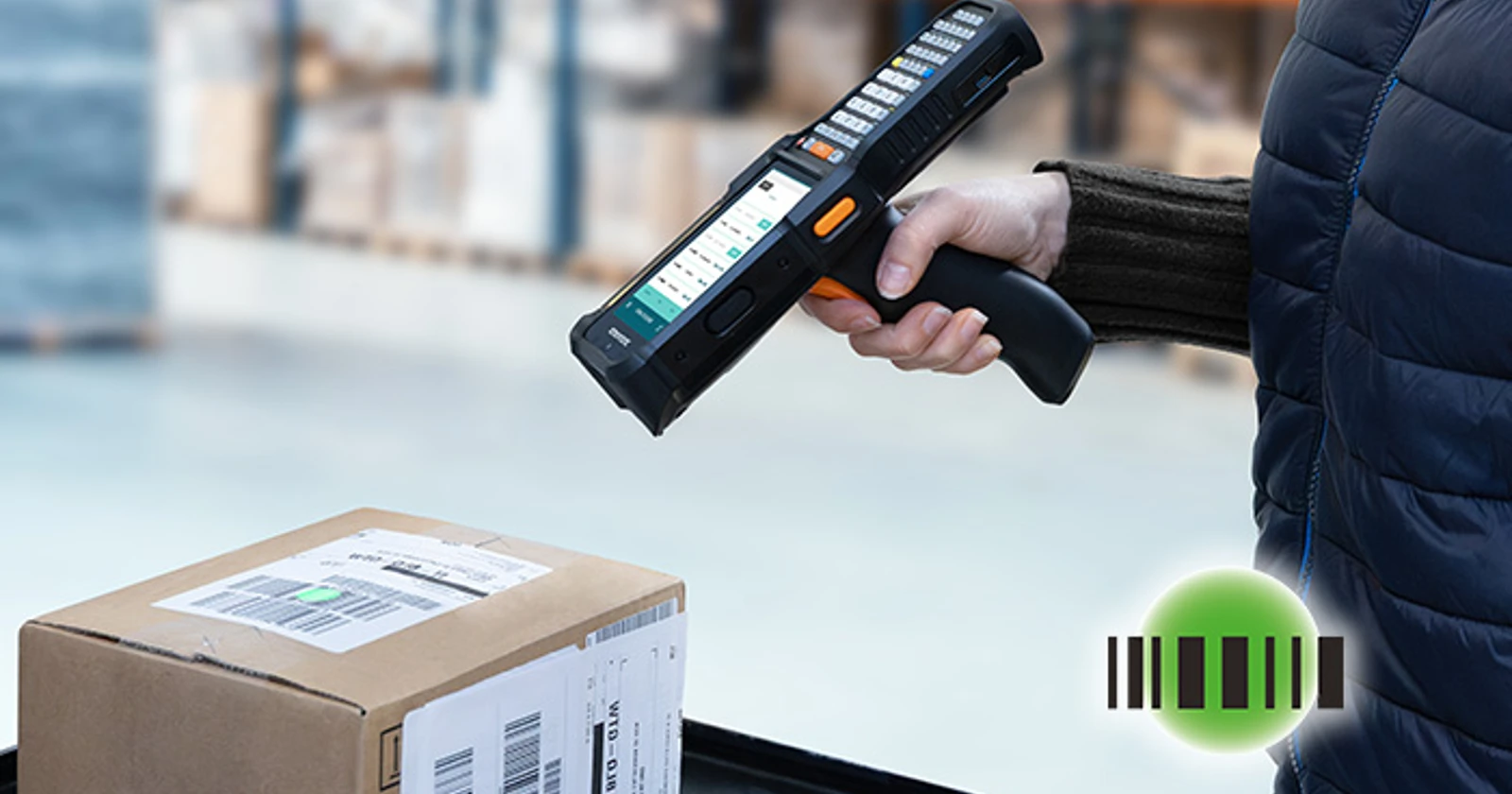
The family page advertises scanning up to 20 meters and Green Spot good-read feedback visible up to 10 meters. These are supplier capability claims for appropriate configurations and conditions, not distances we have independently measured. Barcode size, material, wrapping, angle and light all belong in the trial.
The business case is strongest where workers repeatedly enter quantities or identify goods from their normal operating position. Test a partial receipt, an incorrect location, a damaged label and an exception note. A device that reads a distant code but makes corrections cumbersome may leave the full task slower.
Physical keys also deserve an ergonomic trial. The operator should be able to reach the required controls with the normal grip and work gloves. Ask the purchasing team to watch the whole sequence, including putting the device down and picking it up again, rather than timing only the decode.
Skorpio X40/X45: a smaller device can be the operational choice
The Skorpio X40/X45 announcement emphasises a compact, balanced design for one-handed operation, with a field-detachable pistol grip. It combines an Android platform, long-range scanning options and Green Spot feedback, and is aimed at work such as picking, replenishment and stock counting. Skorpio release · official Android support portal.
This is a useful counterweight to choosing the most imposing handheld on the shortlist. The right device is one the team can carry and operate comfortably throughout the shift while still meeting the application and durability requirements.
Give staff a realistic mix of goods. Include small items that need careful handling and cartons that occupy both hands. Check whether the grip helps, where the handheld goes between tasks, and how easily the operator moves from scanning to data entry.
Confirm the ordered scanner and radio configuration separately. Family-level references to cellular connectivity or longer-range capture should not be read as a promise that every part number includes those functions.
Memor 12/17: touch-first work inside and beyond the building
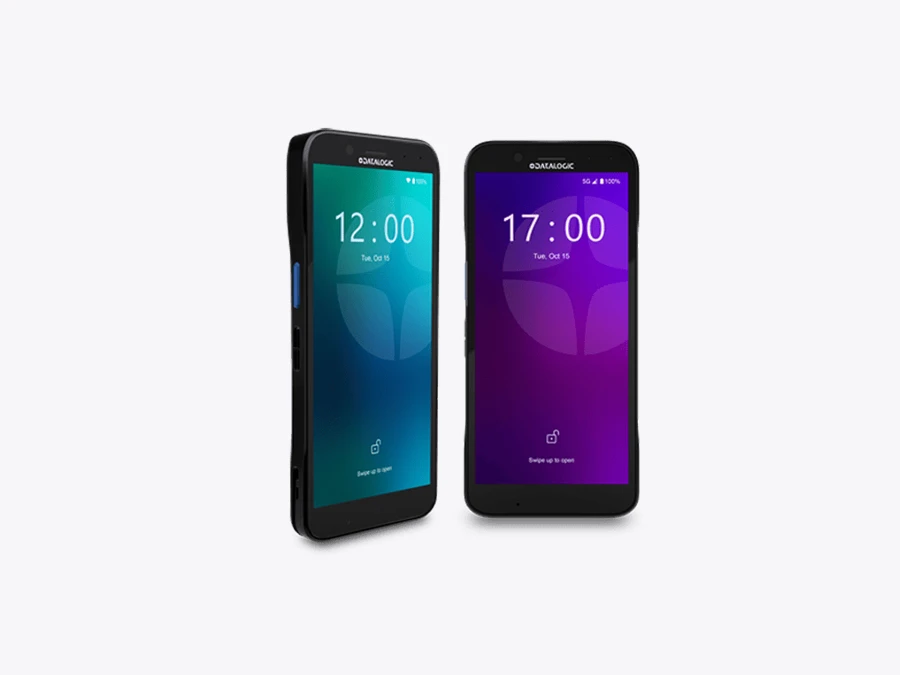
Introduced in 2025, the Memor 12/17 family targets front-facing retail, logistics and healthcare roles. The official listings distinguish Wi-Fi 6E Memor 12 configurations from Memor 17 configurations that add 5G. The family uses a dedicated Halogen scan engine with Green Spot feedback, alongside rear and front cameras. Launch announcement · current family and configurations.
A touch device is worth considering where the screen carries substantial information: a customer order, product details, a delivery exception or a task list. The trade-off is repeated typing. Put the actual application on the device and watch someone enter and correct quantities.
The healthcare-labelled Memor 17 HC is a separate configuration to assess against the intended clinical application and cleaning procedures. A healthcare product name does not establish compatibility with every hospital system or approval for every workflow.
Memor K20/K25: keep the keys when the work needs them
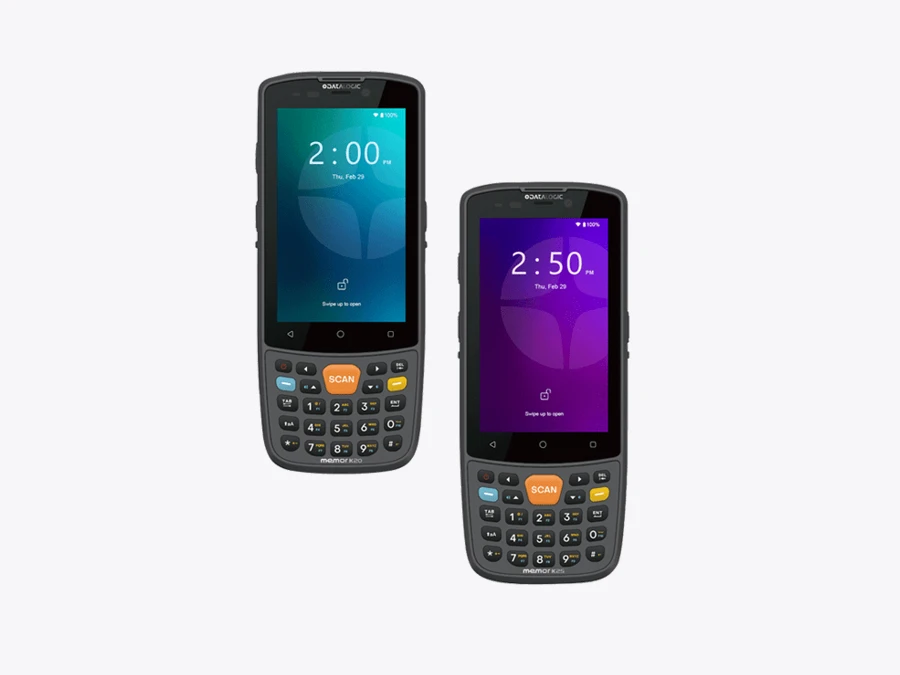
Launched on 30 June 2025, the Memor K20/K25 combines a 24-key backlit keypad with a 4-inch touch display. The family page describes Android 13, a Halogen DE2102-HP 1D/2D engine and a replaceable battery. K20 configurations use Wi-Fi; K25 adds data-only 4G LTE in selected countries. K20/K25 launch · product details.
The practical attraction is straightforward: staff who repeatedly enter quantities may prefer physical keys to a screen keyboard. That preference needs testing with the app, particularly where function keys, shortcuts or terminal-emulation screens shape the work.
Its smaller display may be less comfortable for a detailed form or a large image. Ask users to complete an ordinary task and an awkward exception before deciding whether compactness is a benefit. Price alone cannot reveal the cost of a slow correction process.
Memor 30/35: the scanner suffix matters
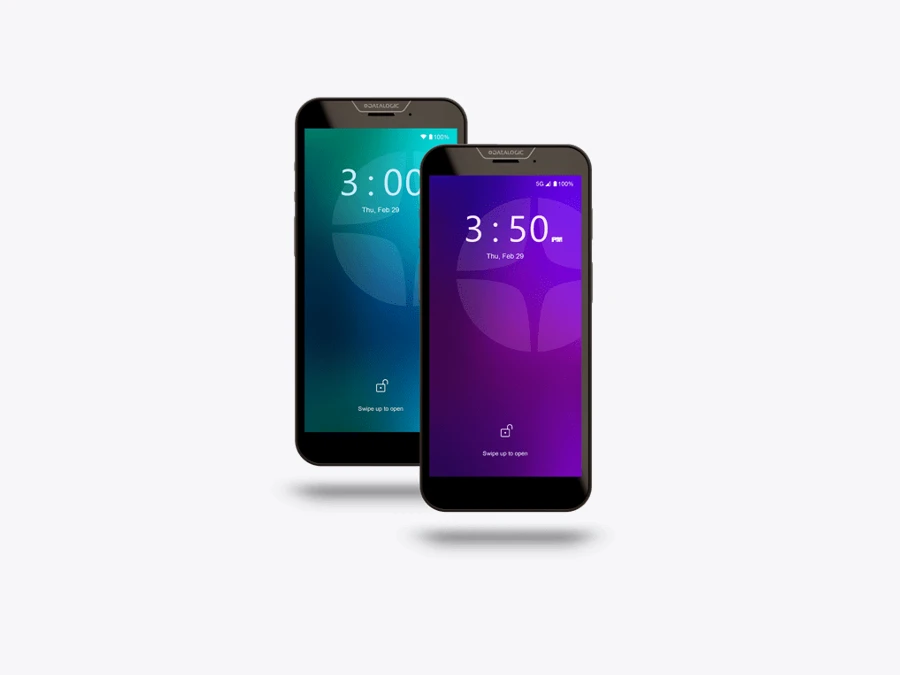
The established Memor 30/35 family remains relevant to a current shortlist. Datalogic identifies the 30X/35X variants with extended-range Halogen DE2121-ER scanning and advertises reading from 5 centimeters up to 10 meters. Treat that span as a supplier specification that depends on the barcode and conditions. Do not apply it to every Memor 30 or 35 configuration. Memor 30/35 family.
That distinction can prevent an expensive ordering mistake. Put the required scan engine and working labels into the acceptance criteria. An impressive demonstration with a long-range sample does not establish what the quoted unit will do.
Test adjacent labels as well as isolated ones. Reading a barcode quickly is useful only when it is the intended barcode. Record false selections, repeated attempts and the extra movement needed to aim at a high rack.
Android support is part of the purchase
Published launch specifications and current firmware are different facts. Datalogic’s Memor 12/17 developer portal currently lists Android 15 as active and Android 13 as transition, with separate release packages. An older product description saying Android 13 does not mean that is the only supported software path, nor does an available update mean every device in stock already runs it. Memor 12/17 firmware status.
Request the delivered OS version, supported upgrade path, security-update terms and end dates for the proposed part number. Where a supplier describes support for “up to” a number of years, establish the starting point and contract conditions before using that period in a budget.
Datalogic’s Mobility Suite and developer tools belong in the discussion about deployment and capture integration. Ask how settings are restored on a spare device, how updates are tested, and who supports the night shift. Buying capable hardware does not settle those responsibilities.
For a Raptool project, validate the intended barcode-input route, camera handling, network recovery and connection to the target business system. This guide does not establish automatic compatibility with every Datalogic model, SDK or optional peripheral.
Make the shortlist prove its value
Choose one repeated process and compare complete, valid transactions. Include the application response, quantity entry, rescan, correction and confirmation. Use normal labels and ordinary staff, then repeat the task during a busy period.
Three seconds can add up. Payroll does not fall automatically.
If a tested workflow saves 3 seconds on 800 transactions per working day over 250 days, it releases about 167 labor-hours annually. At an assumed €30 per hour, that represents €5,000 of labor capacity, before hardware, software, integration and support. These inputs are hypothetical, not a Datalogic benchmark or a cash-saving forecast.
Capacity may mean a backlog is cleared sooner or customers are served more quickly. A cash-saving calculation needs evidence that paid expenditure falls, along with the full initial and recurring costs. Keep both outcomes visible without counting the same time twice.
Datalogic’s latest range gives buyers meaningful choices: newer warehouse keypad devices, compact key-based models and full-touch handhelds. Bring the labels, gloves and real application to the demonstration. The device that makes the entire job easier has the strongest claim on the budget.
Family reference and configuration checks
Datalogic Falcon X60/X65 · technical details
Datalogic Falcon X60/X65
Official product and configuration details
| Role to evaluate | Demanding scan and keypad work |
|---|---|
| Published configuration notes | Android 15 configurations listed; standard, long-range and XLR options. |
| Before ordering | Confirm the exact keypad, scan engine and radio configuration. |
Advantage to evaluate: Demanding scan and keypad work.
Trade-off: Confirm the exact keypad, scan engine and radio configuration.
Checked 15 October 2026. Family photograph, not certification of the pictured options or business-app compatibility. See the manufacturer’s current part-number list for complete specifications.
Datalogic Memor 12/17 · technical details
Datalogic Memor 12/17
Official product and configuration details
| Role to evaluate | Front-facing retail and mobile work |
|---|---|
| Published configuration notes | Dedicated barcode engine; Memor 12 Wi-Fi 6E; Memor 17 adds 5G configurations. |
| Before ordering | Confirm memory, radio, charging and healthcare variants. |
Advantage to evaluate: Front-facing retail and mobile work.
Trade-off: Confirm memory, radio, charging and healthcare variants.
Checked 15 October 2026. Family photograph, not certification of the pictured options or business-app compatibility. See the manufacturer’s current part-number list for complete specifications.
Datalogic Memor K20/K25 · technical details
Datalogic Memor K20/K25
Official product and configuration details
| Role to evaluate | Frequent quantity entry |
|---|---|
| Published configuration notes | 4-inch display; 24-key keypad; Android 13 product specification. |
| Before ordering | K25 data-only 4G availability depends on country. |
Advantage to evaluate: Frequent quantity entry.
Trade-off: K25 data-only 4G availability depends on country.
Checked 15 October 2026. Family photograph, not certification of the pictured options or business-app compatibility. See the manufacturer’s current part-number list for complete specifications.
Datalogic Memor 30/35 · technical details
Datalogic Memor 30/35
Official product and configuration details
| Role to evaluate | Touch workflows with range options |
|---|---|
| Published configuration notes | 30X/35X variants provide extended-range scanning options. |
| Before ordering | Do not apply X-variant range claims to standard models. |
Advantage to evaluate: Touch workflows with range options.
Trade-off: Do not apply X-variant range claims to standard models.
Checked 15 October 2026. Family photograph, not certification of the pictured options or business-app compatibility. See the manufacturer’s current part-number list for complete specifications.
Questions before you order
Which Datalogic Android warehouse devices are the newest in this article?
Falcon X60/X65 and Skorpio X40/X45 are the 2026 launches covered here. Datalogic described them as global launches at MODEX, with separate product releases in June 2026.
Are Memor 12/17 and Memor K20/K25 new in 2026?
No. They were introduced in 2025. They are included as recent alternatives alongside the established Memor 30/35 family.
Does Android support mean every device ships with the newest OS?
No. Confirm the delivered version, update path, application requirements and support terms for the exact part number. Current firmware availability is separate from the original launch specification.
Sources and scope
Research checked 15 October 2026. Manufacturer claims are attributed; proposed task comparisons and the capacity example are our analysis. No independent device benchmark was performed.